Operation
NT 10000...NT 12000 59
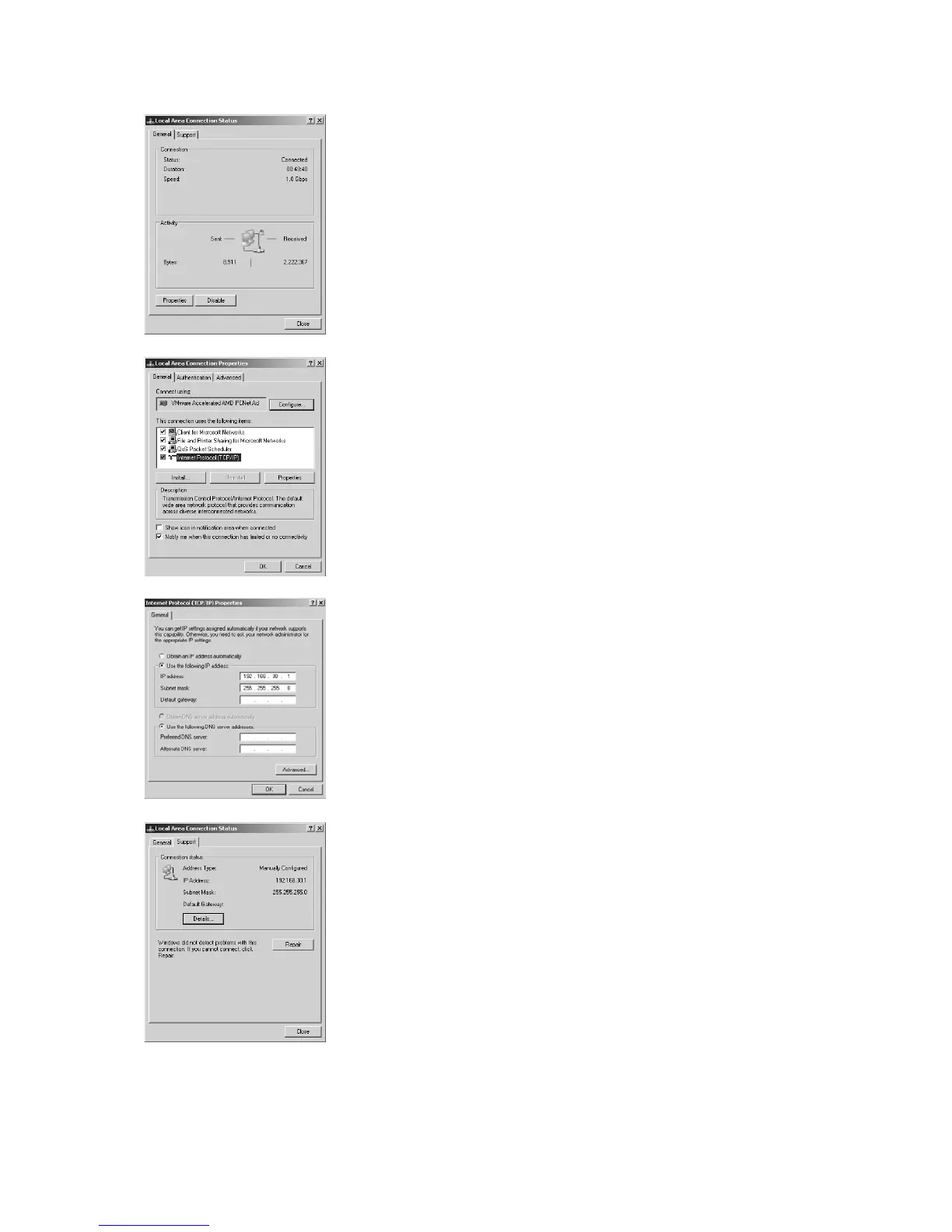
3. Double-click on the LAN connection via which you are connected to the So-
lar Inverter.
4. Click in the Status window on Properties.
5. Mark Internet Protocol (TCP/IP) and click on Properties again.
6. Now assign an unused IP address 192.168.30.XXX and enter the subnet
mask 255.255.255.0.
7. Click on OK to confirm your entries.
8. In the Status menu item you can check the correctness of your entries and
the status of your connection.



 To Next Page