Operation
70 NT 10000...NT 12000
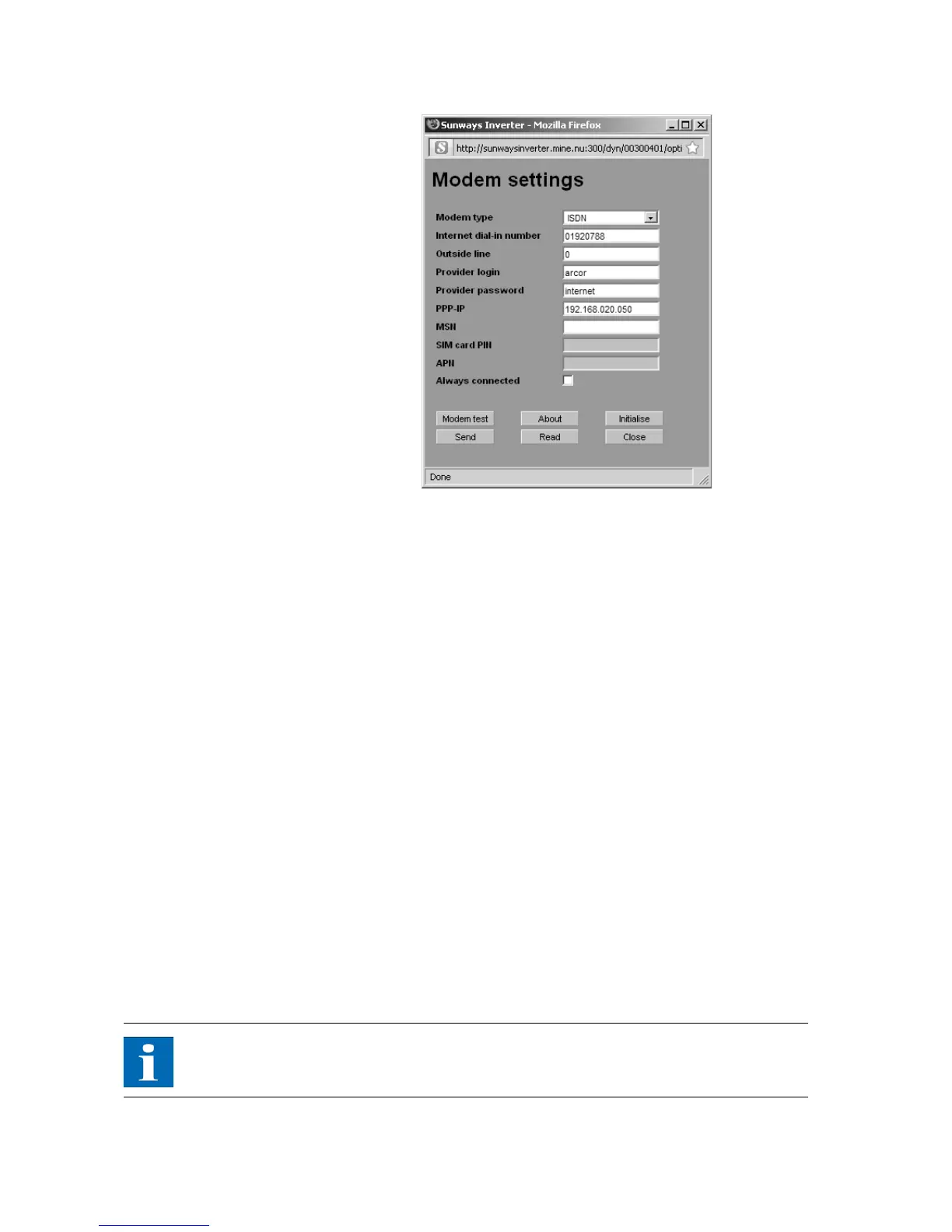
Modem type Selection for the modem type: Analogue, ISDN or GSM modem
Internet dial-in number Dial-in number of your Internet provider (ISP)
Outside line If you have a telephone system, you can, for example, enter a 0 here. A comma
results in a dialling pause of 1 second.
Provider Login User name defined by your Internet provider
Provider password Password defined by your Internet provider
PPP-IP You can reach the Solar Inverter by entering this IP address in your web browser.
The default address is 192.168.20.50.
MSN With an ISDN modem you store the MSN of the extension to which the modem
is connected here. This is usually the telephone number of the extension wit-
hout the area code.
SIM card PIN With a GSM modem you enter the PIN of the SIM card here.
APN Access point number. You can obtain the APN from your mobile communica-
tions provider.
Always connected Select this option if you have a GPRS mobile tariff in order to ensure that the
device is always online.
NOTE
Please note!!! With time-based tariffs (e.g. modem connection with GSM or
analog) this function can result in very high phone charges!
Function buttons Use the Send option to save the settings in the Solar Inverter.



 To Next Page