32 33
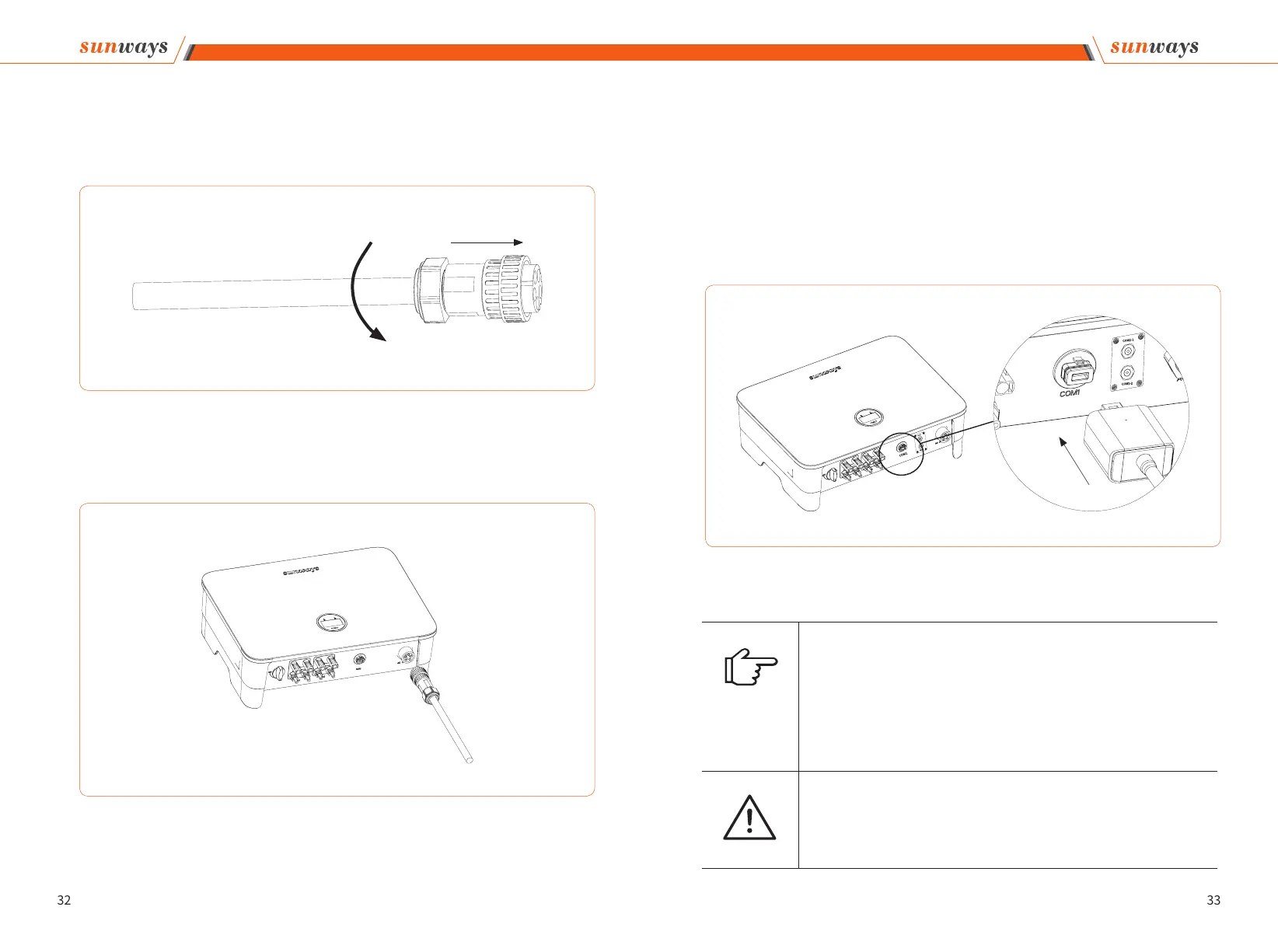
④ According to the arrow direction push the threaded sleeve to make it connected with
the AC terminal head and then rotate the cable gland clockwise to lock it, as shown in g-
ure 4-23:
Figure 4-23
Figure 4-24 Connect the AC connector
2. Connect the AC connector to the inverter AC terminal, and rotate the AC connector
buckle clockwise until its tight enough. As shown in gure 4-24:
4 Installation
※ 4.6 Monitoring Device Installation
Sunways STT 4-25kW series three phase inverter supports WIFI, GPRS, LAN, 4G and RS485
communication.
Plug the WIFI, LAN, 4G or GPRS module into the COM1 port in the bottom of inverter (as
shown in Figure 4-25). A slight "click" sound during the installation represents that the
assembly is in place.
Figure 4-25 Monitoring device installation
4 Installation
Note
1. The 4G, and GPRS version module does not need to be congured.
2. The WiFi version module needs to be congured to the router for the rst installation.
If the router name or password are changed, the WiFi dongle will need to be recong-
ured. For details, please refer to the [QUICK INSTALLATION GUIDE] which is attached to
the accessory bag.
3. If DHCP is enabled on the router, the LAN version module does not need to be cong-
ured. Otherwise, please refer to the [QUICK INSTALLATION GUIDE] which is attached to
the accessory bag.
Attention
Do not touch the waterproof plug in the card slot except for replacing the SIM card. In
that case, please make sure the card slot is completely sealed by the weatherproof plug
after replacing the SIM card. Any damages caused by improper waterproof plug place-
ment, will void warranty.



 To Next Page