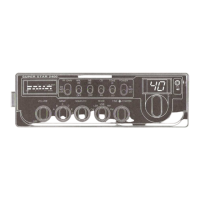
3. Main settings
The main settings menu allows you to change operating parameters of the processor board.
These settings are intended to be accessed infrequently. If you intend altering these settings
be sure to write down the current values as it is possible to create problems if the settings are
changed without having at least a second good radio to check.
3.1 Accessing the main settings menu
To enter the main settings menu you need to follow the steps below.
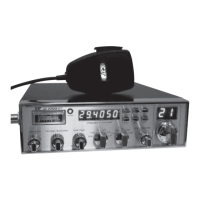
• Switch off the Superstar 3900 OLED if already on
• Turn on the Superstar 3900 OLED while pressing channel selector
• Wait until the power up text is displayed
• once the display shows MAIN SETTINGS, release the channel selector
• Settings menu should be entered
3.2 Fine centre setting
This setting allows the centring of the fine control
• Turn channel selector to FINE CENTER menu item
• Adjust the fine tune button to dead centre
• Press the channel selector button once to save the alignment
3.3 Coarse centre setting
This setting allows the centring of the coarse control
• Turn channel selector to COARSE CENTER menu item
• Adjust the coarse tune button to dead centre
• Press the channel selector button once to save the alignment
3.4 Frequency setting
This menu allows you to set the frequency alignment of the processor board.
Frequency adjustment can be done against a frequency counter (best) or another radio (worst).
Its also suggested that the adjustment is done when the rig has been on for 20min under normal
temperature conditions. It is recommended the radio has had the internal 10.695MHz oscillator
calibrated in advance.
With a frequency counter:
• Connect the frequency counter probe to TP3
• Turn channel selector to REF FREQUENCY menu item
• Press the channel selector, ADJUST is shown
• Set the mode to USB
• Adjust the fine and coarse controls to read 16.8625MHz on the frequency counter
• Press the channel selector button once, the alignment will be saved and the ADJUST text
will be blanked
Page 10 / 13


 To Next Page