Note: The 10.695MHz carrier oscillator should also be aligned.
Without a frequency counter:
• Put your HF radio on 27.555 USB
• Turn channel selector to REF FREQUENCY menu item
• Press the channel selector, ADJUST is shown
• Set the mode to USB
• Transmit and talk on the HF radio then adjust the fine and coarse controls to get the best
sounding voice, each time you adjust there will be some noise which is normal
• Once happy with the voice pitch, press the channel selector button and the alignment will be
saved
3.5 Transmit offset setting
On some chassis there is unavoidable frequency movement when transmit is pressed which is
caused by the 10.695MHz carrier oscillator. This can be compensated for by the TX OFFSET
setting. This setting is normally in the range -60 to +60.
With a frequency counter:
• Connect the frequency counter to the radio RF output
• Turn channel selector to TX OFFSET menu item
• Press the channel selector, ADJUST is shown
• Set the mode to AM
• Turn down the mike gain
• Press and hold transmit button on the microphone
• Adjust the fine control to read 27.555MHz on the frequency counter
• Release the transmit button on the microphone
• Press the channel selector button and the alignment will be saved
Without a frequency counter:
• Put your HF radio on 27.555 USB
• Turn channel selector to TX OFFSET menu item
• Press the channel selector, ADJUST is shown
• Set the mode to USB
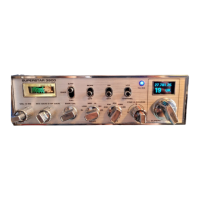
• Transmit on the Superstar 3900 OLED and adjust the fine control to get the best sounding
voice on the HF radio
• Once happy with the voice sound, press the channel selector button and the alignment will
be saved
3.6 Clarifier mode setting
There are two options, clarifier on RX only (locked) or both RX+TX (unlocked).
• Turn channel selector to CLARIFIER MODE menu item
• Press the channel selector to toggle between options
Page 11 / 13


 To Next Page