2-8
X7DB3 User's Manual
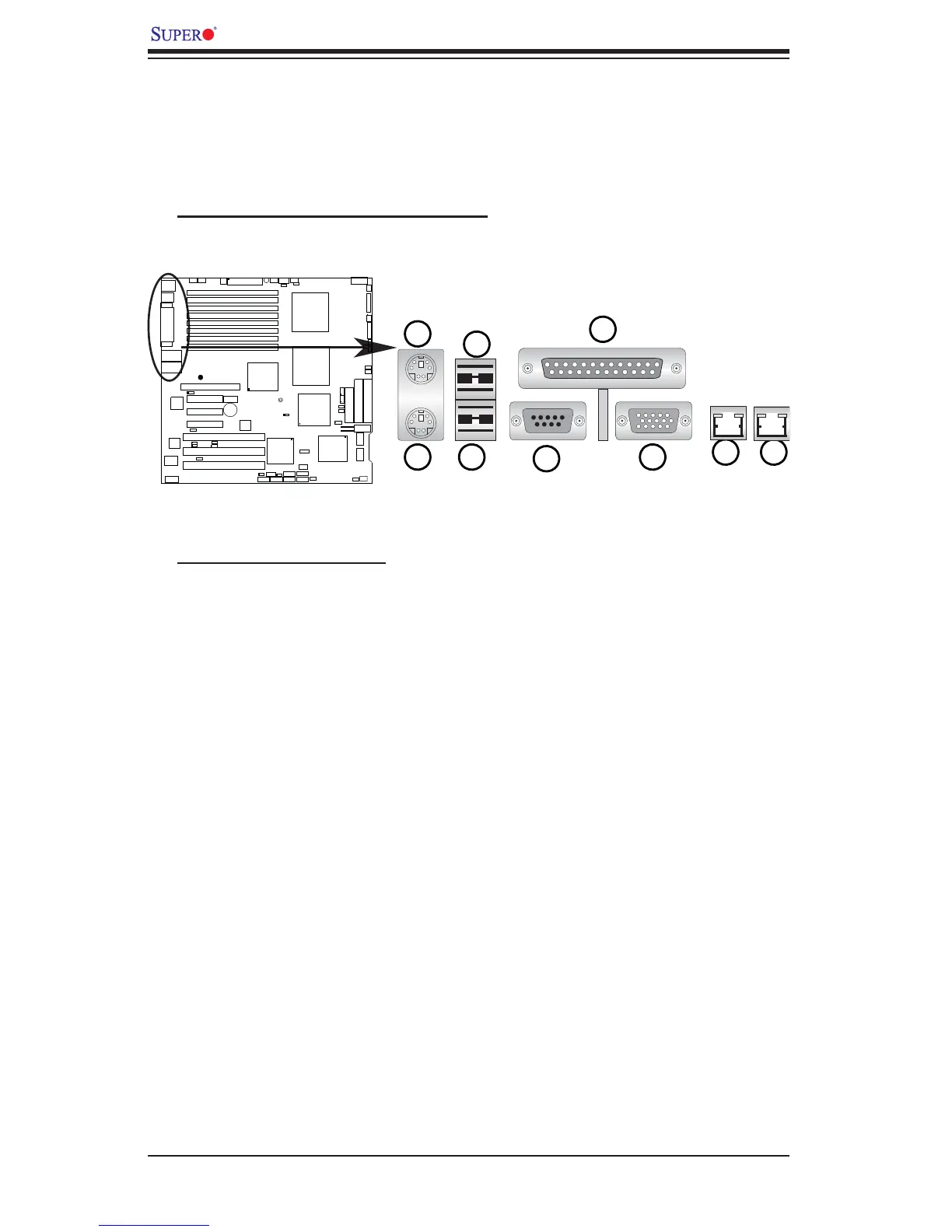
2-4 Control Panel Connectors/IO Ports
The I/O ports are color coded in conformance with the PC 99 specifi cation. See
Figure 2-3 below for the colors and locations of the various I/O ports.
A. Back Panel Connectors/IO Ports
Back Panel I/O Port Locations and Defi nitions
Back Panel Connectors
1. Keyboard (Purple)
2. PS/2 Mouse (Green)
3. Back Panel USB Port 0
4. Back Panel USB Port 1
5. COM Port 1 (Turquoise)
6. VGA Port (Blue)
7. Parallel Port (Printer)
8. Gigabit LAN 1
9. Gigabit LAN 2
(*See Section 2-5 for details.)
®
JLAN1
S
U
P
E
R
X
7D
B
3





 To Next Page