Chapter 4: BIOS
4-7
System Memory
This display informs you how much system memory is detected in the system.
Extended Memory
This display informs you how much extended memory is detected in the system.
4-4 Advanced Setup
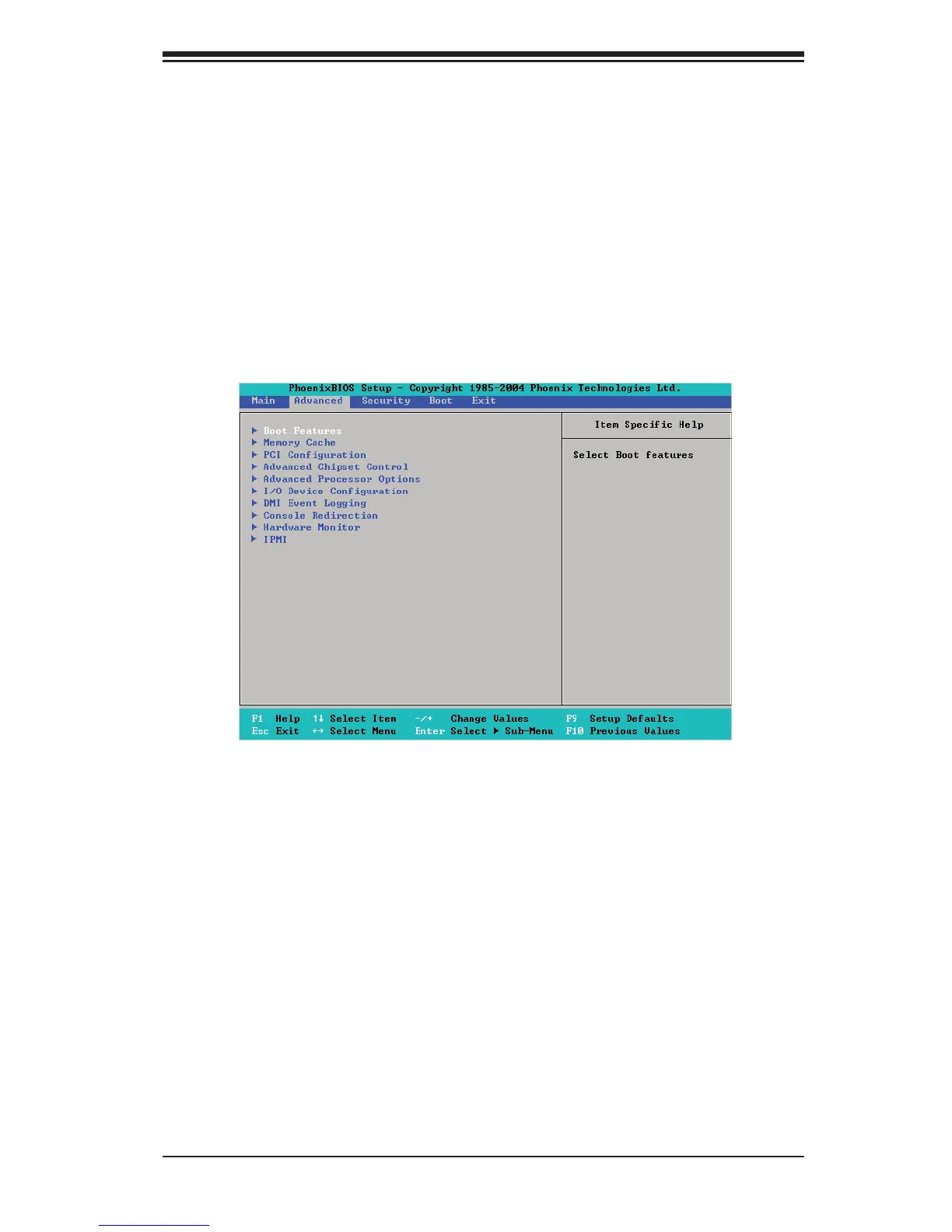
Choose Advanced from the Phoenix BIOS Setup Utility main menu with the arrow keys.
You should see the following display. The items with a triangle beside them have sub
menus that can be accessed by highlighting the item and pressing <Enter>.





 To Next Page