4-28
X9DR3-F/X9DRi-F Motherboard User’s Manual
4-6 Boot
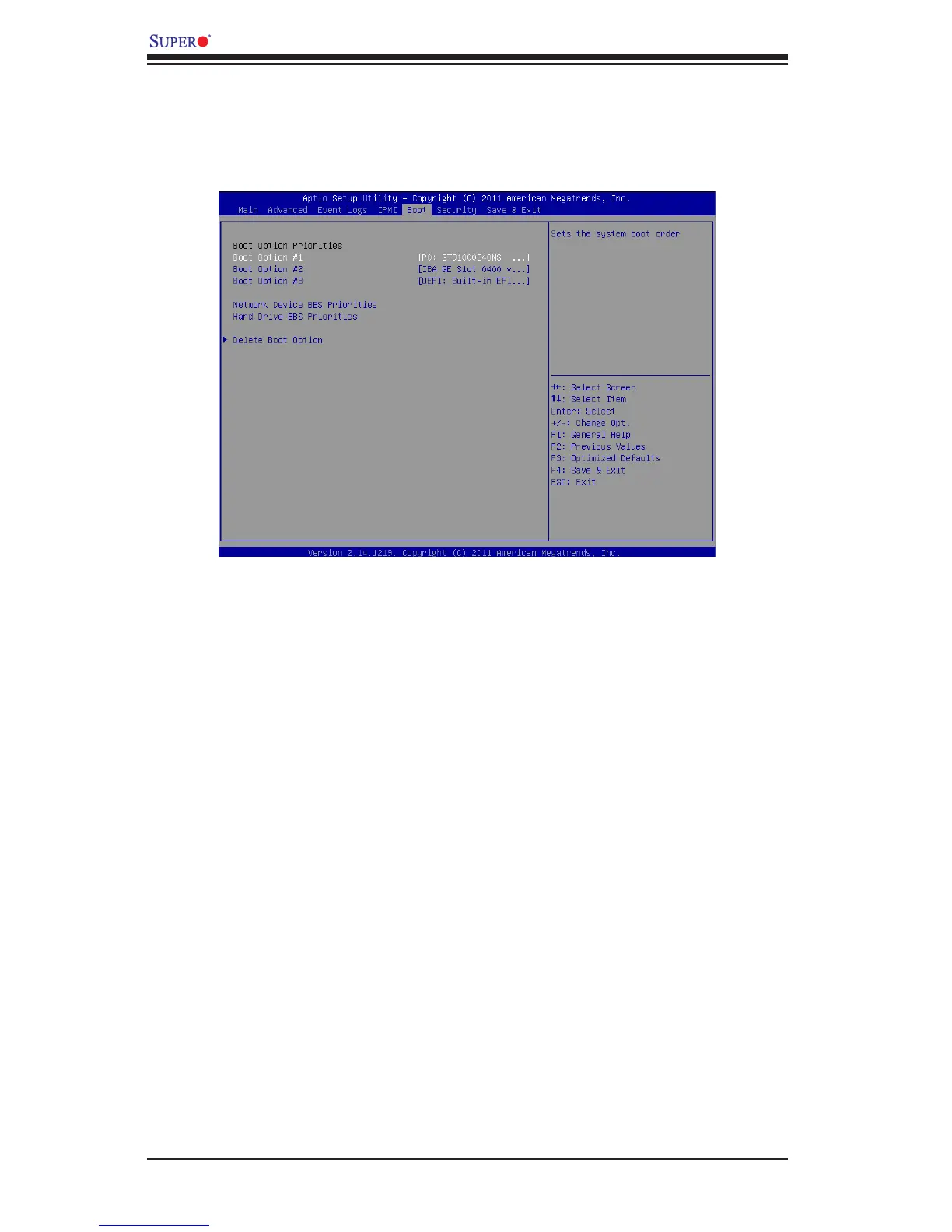
This menu allows the user to congure the following boot settings for the system.
Boot Option Priorities
Boot Option #1/ Boot Option #2/ Boot Option #3
Use this feature to specify the sequence of boot device priority.
Network Device BBS Priorities, Hard Drive BBS Priorities
This option sets the order of the legacy network devices and Hard Disks detected
by the motherboard.
Delete Boot Option
This feature allows the user to delete a previously dened boot device from which
the system boots during startup.
Boot Option #1, Boot option #2, Boot Option #3
The settings are Built-in EFI Shell, and [any pre-dened boot device].


 To Next Page
 Loading...