Need help?
Do you have a question about the Supero X9DRL-iF and is the answer not in the manual?
Describes the motherboard's features and target audience.
Outlines the structure and content of the manual chapters.
Explains symbols used for important information and additional notes.
Provides addresses, phone numbers, and emails for Supermicro support.
Details the motherboard's basic overview and items included in the retail package.
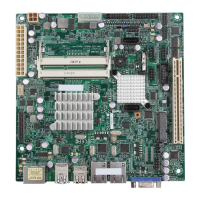
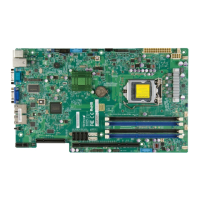
Shows visual representations of the motherboard and its component placement.
Offers a quick overview of key features and important notes for the motherboard.
Lists and describes the main hardware features of the motherboard.
Illustrates the internal connections and components of the motherboard.
Provides details on the CPU and chipset capabilities.
Covers unique functionalities and system monitoring capabilities.
Explains power management standards and power supply requirements.
Details power management features and the Baseboard Management Controller.
Lists additional functionalities provided by the BMC controller.
Presents industry-standard warnings for user safety during installation.
Instructs on the proper disposal of the product and its components.
Provides precautions for handling components sensitive to electrostatic discharge.
Guides through the process of installing the CPU and its heatsink.
Details the procedure for installing and removing RAM modules.
Explains how to mount the motherboard into the chassis.
Describes the front panel connectors and rear I/O ports.
Details the USB port configurations and pin definitions.
Explains the Gigabit Ethernet and IPMI LAN ports.
Covers front panel buttons, LEDs, and header pin definitions.
Explains fan headers, chassis intrusion, speaker, TPM, SMBus, SGPIO, and power connectors.
Introduces the use of jumpers for configuring motherboard operations.
Details the status LEDs for LAN ports, IPMI, Power, and BMC.
Provides information on SATA and SAS port configurations.
Offers systematic steps to diagnose and resolve system issues.
Guides on how to contact Supermicro for technical assistance.
Provides instructions for handling and replacing the motherboard battery.
Addresses common user queries regarding memory, BIOS, and batteries.
Explains the process for warranty service and returning products.
Introduces the BIOS setup utility and navigation methods.
Describes the primary BIOS setup interface and displayed information.
Details advanced system settings and options.
Explains how to manage system event logs within the BIOS.
Covers the setup for Intelligent Platform Management Interface features.
Allows configuration of system boot order and devices.
Provides options for setting administrator and user passwords.
Explains how to save changes, restore defaults, and exit the BIOS setup.
Lists beep codes and their corresponding error messages for POST diagnostics.
Guides on installing system software and drivers from the included CD.
Explains how to use the SuperDoctor III tool for system monitoring and management.
 General
| CPU Socket | LGA 2011 |
|---|---|
| Chipset | Intel C602 |
| Memory Type | DDR3 |
| Maximum Memory Supported | 512GB |
| PCIe 3.0 x16 Slots | 2 |
| PCIe 2.0 x4 Slots | 1 |
| SATA III 6Gbps | 2 |
| SATA II 3Gbps | 4 |
| IPMI | Yes |
| Memory Slots | 8 |
| PCIe 3.0 x8 Slots | 1 |
| SAS | 8 |
| LAN | 2 x Gigabit Ethernet |
| USB Ports | 4 x USB 2.0 |
| RAID Support | 0, 1, 10 |


 To Next Page