SP91 User Manual
If
want to send ESC
ESC
ESC
ESC 3
3
3
3 n
n
n
n to the printer, before sending the n, DTR (for host is
DSR)will be changed to MARK , so before receiving the n, interrupt DLE
DLE
DLE
DLE EOT
EOT
EOT
EOT 3
3
3
3 . The
code of DLE
DLE
DLE
DLE EOT
EOT
EOT
EOT 3
3
3
3 <10>H will deal with as the code of ESC
ESC
ESC
ESC 3
3
3
3 <10>H.
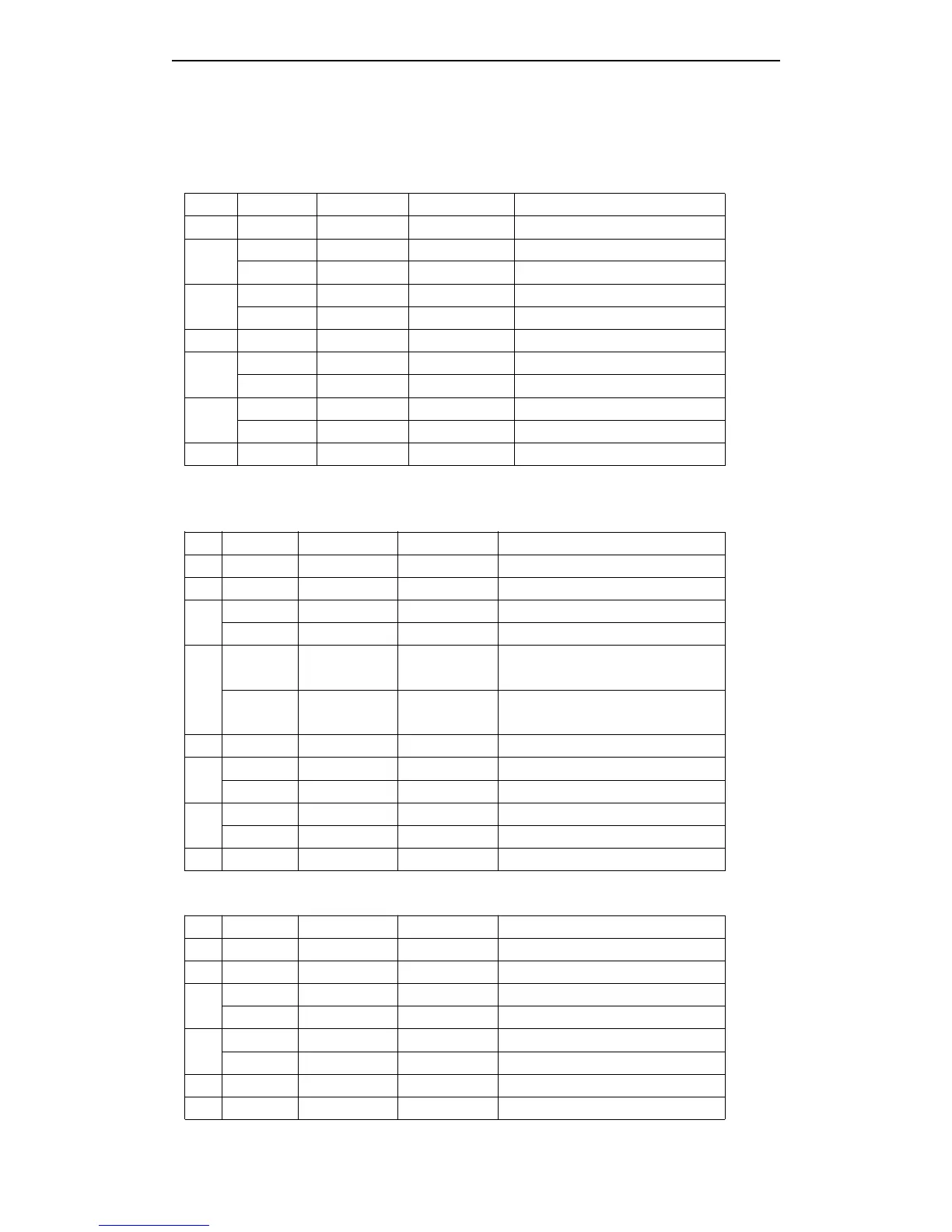
n = 1 Printer status
Bit Off/On Hex Decimal Function
0 Off 00 0 Not used. Select off.
1
2
On 02 2 Not used. Select on.
On 04 4 Not used. Select on.
3
Off 00 0 Online.
On 08 8 Offline.
4 On 10 16 Not used. Select on.
5
Off 00 0 Do not wait online error recovery.
On 20 32 Wait online error recovery.
6
Off 00 0 Feed paper button switch off.
On 40 64 Feed paper button switch on.
7 Off 00 0 Not used, Select off.
NOTE : bit 5 : Online error is the process that the printer will execute waiting switch on/off during the
macro command and self-test.
n = 2 : Offline status
Bit Off/On Hex Decimal Function
0 Off 00 0 Not used. Select off.
1 On 02 2 Not used. Select on.
2
Off 00 0 Cover is closed.
On 04 4 Cover is open.
3
Off 00 0
Paper is not being fed by the paper
FEED button.
On 08 8
Paper is being fed by the paper
FEED button.
4 On 10 16 Not used. Select on.
5
Off 00 0 No paper end stop.
On 20 32 Printing stopped by paper end.
6
Off 00 0 No error.
On 40 64 Error occurred.
7 Off 00 0 Not used. Select off.
Bit 5 : Turn on when stopping print when the no paper sensor detected paper end.
n = 3: Error status
Bit Off/On Hex Decimal Fu n ction
0 Off 00 0 Not used. Select off.
1 On 02 2 Not used. Select on.
2
Off 00 0 No mechanical error.
On 04 4 Mechanical error occurred.
3
Off 00 0 No auto cut error.
On 08 8 Auto cut error occurred.
4 On 10 16 Not used. Select on.
5 Off 00 0 No unrecoverable error.



 To Next Page