SP91 User Manual
ESC
ESC
ESC
ESC *
*
*
* m
m
m
m nL
nL
nL
nL nH
nH
nH
nH d1...
d1...
d1...
d1... dk
dk
dk
dk
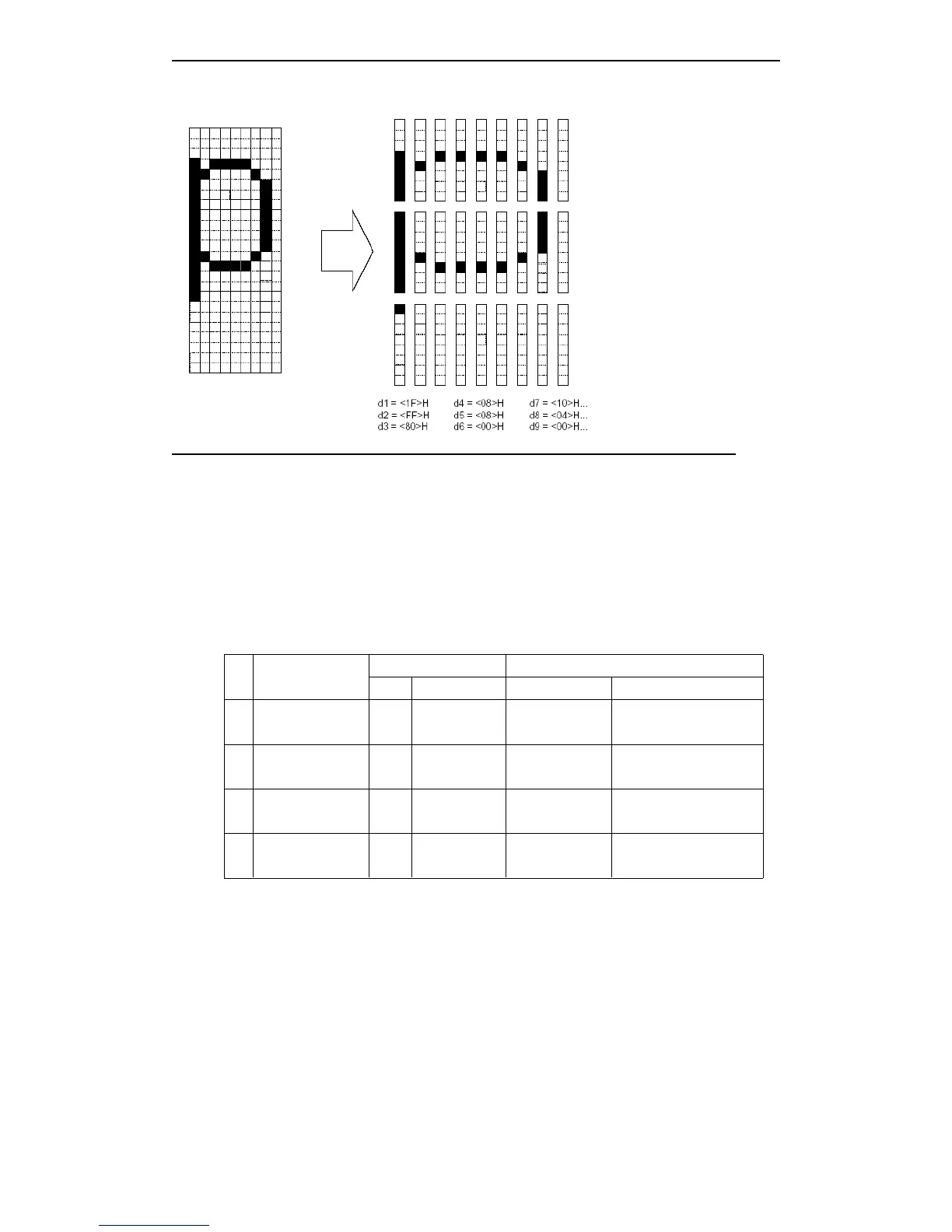
[Name] Select bit-image mode
[Format] ASCII ESC * m nL nH d1...dk
Hex 1B 2A m nL nH d1...dk
Decimal 27 42 m nL nH d1...dk
[Range] m = 0, 1, 32, 33
0 ≤ nL ≤ 255
0 ≤ nH ≤ 3
0
≤
d
≤
255
[Description] Selects bit-image mode by m, the bit image dot set by nL and nH, as above table:
m Mode
Vertical direction Horizontal direction
Dot Dot density Dot density Data number (K)
0
8-dot
single-density
8 67.7 dpi 101.6 dpi nL + nH × 256
1
8-dot
double-density
8 67.7 dpi 203.2 dpi nL + nH × 256
3
2
24-dot
single-density
24 203.2 dpi 101.6 dpi (nL + nH × 256) × 3
3
3
24-dot
double-density
24 203.2 dpi 203.2 dpi (nL + nH × 256) × 3
Dpi: {1 inch}/25.4mm print dot
[Notes]
If
the data of m over the defined range, then the data of n and after n will be dealt as the
rule data.
· nL and nH indicates the bit-image data in the horizontal direction. Calculate the dot
through nL + nH × 256.
·
If
input the bit-image data that overs the printable dots in one line, then the over data
will be ignored.
· d indicates bit-image data. Set the relative bit to 1 and print one point, or set to 0 and
do not print one point.
·
If
the printable width which set by GS
GS
GS
GS L
L
L
L and GS
GS
GS
GS W
W
W
W is smaller than the data which
sent by ESC *, Then executing the following operation to the line which have problems



 To Next Page