SP91 User Manual
(but the printing can not over the max printable area):
① The printable width extend to the right and meet the data content.
② If the step ① can not apply the enough width to the data, so the left will be
decreased to apply the relative data. For the bit data in the single density mode (m
= 0, 32), The printer has two points: for the bit dat in the double density mode (m =
1, 33), the printer prints one point. When calculating the data content in one line,
these have to consider.
· After printing one bit-image, the printer return to the common data dealing mode.
· This command won ’ t be affected by printing mode( bold 、 overlapping 、 underline
、
character size 、 or inverse printing), except for upside down print mode.
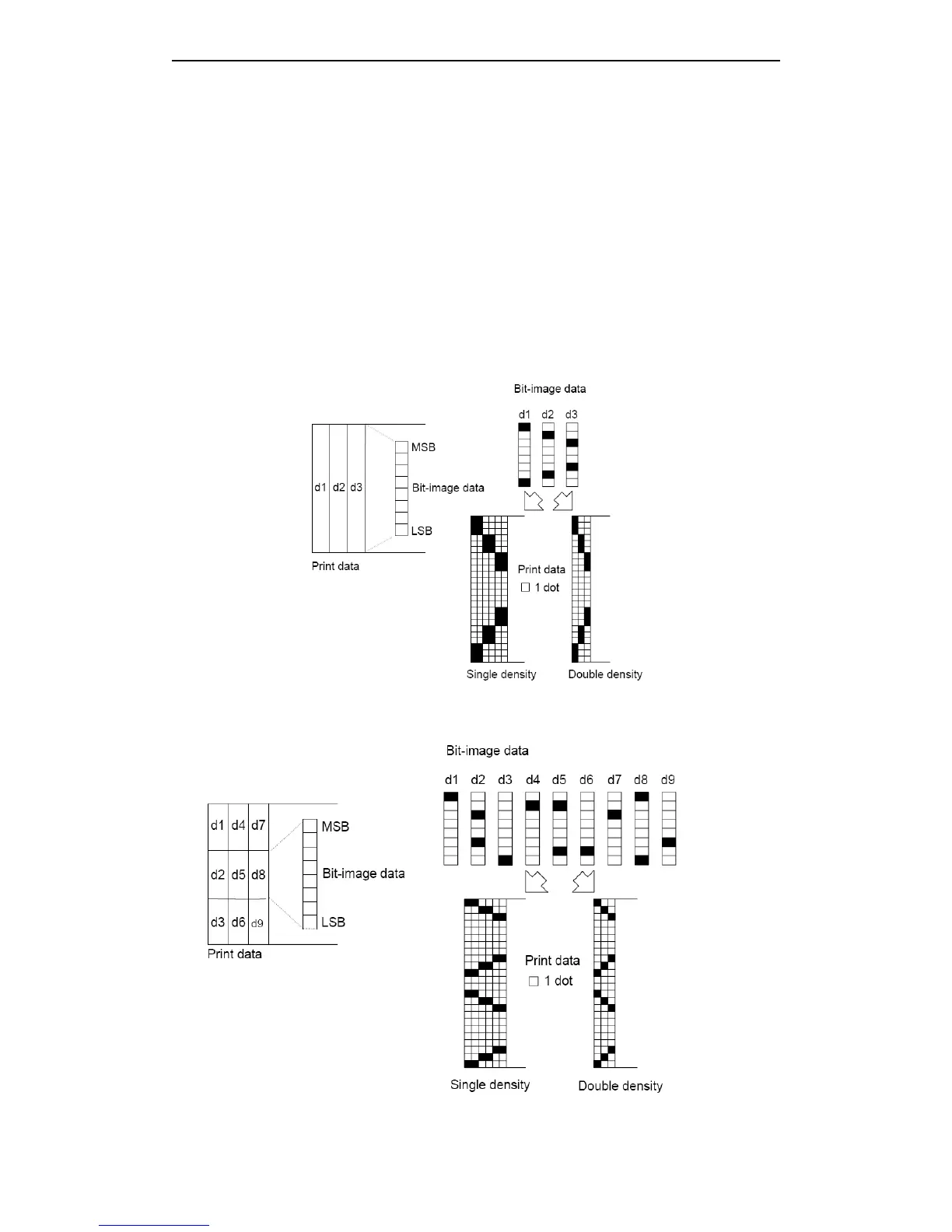
· The following figures describes the the relationship of image data and printing dot .
· 8-dot bit-image is selected::
· 24-dot bit-image is selected :



 To Next Page