SP91 User Manual
Special
Character
Transmission Data
ASCII Hex Decimal
SHIFT {S 7B,53 123,83
CODE A {A 7B,41 123,65
CODE B {B 7B,42 123,66
CODE C {C 7B,43 123,67
FNC1 {1 7B,31 123,49
FNC2 {2 7B,32 123,50
FNC3 {3 7B,33 123,51
FNC4 {4 7B,34 123,52
“ { ” {{ 7B,7B 123,123
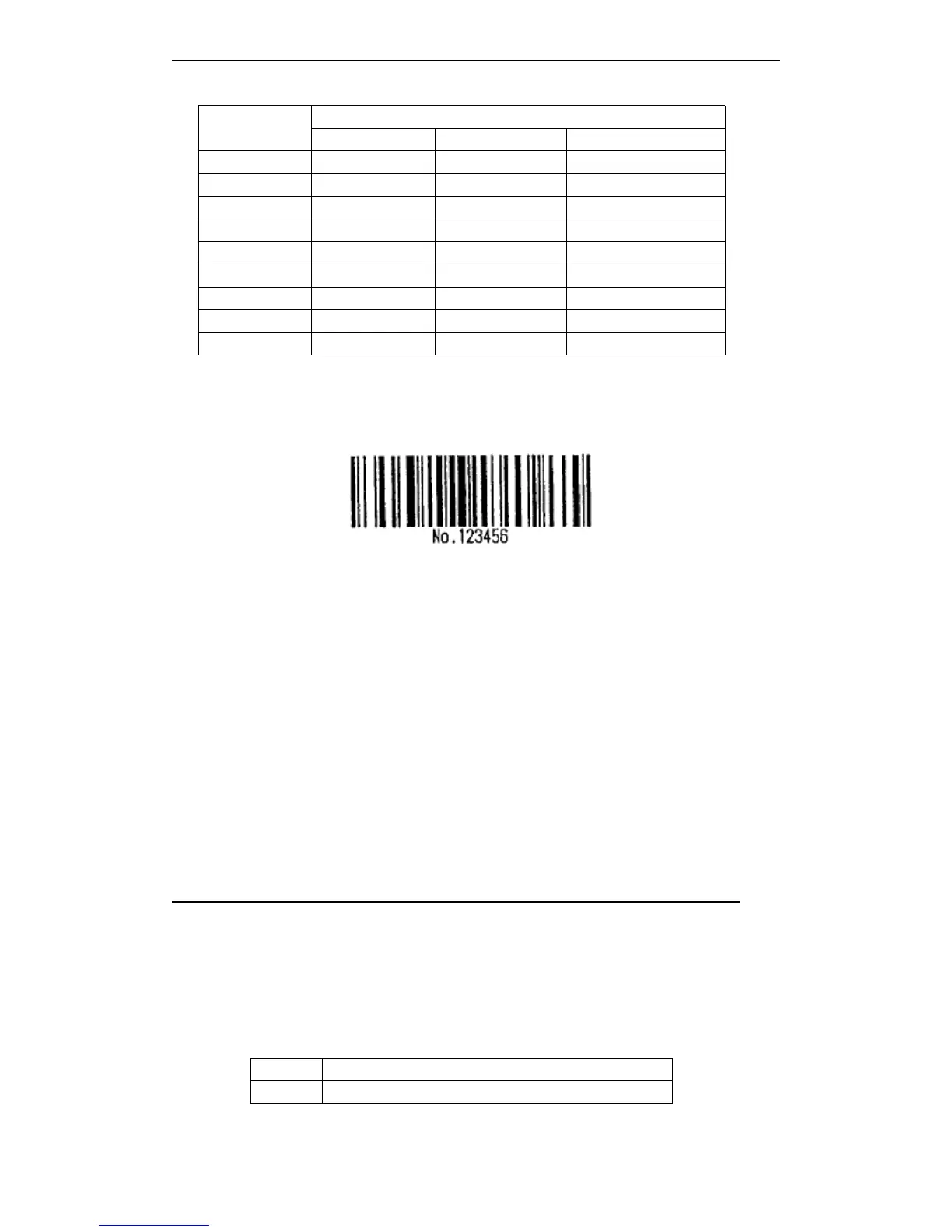
[For example] Print "No. 123456" data
As this sample, the printer prints “ No ” by CODE B firstly, then printing the following
numbers by CODE C.
GS
GS
GS
GS k
k
k
k 73 10 123 66 78 111 46 123 67 12 34 56
· If the head of bar code data is not the code font selected characters, the printer stops
processing the command, and deals with the continued data as the normal data.
· If “ { ” and continued character group are not meet to any special characters, the printer
stops processing the command, and deals with the continued data as the normal data.
·
If
the printer received the characters which can ’ t be used to special code font, the
printer stops processing the command, and deals with the continued data as the normal
data.
· The printer doesn ’ t print the HRI characters which relative to shift characters or code
font selected characters.
· Related function HRI characers are blank.
· Related control characters (<00>H to <1F>H and HRI characters <7F>H) are blank.
<Anothers> Be sure to leave the spacing both on right and left bar code. (the different bar code type,
the different spacing)
[Reference] GS
GS
GS
GS H
H
H
H , GS
GS
GS
GS f
f
f
f , GS
GS
GS
GS h
h
h
h , GS
GS
GS
GS w
w
w
w
GS
GS
GS
GS r
r
r
r n
n
n
n
[Name] Transmit status
[Format] ASCII GS r n
Hex 1D 72 n
Decimal 29 114 n
[Range] n = 1, 49
[Description] Transmit n as follows:
N Function
1,49 Transmit roll paper sensor status
[Notes] · When using serial interface, If set DTR/DSR control, the printer only transmits one



 To Next Page