EasyManua.ls Logo

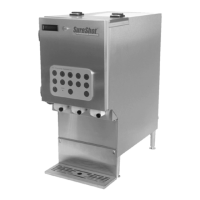
SureShot AC220 - User Manual

Default Icon
46 pages
Print Icon
To Next Page IconTo Next Page
Loading...
OPERATIONS MANUAL
OPERATIONS MANUAL
D-19-032 Rev. P
INTELLISHOT & FLEXOSHOT
REFRIGERATED DAIRY DISPENSER
MODELS AC110, AC220, AC230,
AC320, & AC330

Table of Contents

Questions and Answers

  • C
    Clifford WattsAug 18, 2025
    Why is my SureShot AC220 not dispensing product?
    • D
      David RobertsonAug 18, 2025
      If your SureShot Dispenser isn't dispensing product, ensure all required selections have been made and that the product loading procedures are complete. Check that the tube isn't twisted, kinked, pinched, or blocked, and that the product isn't frozen inside it. Confirm the target adjust (recipe) amounts are correctly configured and not set to zero. Also, ensure the valve assembly is clean and that the plunger isn't broken. Try turning the dispenser off, waiting 10 seconds, and then turning it back on to reset the program. Finally, verify all actions for “Dispenser does not turn on” have been followed.
  • M
    Morgan JohnsonAug 21, 2025
    How to fix SureShot AC220 Dispenser that does not turn on?
    • J
      Jessica GrayAug 21, 2025
      If your SureShot Dispenser isn't turning on, ensure it's plugged into an active power source. If the power source is inactive, have a qualified person inspect your facility’s fuse box or circuit breaker and restore power. Also, make sure the power switch is in the 'on' position, the dispenser’s circuit breaker hasn't tripped, and the cord in the bottom of the door is securely installed.
  • C
    Crystal ClementsAug 23, 2025
    What to do if SureShot AC220 is leaking product?
    • J
      Jacqueline SanchezAug 23, 2025
      If your SureShot Dispenser is leaking product, make sure the valve door is closed securely and the thumbscrew is tight. Ensure the tube is properly aligned in the center of the valve and that it doesn't have any holes or cracks. Also, check the dairy bag for holes. Verify the valve assembly is clean, the plunger isn't broken, and the valve assembly is correctly assembled, installed, and that the valve hinges are not broken.
  • M
    Morgan JohnsonAug 26, 2025
    Why is the product temperature too warm in SureShot AC220?
    • H
      Heather AdamsAug 26, 2025
      If the product temperature in your SureShot Dispenser is too warm or too cold, ensure the product temperature is between 34ºF and 40ºF (1.1ºC and 4.4ºC) before loading it into the dispenser. Make sure the dispenser isn't too close to a heat-generating source, such as a coffee maker, heat lamp, or direct sunlight. Ensure there is a 1-inch (2.5 cm) air space on all sides of the dispenser, and the vents at the back are not blocked. Also, check that the condenser is not dirty.
  • G
    gregory76Aug 27, 2025
    What to do if display on SureShot AC220 Dispenser is blank?
    • S
      Stephanie BrennanAug 27, 2025
      If the display on the front door of your SureShot Dispenser is blank, place an empty cup under the dispense point and press any product button, or depending on your model, any button that will dispense product. If the solenoid does not respond, try the solutions in “Dispenser does not turn on”. If the solenoid responds, the display may be faulty.
  • M
    Matthew WallAug 30, 2025
    Why is my SureShot AC220 Dispenser displaying unexpected characters?
    • D
      David AdamsAug 30, 2025
      If the side console of your SureShot Dispenser is displaying unexpected characters, ensure the start-up sequence is complete, and 'Select Product' or 'Select Size' should be showing in the door display. If not, turn off the dispenser, wait 10 seconds, and then turn it back on to reset the program.
  • C
    Clayton CamposSep 1, 2025
    How to stop leaking water from frost in SureShot Dispenser?
    • J
      Jacob PaulSep 1, 2025
      To address leaking water (coming from frost) in your SureShot Dispenser, defrost the product compartment and wipe out any ice or water with a clean, soft cloth.
  • C
    carterdesireeSep 3, 2025
    What does a flashing red light mean on my SureShot AC220 Dispenser?
    • L
      Lacey SmithSep 3, 2025
      A flashing red light on the reset/refill or product button of your SureShot Dispenser means the product level is low. This happens when less than 40.6 oz / 1200 ml of product remains in the dairy bag or product tank.
  • S
    Samuel AguilarSep 6, 2025
    What to do if my SureShot AC220 does not dispense product?
    • N
      Natalie SanchezSep 6, 2025
      If your SureShot Dispenser isn't dispensing product, check the following: 1. Ensure the product is loaded correctly. 2. Verify the button sequence for preparing a beverage is correct. 3. Make sure the dispense tube isn't twisted, kinked, pinched, or blocked with frozen product. 4. Confirm that target amounts (recipe) haven't been set to zero. 5. Ensure the valve assembly is clean and working correctly (e.g., the plunger isn't damaged). To reset the software, turn the dispenser off, wait 10 seconds, and then turn it back on.
  • R
    Robin BriggsSep 8, 2025
    How to fix a SureShot Dispenser that does not turn on?
    • A
      Alexandria PattersonSep 8, 2025
      If your SureShot Dispenser does not turn on: 1. Ensure the power switch is in the on position. 2. Confirm the dispenser is plugged into an active power source; have a qualified person inspect the facility’s fuse box or circuit breaker if there's a power issue. 3. Check if the dispenser’s circuit breaker has tripped: a. Turn off the dispenser. b. Locate the circuit breaker below the power switch. c. Ensure no white is showing on the top of the circuit breaker; if white is visible, reset it by pressing and releasing it (may require multiple attempts). If the white doesn't disappear, call technical assistance. d. If reset successfully, turn on the dispenser. 4. Make sure the door cable is securely installed in the bottom of the dispenser door.

Summary

Receiving and Warranty

Inspect for Damage

Instructions for checking shipments for damage and reporting issues.

Setting Up the Dispenser

Safety Precautions

Lists essential safety guidelines to follow for dispenser operation and maintenance.

Operating the Dispenser

Preparing the Dispenser

Steps for cleaning, prechilling product, and running the dispenser before loading.

IntelliShot Portion-Control Product Loading

FlexoShot Non-Portion-Control Product Loading

FlexoShot Non-Fill-in-Place Product Loading

Dispensing Product

Portion-Control Dispenser Operation

Software Features

Calibration (QuickCal)

Guide to calibrating the dispenser for accurate dispense volumes.

Temperature Adjustment

Portion-Control Temperature Adjustment

How to adjust temperature using program mode on portion-control models.

Side Console Temperature Adjustment

How to adjust temperature using the side console on FlexoShot models.

Adjusting Temperature

General guidance on adjusting temperature settings.

Cleaning the Dispenser

Valve Assembly Cleaning Procedure

Detailed steps for disassembling and cleaning the valve assembly.

Reinstalling Valve Assembly and Front Panel

Troubleshooting

Dispenser Not Turning On

Resolutions for issues where the dispenser fails to power on.

Blank Dispenser Door Display

Troubleshooting steps for a blank dispenser door display.

Unexpected Side Console Characters

Solutions for when the side console shows incorrect characters.

Dispenser Not Dispensing Product

Steps to resolve issues where the dispenser fails to dispense product.

Incorrect Dispense Amounts

Troubleshooting for inaccurate dispense amounts on IntelliShot models.

Product Leaks

Solutions for product leaks from the dispenser.

Temperature Issues

How to diagnose and fix temperature regulation issues.

Excess Ice or Frost

Solutions for excessive ice buildup within the product compartment.

Service and Warranty

Technical Assistance Contact

Contact information for technical support and service.

USA and Canada Warranty

Warranty Claim Procedure

Steps to follow when initiating a warranty claim or service request.

SureShot AC220 Specifications

General IconGeneral
BrandSureShot
ModelAC220
CategoryDispenser
LanguageEnglish

Related product manuals