EasyManua.ls Logo

SureShot AC220 - User Manual

Default Icon
46 pages
Print Icon
To Next Page IconTo Next Page
Loading...
OPERATIONS MANUAL
OPERATIONS MANUAL
D-19-032 Rev. P
INTELLISHOT & FLEXOSHOT
REFRIGERATED DAIRY DISPENSER
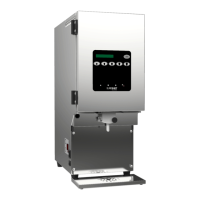
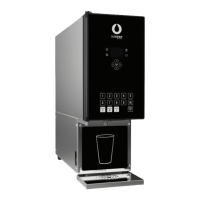
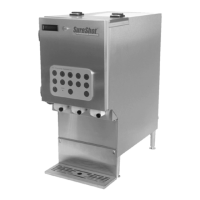
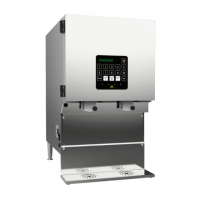
MODELS AC110, AC220, AC230,
AC320, & AC330

Table of Contents

Questions and Answers

  • M
    Mr. Juan SaundersSep 12, 2025
    What to do if the display on my SureShot Dispenser door is blank?
    • M
      Mary MartinezSep 12, 2025
      If the display on your SureShot Dispenser door is blank: 1. Ensure the door cable is securely installed in the bottom of the dispenser door. 2. Verify the valve is working correctly: a. Install a dispense tube in the valve. If a dairy bag is not loaded, use a spare piece of tube. Place an empty cup under a dispense point (valve). Press any button that dispenses product. The solenoid should make a noise as it opens and closes verifying the plunger is moving freely. b. If the solenoid doesn't respond, review all steps under “Dispenser does not turn on”. c. If the solenoid responds, the display may be faulty. Please call technical assistance.
  • J
    Jacqueline NashSep 13, 2025
    How to remove excess ice from my SureShot Dispenser?
    • E
      Emily Espinoza MDSep 13, 2025
      To address excess ice or frost in the product compartment of your SureShot Dispenser, verify the following: 1. The temperature inside the product compartment is between 34ºF and 40ºF (1.1ºC and 4.4ºC). 2. The door gasket isn't damaged (no holes or gaps for a complete seal). 3. If ice has formed, unplug the dispenser and allow 15 minutes for the ice to soften before removing it with a dry, soft cloth. Note that ice may occasionally form, as the dispenser isn't a frost-free system.
  • M
    michaelnicholsSep 15, 2025
    What to do if my SureShot AC220 is leaking water?
    • S
      Stacie GarciaSep 15, 2025
      Defrost the product compartment of your SureShot Dispenser and wipe out any ice or water with a clean, soft cloth.

Summary

Receiving and Warranty

Inspect for Damage

Instructions for checking shipments for damage and reporting issues.

Setting Up the Dispenser

Safety Precautions

Lists essential safety guidelines to follow for dispenser operation and maintenance.

Operating the Dispenser

Preparing the Dispenser

Steps for cleaning, prechilling product, and running the dispenser before loading.

IntelliShot Portion-Control Product Loading

FlexoShot Non-Portion-Control Product Loading

FlexoShot Non-Fill-in-Place Product Loading

Dispensing Product

Portion-Control Dispenser Operation

Software Features

Calibration (QuickCal)

Guide to calibrating the dispenser for accurate dispense volumes.

Temperature Adjustment

Portion-Control Temperature Adjustment

How to adjust temperature using program mode on portion-control models.

Side Console Temperature Adjustment

How to adjust temperature using the side console on FlexoShot models.

Adjusting Temperature

General guidance on adjusting temperature settings.

Cleaning the Dispenser

Valve Assembly Cleaning Procedure

Detailed steps for disassembling and cleaning the valve assembly.

Reinstalling Valve Assembly and Front Panel

Troubleshooting

Dispenser Not Turning On

Resolutions for issues where the dispenser fails to power on.

Blank Dispenser Door Display

Troubleshooting steps for a blank dispenser door display.

Unexpected Side Console Characters

Solutions for when the side console shows incorrect characters.

Dispenser Not Dispensing Product

Steps to resolve issues where the dispenser fails to dispense product.

Incorrect Dispense Amounts

Troubleshooting for inaccurate dispense amounts on IntelliShot models.

Product Leaks

Solutions for product leaks from the dispenser.

Temperature Issues

How to diagnose and fix temperature regulation issues.

Excess Ice or Frost

Solutions for excessive ice buildup within the product compartment.

Service and Warranty

Technical Assistance Contact

Contact information for technical support and service.

USA and Canada Warranty

Warranty Claim Procedure

Steps to follow when initiating a warranty claim or service request.

SureShot AC220 Specifications

General IconGeneral
BrandSureShot
ModelAC220
CategoryDispenser
LanguageEnglish

Related product manuals