EasyManua.ls Logo

SureShot FlavorShot ACFC-10 - User Manual

Default Icon
24 pages
Print Icon
To Next Page IconTo Next Page
Loading...
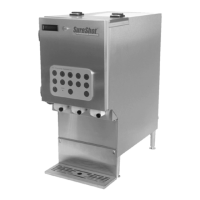
ACFC-10 FlavorShot Dispenser
Quick-Change Cartridge System
Operations Manual
D-19-132RevF

Other manuals for SureShot FlavorShot ACFC-10

Questions and Answers

  • M
    Mike CooleyAug 1, 2025
    What to do if SureShot FlavorShot ACFC-10 does not dispense flavor?
    • K
      Karen VasquezAug 1, 2025
      If your SureShot Dispenser isn't dispensing flavor, here are a few things to check: * Make sure you've selected all the necessary options: Beverage Type, Flavor Selection, Size, and Dispense. * Confirm that the flavor cartridge isn't empty. * Verify that the tube end has been properly cut above the heat seal. * Ensure a flavor cartridge is correctly loaded and primed for the flavor you want. * Check the product delivery tubes to make sure they aren't twisted, kinked, blocked. * Clean the dispense block. * Check that all power cords are connected and the dispenser is plugged into a working power source. If none of these steps work, try unplugging the dispenser, waiting 10 seconds, and plugging it back in to reset it.
  • B
    Benjamin OnealAug 6, 2025
    How to fix SureShot FlavorShot ACFC-10 Dispenser that does not turn on?
    • A
      Adam BeckerAug 6, 2025
      If your SureShot Dispenser isn't turning on: 1. Check that all power cords are properly connected. 2. Make sure the dispenser is plugged into a working power outlet. If the outlet isn't working, have a qualified person check the fuse box or circuit breaker. 3. Check the door cable connection by opening the front door and gently pushing the cable into the door connector located at the bottom right of the door.
  • C
    carloshartAug 9, 2025
    Why is my SureShot FlavorShot ACFC-10 leaking?
    • H
      Heather MossAug 9, 2025
      Here's what to do if your SureShot Dispenser is leaking: * If the leak is from the dispense tube (between the cartridge and dispense block), inspect the tube for damage. If damaged, replace the flavor cartridge with a new one, loading and priming it. * If the leak is coming from the flavor cartridge itself, remove the cartridge and replace it with a new, primed one. * If the leak is from the front door of the dispenser: * Ensure all flavor cartridges are correctly loaded. * Check that the product delivery tubes are not twisted, kinked, or blocked. * Ensure the dispense block is clean.
  • Z
    zforbesAug 14, 2025
    What to do if SureShot FlavorShot ACFC-10 dispense amounts are incorrect?
    • K
      Kyle VillanuevaAug 14, 2025
      If the dispense amounts from your SureShot Dispenser are incorrect: 1. Make sure the flavor cartridge is securely positioned on the pump and loaded correctly. 2. Check that the product delivery tubes aren't twisted, kinked, or blocked. 3. Ensure the dispense block is clean.
  • C
    Curtis MooreAug 18, 2025
    How to unlock SureShot FlavorShot ACFC-10 button panel?
    • E
      eric14Aug 18, 2025
      If the button panel on your SureShot Dispenser locks up and won't dispense flavor, unplug the dispenser, wait 10 seconds, and then plug it back in. This will reset the microcontroller.
  • S
    sandratorresAug 23, 2025
    Why is the red light on in SureShot FlavorShot ACFC-10 flavor button?
    • B
      blacknancyAug 23, 2025
      A solid red light on a flavor button of your SureShot Dispenser means that the flavor cartridge is empty and needs to be replaced. If the light stays on after you replace and prime the cartridge, no answer.
  • J
    joneskarenAug 27, 2025
    What does flashing red light mean on SureShot FlavorShot ACFC-10 Dispenser flavor button?
    • M
      Michael SmithAug 27, 2025
      If the red light on a flavor button of your SureShot Dispenser is flashing, it means there's only about 15 ml of flavor left in that cartridge. You'll need to load a new flavor cartridge soon.

Summary

The Dispenser

Main Components

Internal Components

Unpacking and Setup

Unpacking the Dispenser

Detailed steps for removing the dispenser from its packaging and preparing it for initial inspection.

Inspect for Damage

Instructions on how to check the dispenser for damage incurred during shipment and reporting procedures.

Safety Precautions

Essential safety guidelines to follow when operating and servicing the dispenser.

Electrical Requirements

Specifications for the power source, plug type, and grounding requirements for the dispenser.

Locating the Dispenser in Your Facility

Guidelines for placing the dispenser in an optimal and safe location for operation.

Clean Before First Use

Instruction to clean the dispenser thoroughly before its initial operation.

Cup Guide Installation

Steps for installing and removing the cup guide for proper cup positioning.

Instructional Aid Insertion

Method for inserting custom graphics or information into the dispenser's backlit door window.

Optional Setup Adjustments

Overview of adjustable settings like dispense amount and language selection.

Flavor Cartridges

Operating the Dispenser

Turning on the Dispenser

Steps to connect power and turn on the dispenser, including power cord connections.

Opening the Dispenser

Procedures for opening the dispenser's drawer and front door for access.

Load a Flavor Cartridge

Detailed instructions with diagrams on how to properly install a flavor cartridge into the dispenser.

Prime a Flavor Cartridge

Steps required to prepare a newly loaded flavor cartridge for dispensing.

Dispensing Flavor

Guide on how to select beverage type, flavors, and cup size to dispense flavor.

Remove a Flavor Cartridge

Procedure for safely removing a flavor cartridge from the dispenser pump.

Changing a Flavor

Steps involved in replacing an existing flavor cartridge with a new one.

Standard Button Panel

Low Level Indicator

Explanation of the flashing red LED on flavor buttons indicating low flavor cartridge level.

Empty Lockout Indicator

Description of the solid red LED on flavor buttons indicating an empty cartridge.

LCD Display

Program Features

Program Mode

Overview of entering and exiting the program mode for dispenser adjustments.

Target Adjust

Instructions on how to adjust the dispense amount for flavors based on beverage type and size.

Language

Steps to change the display language of the dispenser through the program mode.

Drink Count

Methods for obtaining and clearing the recorded dispense counts for each flavor.

Cleaning and Maintenance

Recommended Cleaning Schedule

A schedule outlining which parts of the dispenser should be cleaned and with what frequency.

Exterior Cleaning

Detailed instructions for cleaning the external surfaces of the dispenser.

Button Panel Cleaning

Procedure for cleaning the dispenser's button panel safely and effectively.

Catch Tray, Screen and Cup Guide Cleaning

Steps for removing and cleaning the catch tray, screen, and cup guide components.

Product Dispense Block Cleaning

Instructions for cleaning the dispense block where flavors are dispensed.

Inside Dispenser Drawer Cleaning

Guide for cleaning the interior of the dispenser drawer.

Pump Replacement

Instructions for removing and installing dispenser pumps, including necessary contacts.

Troubleshooting

Service and Warranty

Reshipment

Guidelines for packaging and returning the dispenser for service or repair, including authorization requirements.

USA and Canada Warranty

SureShot FlavorShot ACFC-10 Specifications

General IconGeneral
BrandSureShot
ModelFlavorShot ACFC-10
CategoryDispenser
LanguageEnglish

Related product manuals