34
2-2. Connectivity settings
COROLLA_HV(TMUK)_OEM_MM_(EE)
This operation cannot be performed
while driving.
1 Display the Bluetooth
®
settings
screen. (P. 30)
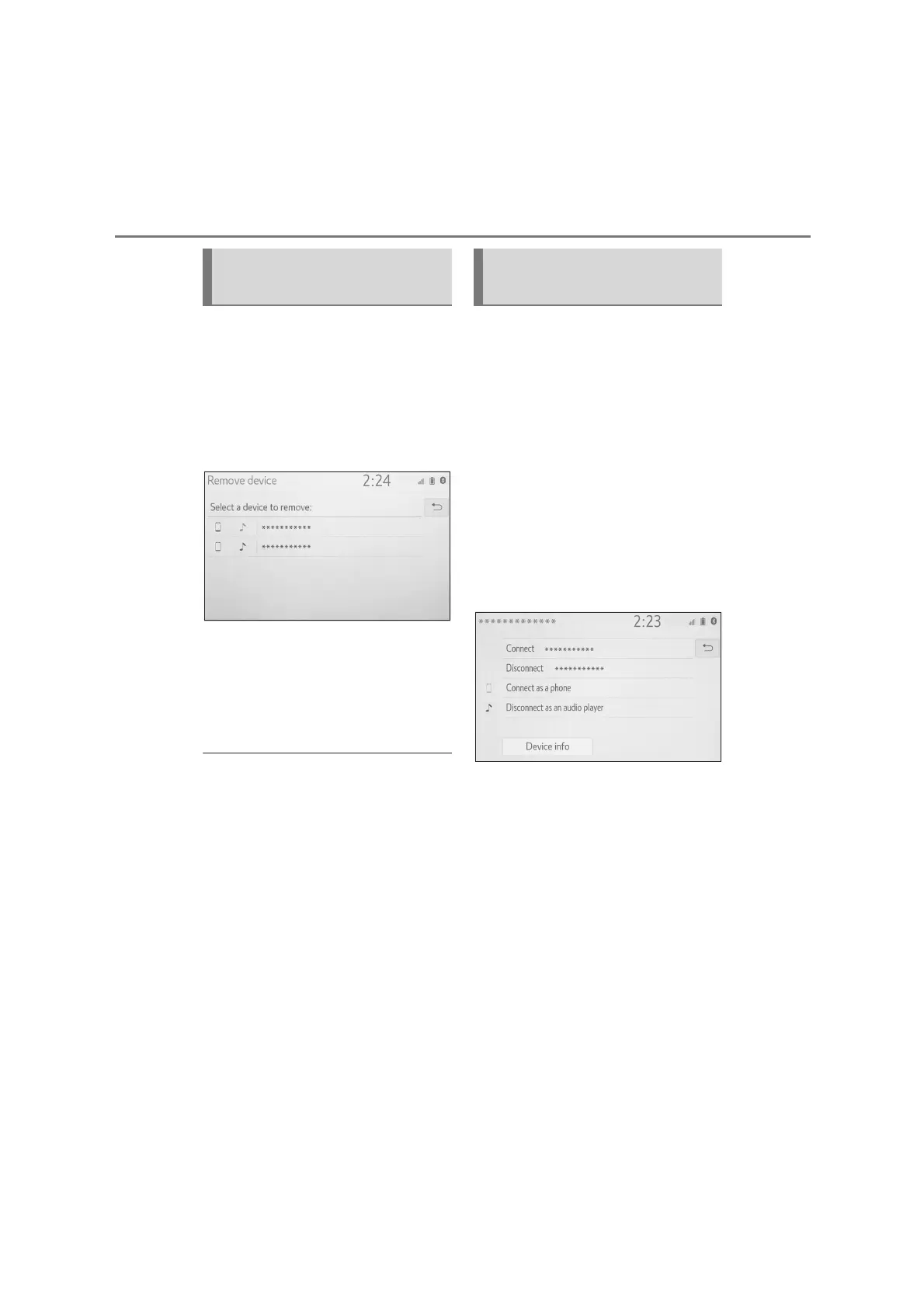
2 Select “Remove device”.
3 Select the desired device.
4 Select “Yes” when the confirma-
tion screen appears.
5 Check that a confirmation
screen is displayed when the
operation is complete.
●
When deleting a Bluetooth
®
phone,
the contact data will be deleted at the
same time.
The Bluetooth
®
device’s informa-
tion can be displayed on the
screen. The displayed information
can be edited.
This operation cannot be performed
while driving.
1 Display the Bluetooth
®
settings
screen. (P. 3 0)
2 Select “Registered device”.
3 Select the desired device to be
edited.
4 Select “Device info”.
Deleting a Bluetooth
®
device
Editing the Bluetooth
®
device information


 To Next Page