35
2
2-2. Connectivity settings
Basic function
COROLLA_HV(TMUK)_OEM_MM_(EE)
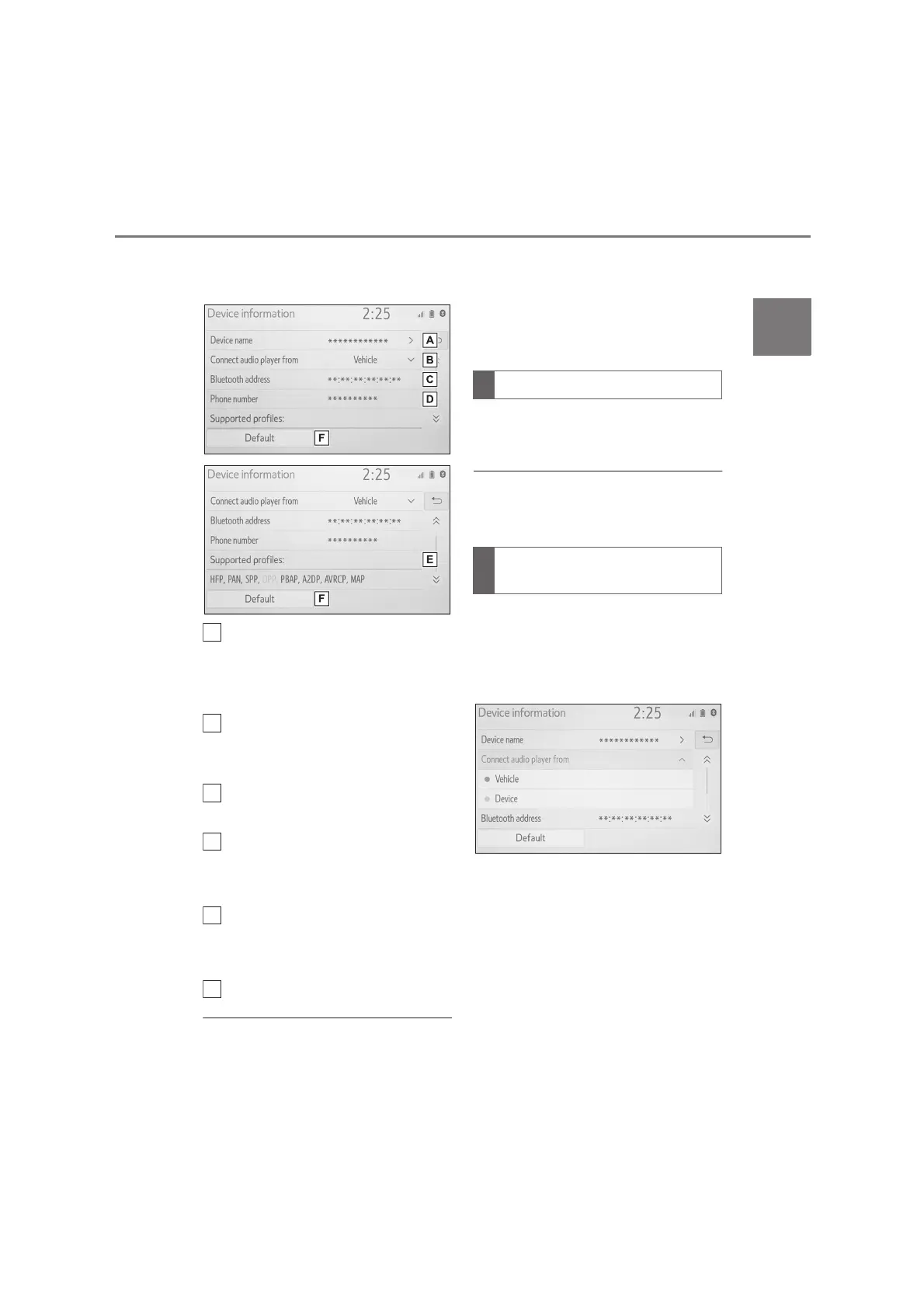
5 Confirm and change the
Bluetooth
®
device information.
The name of the Bluetooth
®
device is displayed. It can be
changed to a desired name.
(P.35)
Select to set the Bluetooth
®
audio player connection
method. (P. 35 )
Device address is unique to the
device and cannot be changed.
Phone number is unique to the
Bluetooth
®
phone and cannot
be changed.
Compatibility profile is unique to
the Bluetooth
®
device and can-
not be changed.
Select to reset all setup items.
●
If 2 Bluetooth
®
devices have been
registered with the same device
name, the devices can be distin-
guished by referring to the device
addresses.
●
Depending on the type of Bluetooth
®
phone, some information may not be
displayed.
1 Select “Device name”.
2 Enter the name and select “OK”.
●
Even if the device name is changed,
the name registered in your
Bluetooth
®
device does not change.
1 Select “Connect audio player
from”.
2 Select the desired connection
method.
“Vehicle”: Select to connect the audio
player from the vehicle's audio/visual
system.
“Device”: Select to connect the vehi-
cle's audio/visual system from the audio
player.
Depending on the audio player,
the “Vehicle” or “Device” connec-
tion method may be best. As
such, refer to the manual that
comes with the audio player.
D
F
Changing a device name
Setting audio player connec-
tion method


 To Next Page