58
3-1. Basic operation
COROLLA_HV(TMUK)_OEM_MM_(EE)
1 Display the audio source
selection screen. (P. 57)
2 Select “Reorder”.
3 Select the desired audio source
then or to reorder.
1 Connect a device.
Turn on the power of the device
if it is not turned on.
●
If a USB hub is plugged-in, two
devices can be connected at a time.
●
Even if a USB hub is used to connect
more than two USB devices, only the
first two connected devices will be
recognized.
●
If a USB hub that has more than two
ports is connected to the USB port,
devices connected to the USB hub
may not charge or be operable, as the
supply of current may be insufficient.
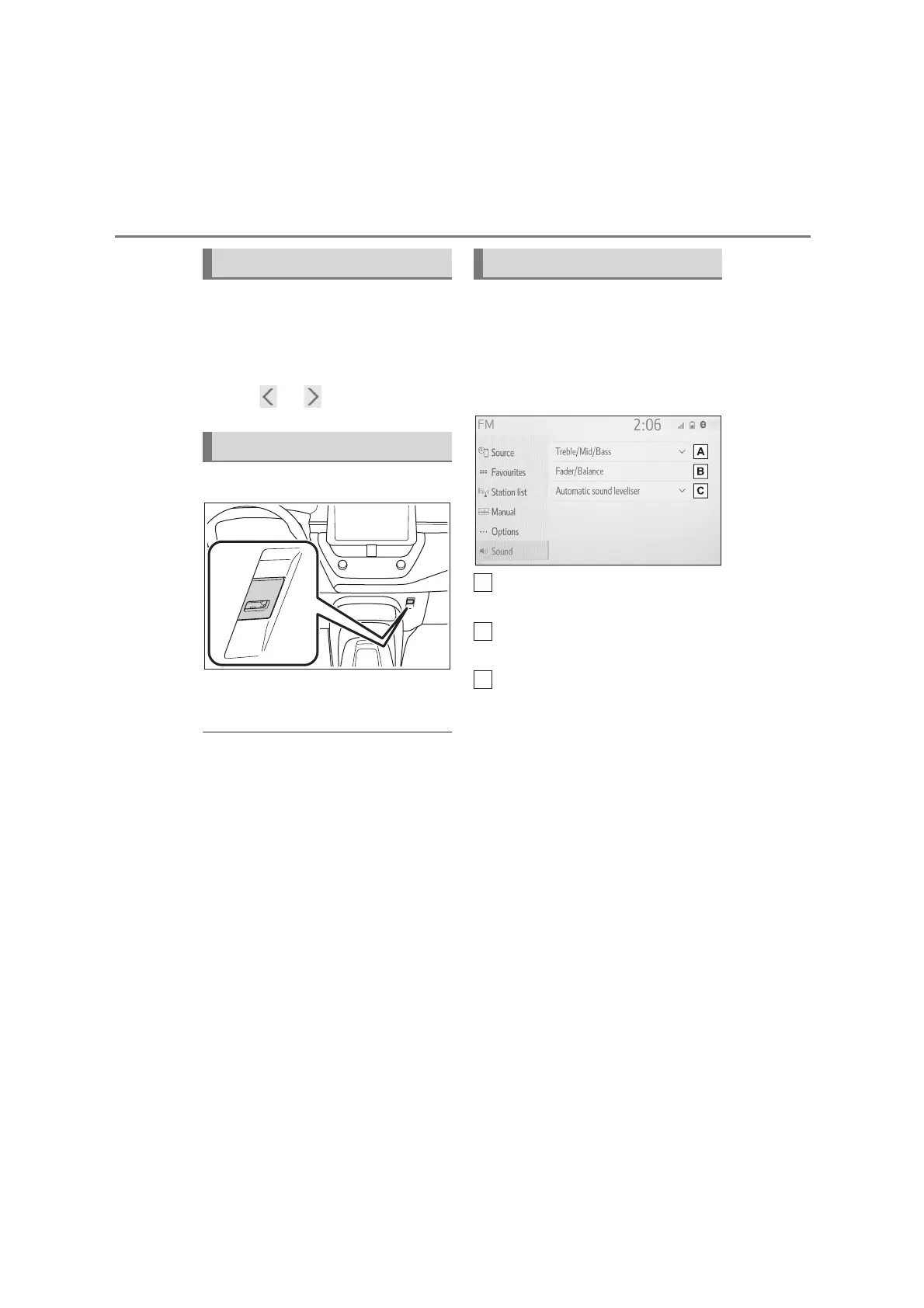
1 Display the audio control
screen. (P. 5 7)
2 Select “Sound”.
3 Select the desired item to be
set.
Select to set the tre-
ble/mid/bass. (P. 58 )
Select to set the fader/balance.
(P. 59)
Select to set the automatic
sound leveliser. (P. 5 9)
■
Treble/Mid/Bass
How good an audio program
sounds is largely determined by the
mix of the treble, mid and bass lev-
els. In fact, different kinds of music
and vocal programs usually sound
better with different mixes of treble,
mid and bass.
1 Select “Treble/Mid/Bass”.
Reordering the audio source
USB port
Sound settings


 To Next Page