Back to top
36
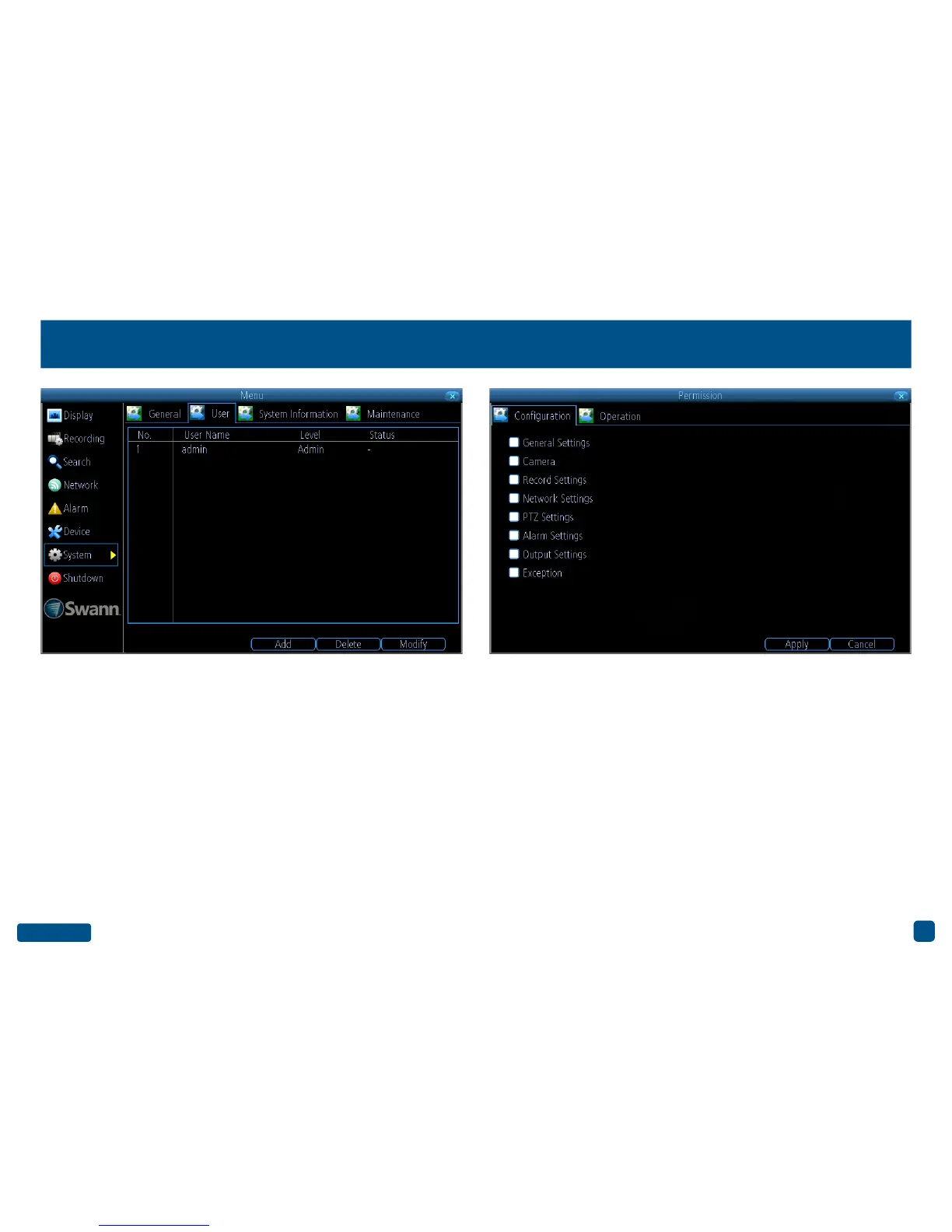
System: User
Add: Click this button to add a new user.
Delete: Delete an existing user (the Administrator cannot be deleted).
Modify: Modify an existing user’s password. Click the “Permission” but-
ton to modify configuration and operation permissions (see above right
example). The Administrator’s permissions cannot be modified.
• Right-click the mouse to exit the Menu.


 To Next Page