Back to top
7
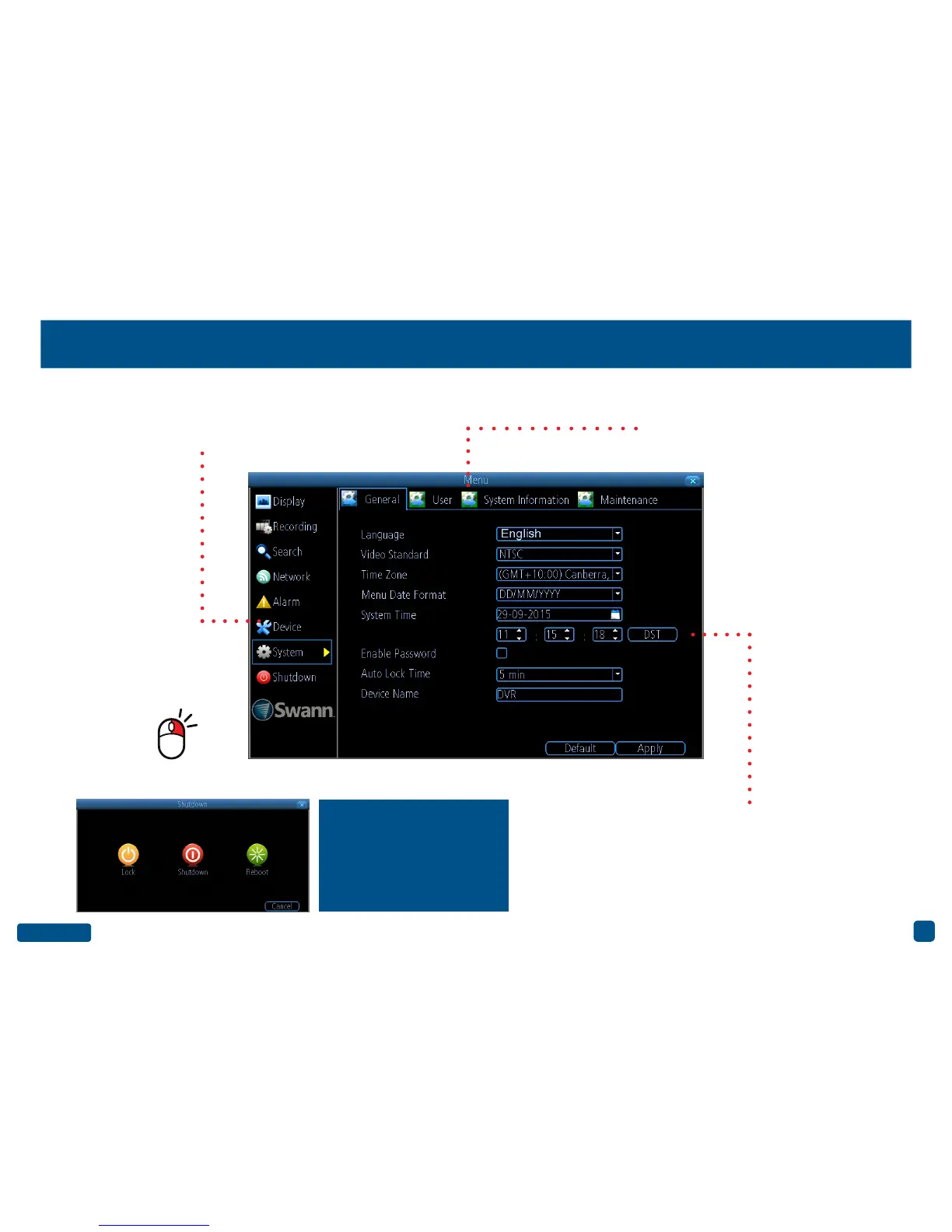
Menu Layout
The various actions and options
that are available, are categorised
on the left-hand side of the Menu.
Clicking each category will reveal a
number of tabs or sub-categories
that can be changed from their de-
fault value.
Some options may have additional
menus that can be accessed.
To exit or access the
previous menu, right-
click the mouse.
To shutdown, reboot or lock
your DVR, click the “Shut-
down” button. To ensure the
integrity of your data and re-
cordings, always select “Shut-
down” when powering off.


 To Next Page