2
sWaP Nova user guide
www.s-w-a-p.co.uk
Contents
Welcome to your sWaP
™
Nova
The most compact multifunction mobile you’ve ever owned.
Please also take a moment to read the important safety information located at the rear of this guide.
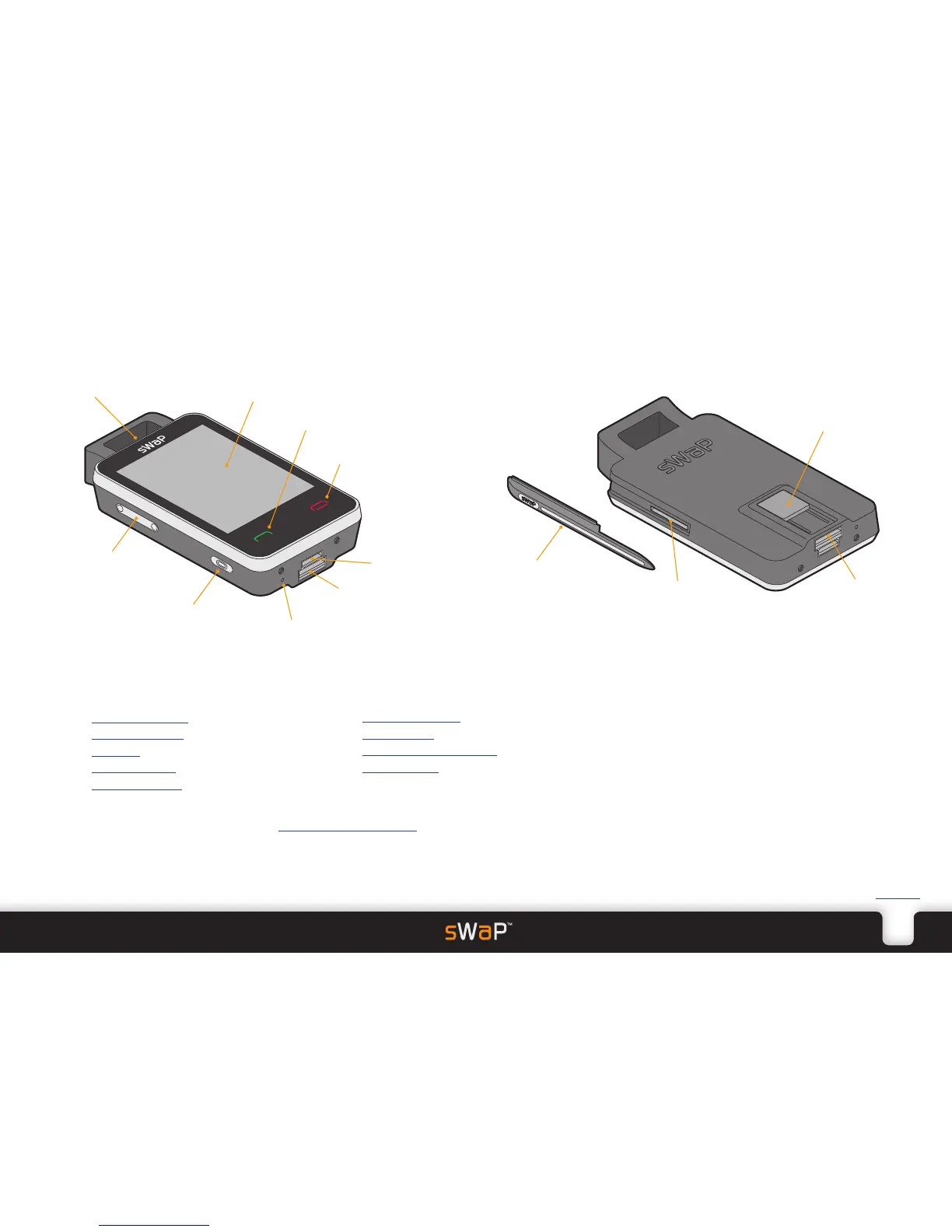
1.76” high resolution
touch screen
Speaker
Call button
End button
Power button
Microphone
Slide out
USB port
Options port
Up/down button
Things that you can do:
•Insert your SIM card page 3
•Charge the battery page 3
•Switch on page 4
•Dial/answer a call page 5
•Use the earphones page 6
•Use the phone book page 7
•Use messaging page 8
•Use multimedia applications page 12
•Access websites page 15
USB port eject button
Stylus
SIM card slot
Micro SD
memory card


 To Next Page