Definition
Tapping the «
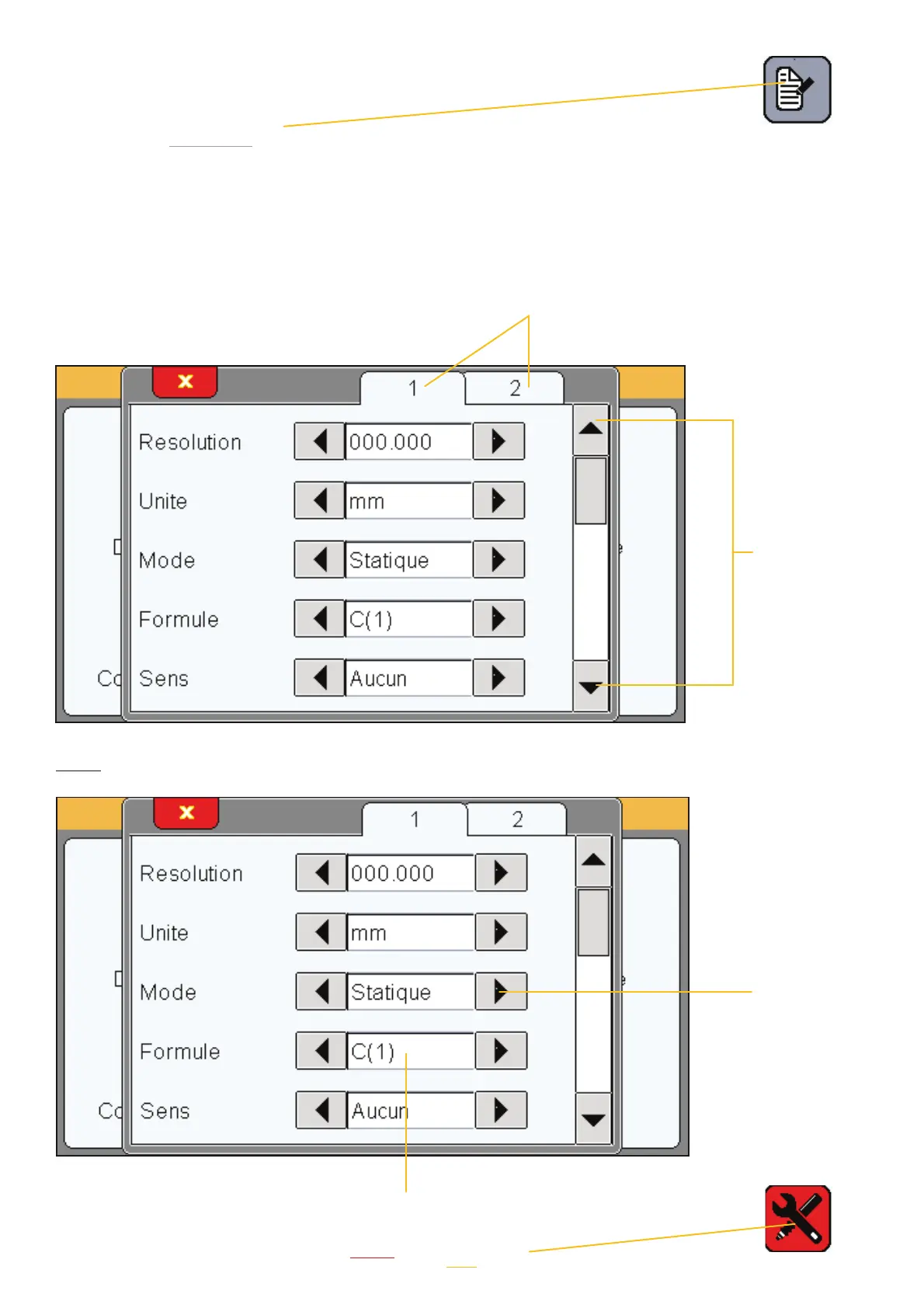
definition » icon launches the following window.
In this window, you can define the precision, unit, formula, tolerance, and benchmark of
each of the two available configurations for the piece.
This window has two areas allowing you to configure two pieces, and three screens that you
can access using the scroll bar on the right:
Choose piece 1 or 2
Move to
screen
1, 2 or 3
Area 1
Static meas-
urement,
i.e. direct
reading, or
dynamic
measure-
ment:
Max, min,
range, mean
average or
median.
Choice of calculation formula C(1) / C(2) / C(1) + C(2) / C(1) - C(2) / -C(1) / -C(2) / -C(1) + C(2) --> C = sensor
You can apply a coefficient to each sensor from the «settings» menu
10



 To Next Page