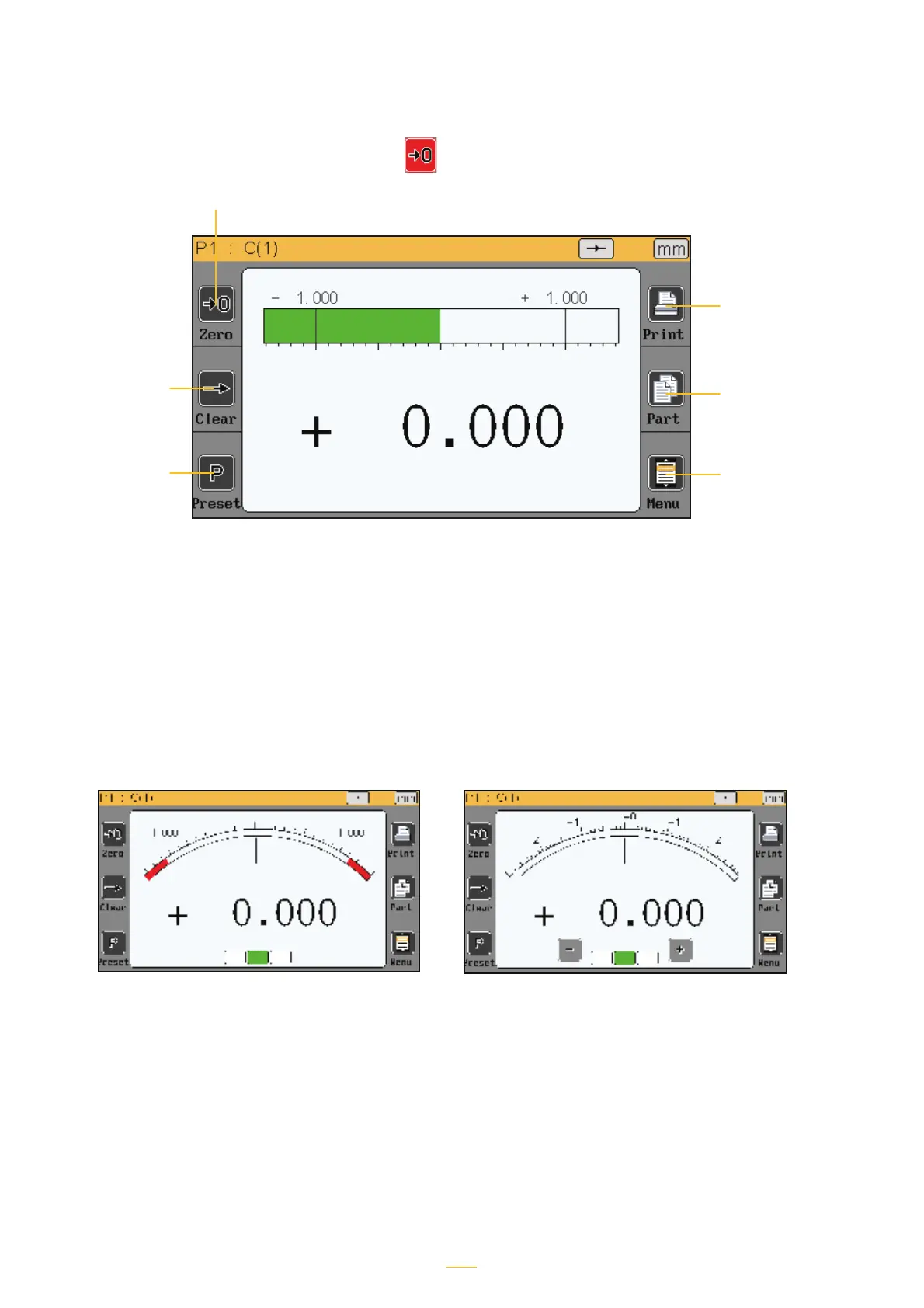
Automatic Manual
Functions of the sidebar buttons
Transfers the
measurement (RS-
232 or USB)
Manually changes
the active piece
(piece 1 or piece 2)
Allows the user
to access the icon
panel and config-
ure the device
Start a dynamic
measurement
(min, max, etc.)
Absolute or relative mode (allows you to create a zero point where
required).
If relative mode is selected, this button turns red.
In order to return to absolute mode, tap the «Preset» button.
Benchmark - tap-
ping this button
will set the value
displayed to the
benchmark value
entered using the
«definitions» menu
Selecting the type of galvanometer
If the D70 is configured with a galvanometer displayer (see section 5.2), two options are avail-
able:
The automatic galvanometer adjusts automatically to the tolerances entered, and automatically
makes full use of the maximum area available.
The manual galvanometer has a fixed scale and enables the «+/- button» option (see «display»
section).
14



 To Next Page