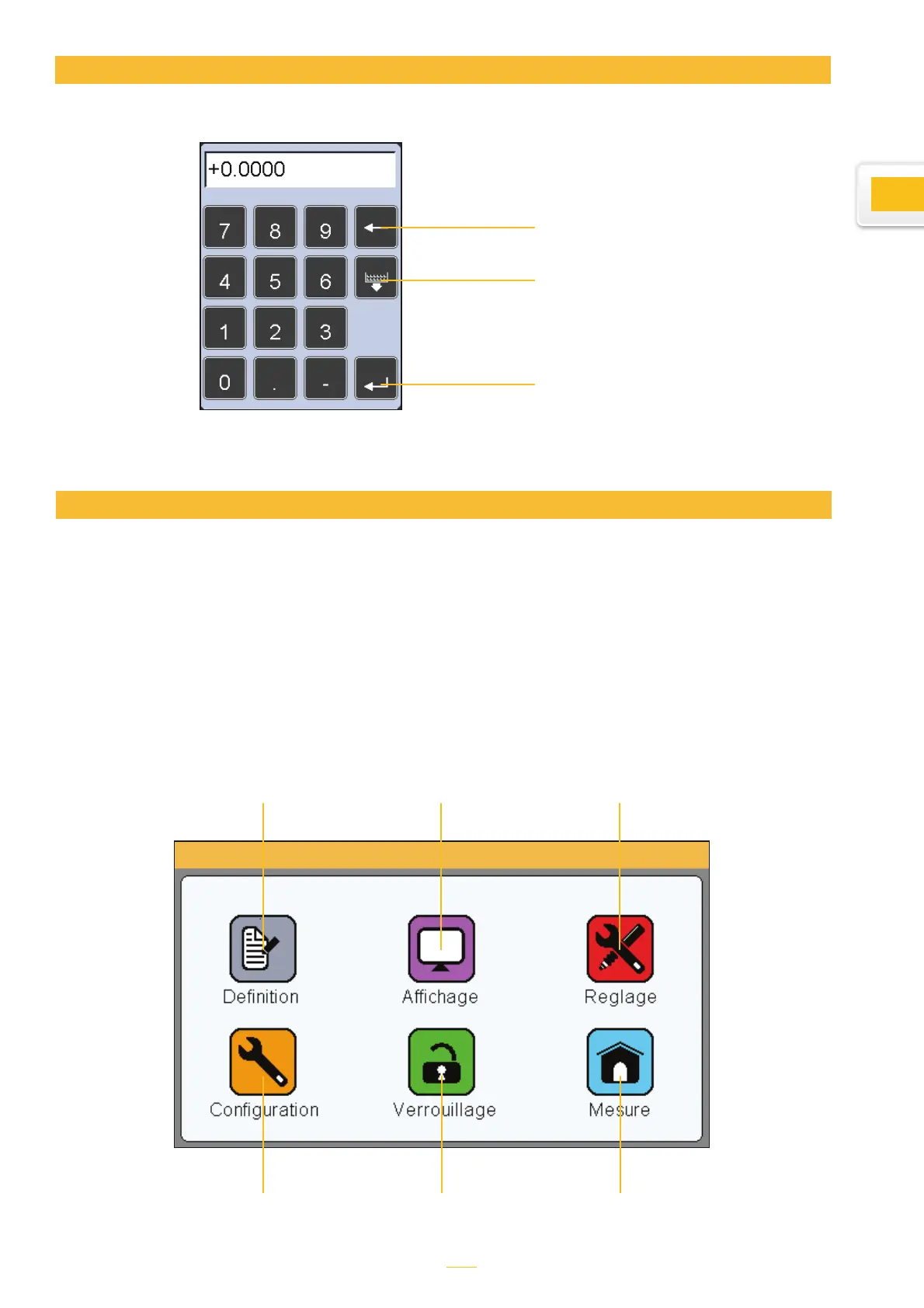
Virtual keyboard
Delete
Exit without saving the
changes
Save and exit
This chapter sets out the various windows that can be launched from the icon panel. As a re-
minder, the icon panel can be launched by tapping the appropriate button on the measurement
screen.
You can fully configure your D70 (language, communication, etc.) from this screen. The meas-
urement (precision, tolerance, etc.) can also be configured from this screen.
The following six sections describe the six icons that appear on this screen :
Configuring the device and the measurements
Configuring the device:
Language, pedal set-
tings, etc.
Configures the device’s
locking function
Shows the meas-
urement screen
Setting measurements
(tolerance, benchmark
figure, formula, etc.)
Setting the display,
single, double, bar
chart or needle
Setting the location of
the sensor and applica-
tion of the coefficient
9



 To Next Page