EasyManua.ls Logo

Sylvac D70S - Measurement; Measurement Screen

Default Icon
72 pages
Print Icon
To Next Page IconTo Next Page
To Previous Page IconTo Previous Page
Loading...
E
Measurement
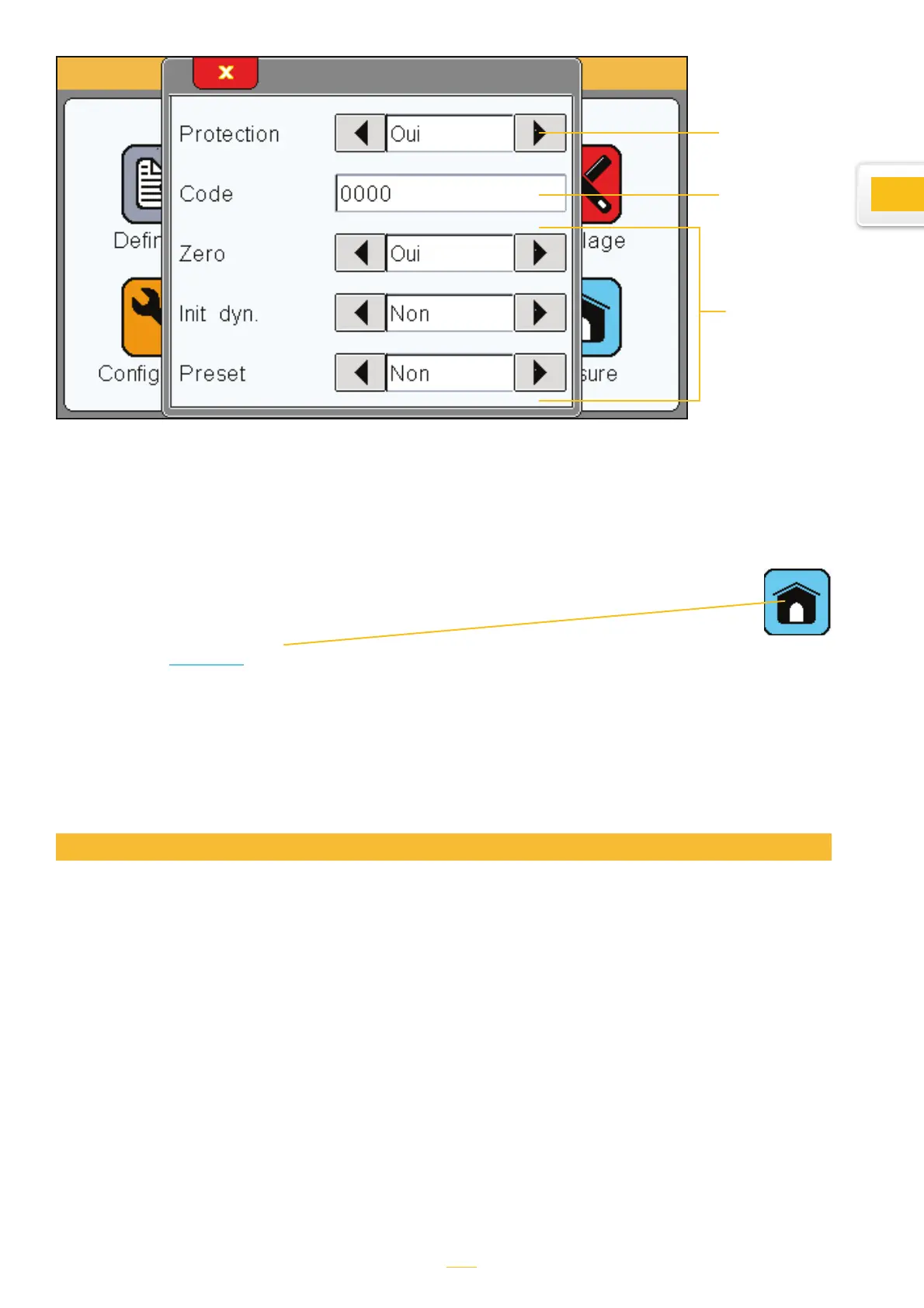
Tapping the «
measure » icon launches the following window.
Please consult the «Measurement screen» section below for an overview of the measurement
screen.
Choosing «yes»
means that a
password will be
required to access
the icon panel.
Allows the
user to hide the
buttons from the
measurement
screen. We rec-
ommend that you
only have the
buttons that you
need displayed
on the meas-
urement screen
in order to keep
the interface as
uncluttered as
possible.
Set password.
The default is
0000
The D70 starts up on this screen
The measurement screen displays the values of the piece being tested. Galvanometer and bar
chart displays mean that the value can be compared to tolerances entered using the definitions
menu.
Measurement screen
13

Table of Contents

Other manuals for Sylvac D70S

Related product manuals