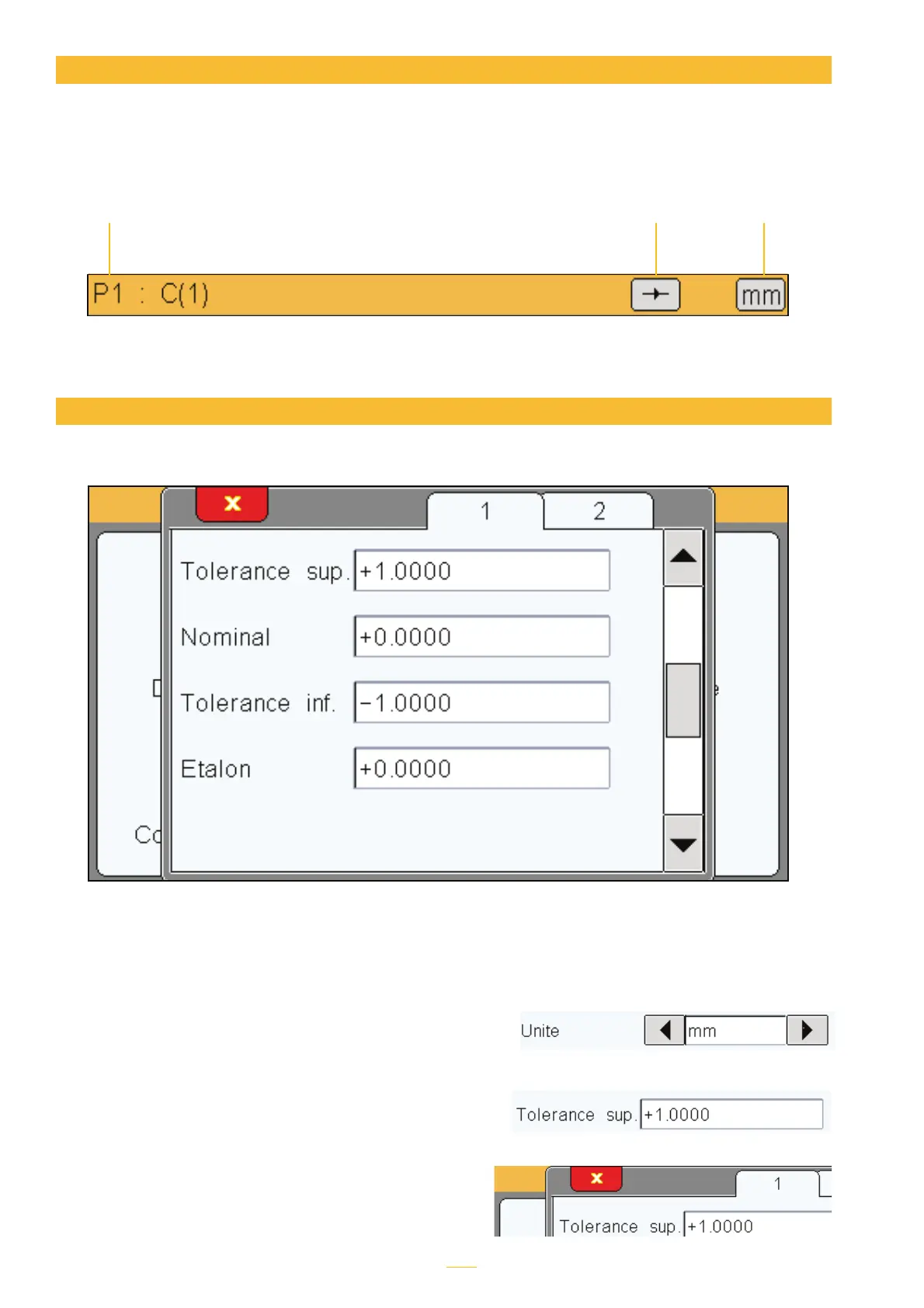
The following information is visible at the top of the screen:
General details
Name of the active piece
and calculation formula:
Here, it is piece 1,
sensor 1
Static or dynamic (max,
min, etc.) mode
Unit: mm, µm or
inch
You can open configuration windows by tapping the icons in the icon panel.
Configuration window
Example of window appearing on top of the icon panel
The information is then recorded in a variety of ways and saved for re-use when the window
is closed. The following ways of recording the data are available:
tMultiple choice box. Tap the black arrows to cy-
cle through the values.
tInput box. When you tap the input box, a virtual
keyboard appears.
tClosing a window. All windows can be closed
by tapping the white X with a red background
in the top-left of the window.
8



 To Next Page