ng
s
1
INTRODUCTION
PREPARATION
WATCHING TV
OPTIONAL SETTING
TROUBLESHOOTING
INFORMATION
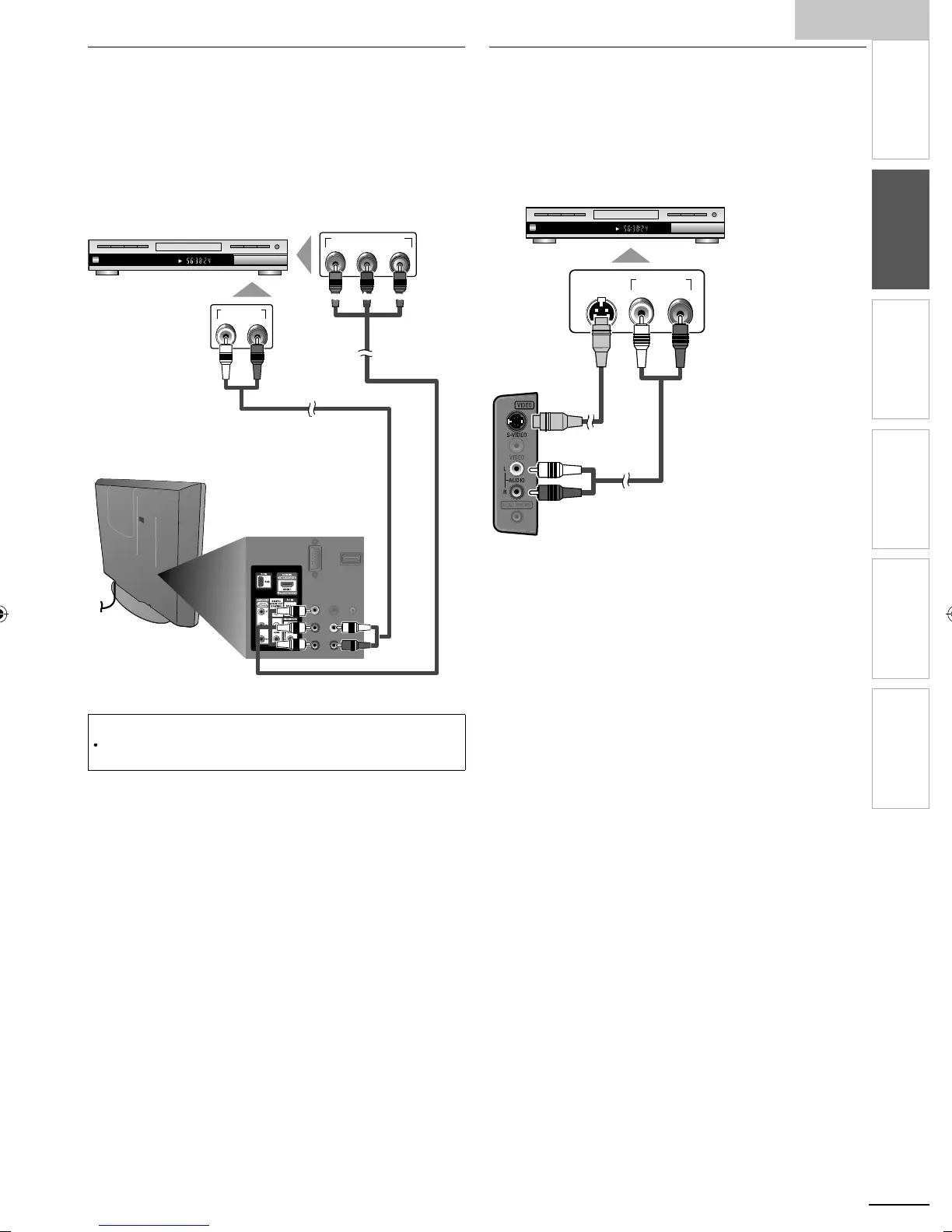
Component Video Connection
omponent Video connection offers better picture quality fo
v
eo
ev
ces connecte
to t
e un
t
If
ou connect to the unit’s Com
onent Video In
ut
acks
onnect audio cables to the Audio L/R In
ut
acks ri
ht beside
he Component Video connecto
.
CHAPTER 15
REPEAT A-B
TITLE 5
COMPONENT VIDEO OUT
Pr/CrPb/CbY
AUDIO OUT
RL
e.g.)
BD/DVD recorder with
t
e component vi
eo output jac
ear of this uni
component video component video
(red/blue/green)(red/blue/green)
Note
he unit acce
ts 480i / 480
/ 720
and 1080i of video si
nals for this
connect
on
S-Video Connection
-Video connection offers good picture quality for video
evices connected to the unit. If you connect to the unit’s
-Video In
ut
ack, connect audio cables to the Audio L/
In
ut
acks ri
ht beside the Com
osite Video connecto
.
.g.)
CHAPTER 15
REPEAT A-B
TITLE 5
AUDIO OUT
RL
S-VIDEO
OUT
BD/DVD recorder
camcorder and VCR with
the S-Video output jack
S-Vide
ca
e
ide of this uni
A0171N1UHmasterdraftENv1.indd11A0171N1UHmasterdraftENv1.indd11 2010/01/2922:55:422010/01/2922:55:42


 To Next Page