12. BODY COVER SYM
12-10
Remove the front cover and front under
cover.
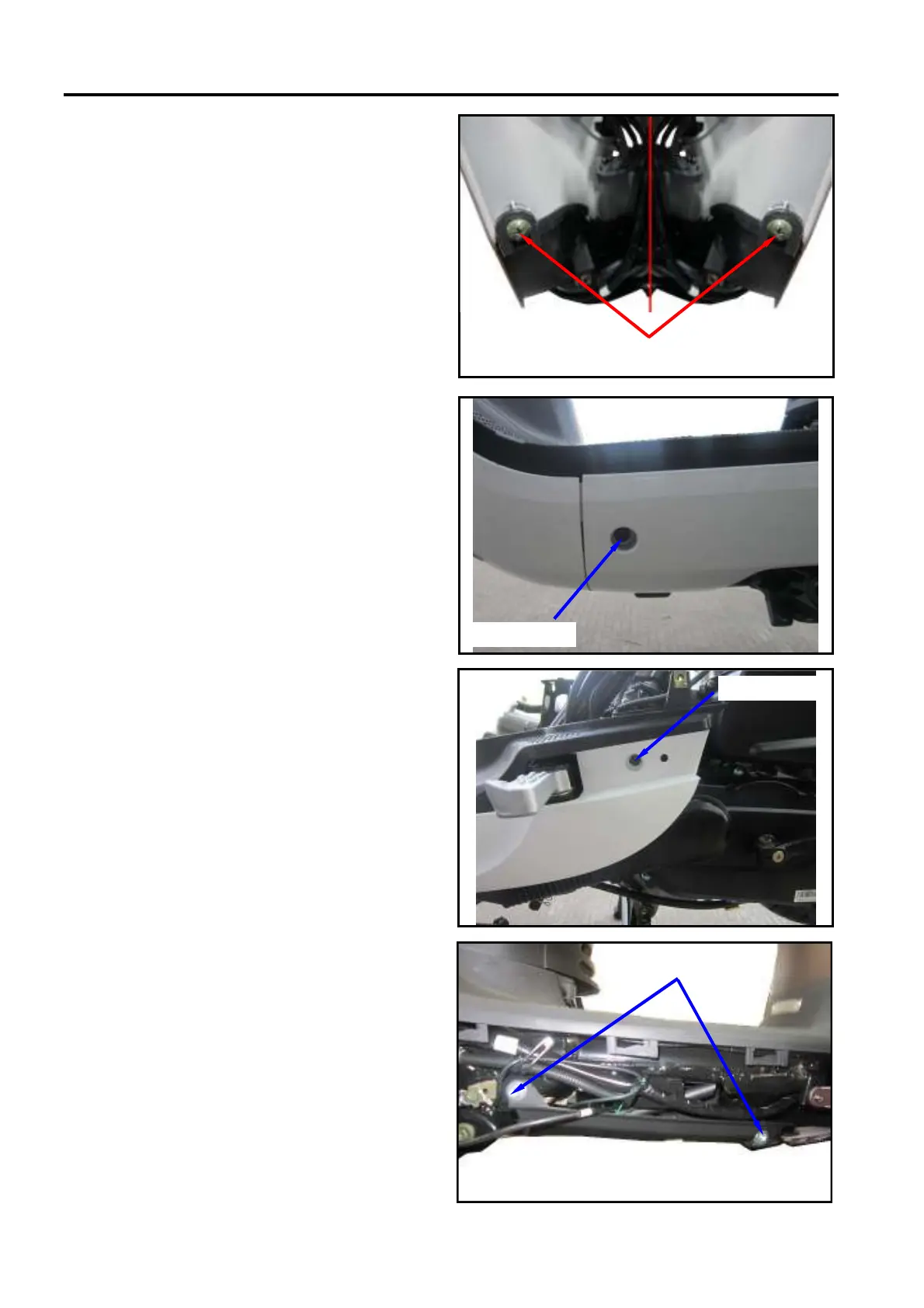
Remove the 2 mounting screws between
the floor panel and the front inner box.
Remove the floor panel.
Installation
Install the floor panel according to the
reverse procedure of removal.
SIDE COVER
Removal
Remove the left/right side 2 mounting
screws in the front of the side cover.
Remove the left/right side 2 mounting bolts
in the rear of the side cover.
Remove the left/right side cover.
Installation
Install the side cover according to the
reverse procedure of removal.
UNDER COVER
Removal
Remove the floor panel.
Remove the left/right side cover.
Remove the left/right side 4 mounting bolts
between the under cover and frame.
Remove the under cover.
Installation
Install the under cover according to the
reverse procedure of removal.
×
××
×
×
××
×
2 screws
×
××
×











 To Next Page