Resolving an fsck test failure
If the appliance runs a file system check (fsck) and the test fails, it asks the user
to fix the file system with more advanced fsck options. Before you can fix the issue,
you may be asked for a root password. In NetBackup Appliance 2.6.0.2 and later,
however, the root account is locked. Therefore, do the following to resolve the issue:
To resolve an fsck test failure:
1
Restart the appliance.
2
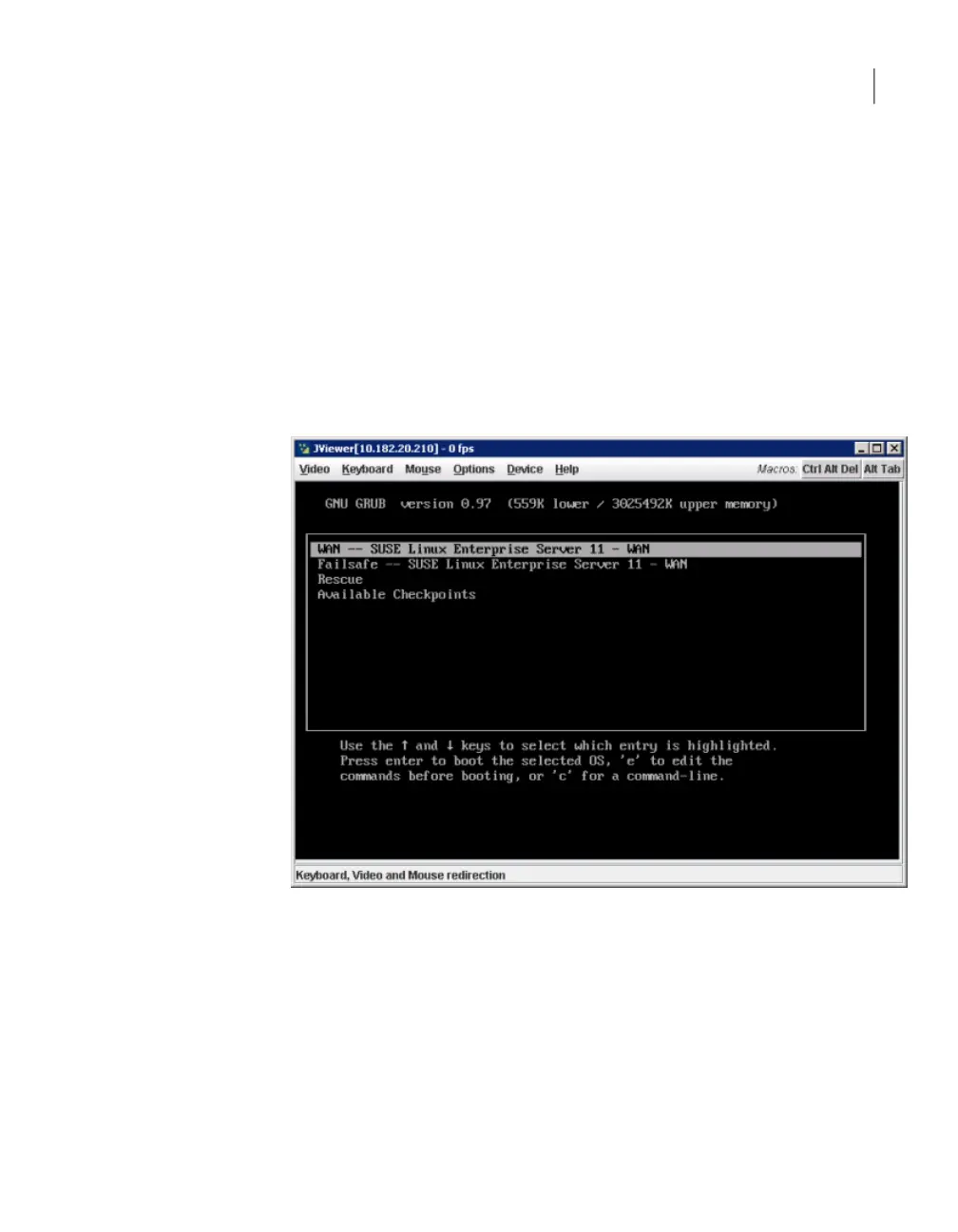
When the following GRUB boot screen appears, press e to edit the boot
commands:
87Troubleshooting generic issues
Resolving an fsck test failure



 To Next Page