2-12
LS 5700/LS 5800 Product Reference Guide
Mounting
LS 5700
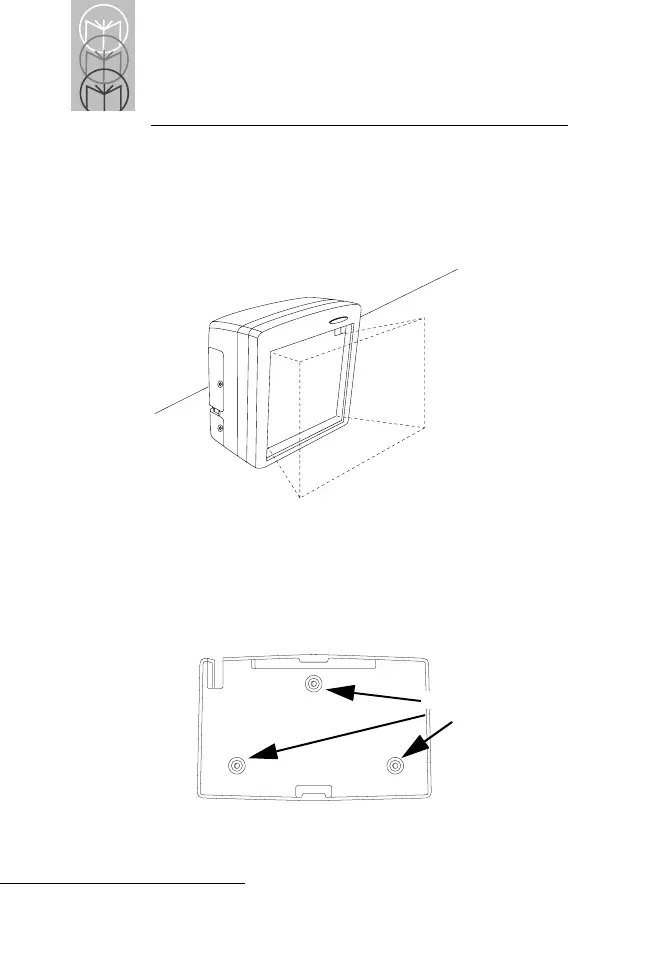
The LS 5700 is designed to rest on top of the counter. The
dotted area in Figure 2-7 represents the active scan area, or
the area in which a bar code is decoded.
Figure 2-7. LS 5700 Active Scan Area
For added stability, the LS 5700 can also be mounted in a
stand.
1. Attach the stand to the counter top or other stable base.
Secure with three screws (Figure 2-8).
Figure 2-8. Attaching the Stand to the Counter Top
Screws



 To Next Page