4-1
Chapter 4 Maintenance and
Specifications
Routine Maintenance
Cleaning the exit window is the only maintenance required.
A dirty or scratched window may affect scanning activity.
• Remove any dirt particles with a damp cloth.
• Wipe the window with a tissue moistened with
ammonia/water.
LS 5700
To change or clean the exit window:
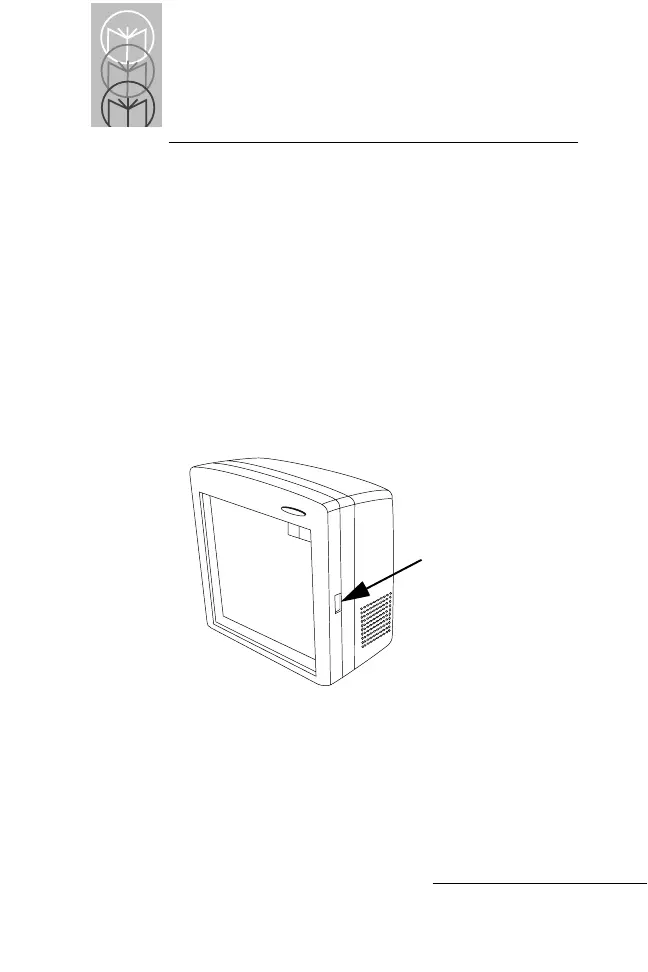
• Press window removal latch and rotate forward
(Figure 4-1).
Figure 4-1. Removing window from an LS 5700
To Clean:
•
Wipe clean the underside of the upper window.
• Wipe clean the top surface of the lower window.
• Re-install the window by snapping into place.
Window Removal
Latch



 To Next Page