2-3
Set Up
7. Rotate the antenna to the vertical position.
Using A Synapse Cable
1. Make sure all host devices are powered down.
IMPORTANT
Before power is provided to the cradle (step 6), the following steps must be
completed. The Synapse cable must be connected to the cradle (step 2) AND
the
flying power lead plugged in (step 4). If the cables are not connected in this
sequence, the Synapse Interface Adapter will not operate properly.
2. Connect the Synapse cable to the cradle (see Figure 2-1 on page 2-2).
3. Connect the other end of the Synapse cable to the Synapse Interface adapter.
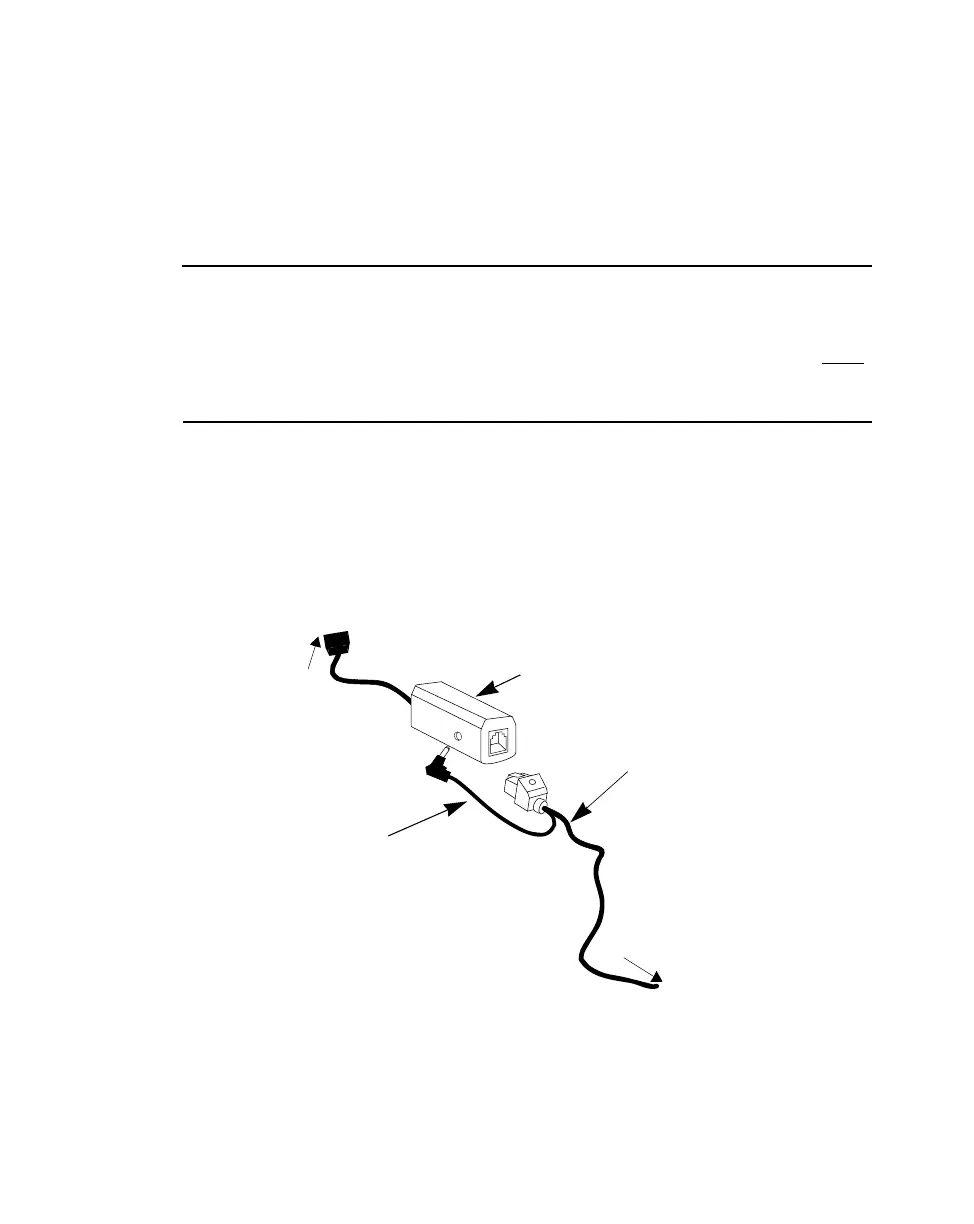
4. The Synapse cable has a flying power lead. Connect this lead to the receptacle in
the Synapse Interface adapter, as shown in Figure 2-3. See the Synapse guide for
details.
Figure 2-3. Synapse and Adapter Cable
5. Connect the Synapse Interface adapter to the host.
6. Connect the power supply to the cradle (see Figure 2-2).
Synapse Interface
Adapter (Module)
Synapse
Cable
Flying Power
Lead
To Host
To Cradle



 To Next Page