Chapter 8 Maintenance
SA-90 Instructions for Use
36/
46
Fuse used
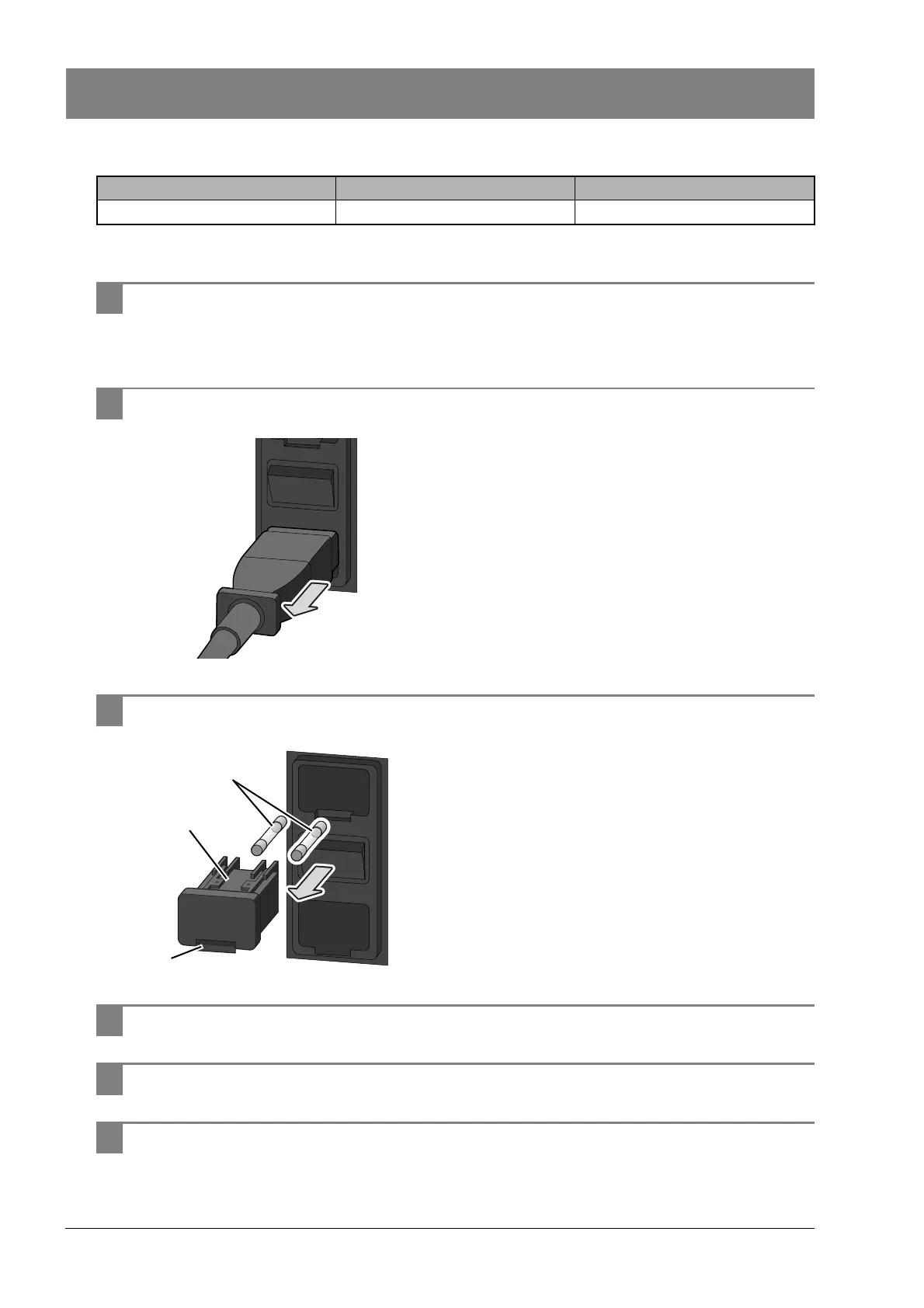
Follow the steps below to replace a fuse in SA-90.
1 Turn off the main power switch.
For the location of the main power switch, see Chapter 3.
(³P. 21 "Chapter 3: 3.1 SA-90")
2 Unplug the power cable from the rear side of the main unit.
For the locations of the power cable plug and fuse, see
Chapter 3.
3 Pull the fuse holder (1) out toward you and replace the old fuse (2).
Pull out the fuse holder (1) by pinching the tab (3) with a flathead
screwdriver.
4 Insert the new fuse into the fuse holder, and insert the fuse holder into the unit.
5 Plug in the power cable.
6 Turn on the main power switch.
Product code Item name Type
AX880901 50T032H Time lag



 To Next Page