Portbase User Guide
2) Configuration using the LAN Port (except PB-3010M)
LAN port connects Portbase to the internal network, operating as a DHCP server.
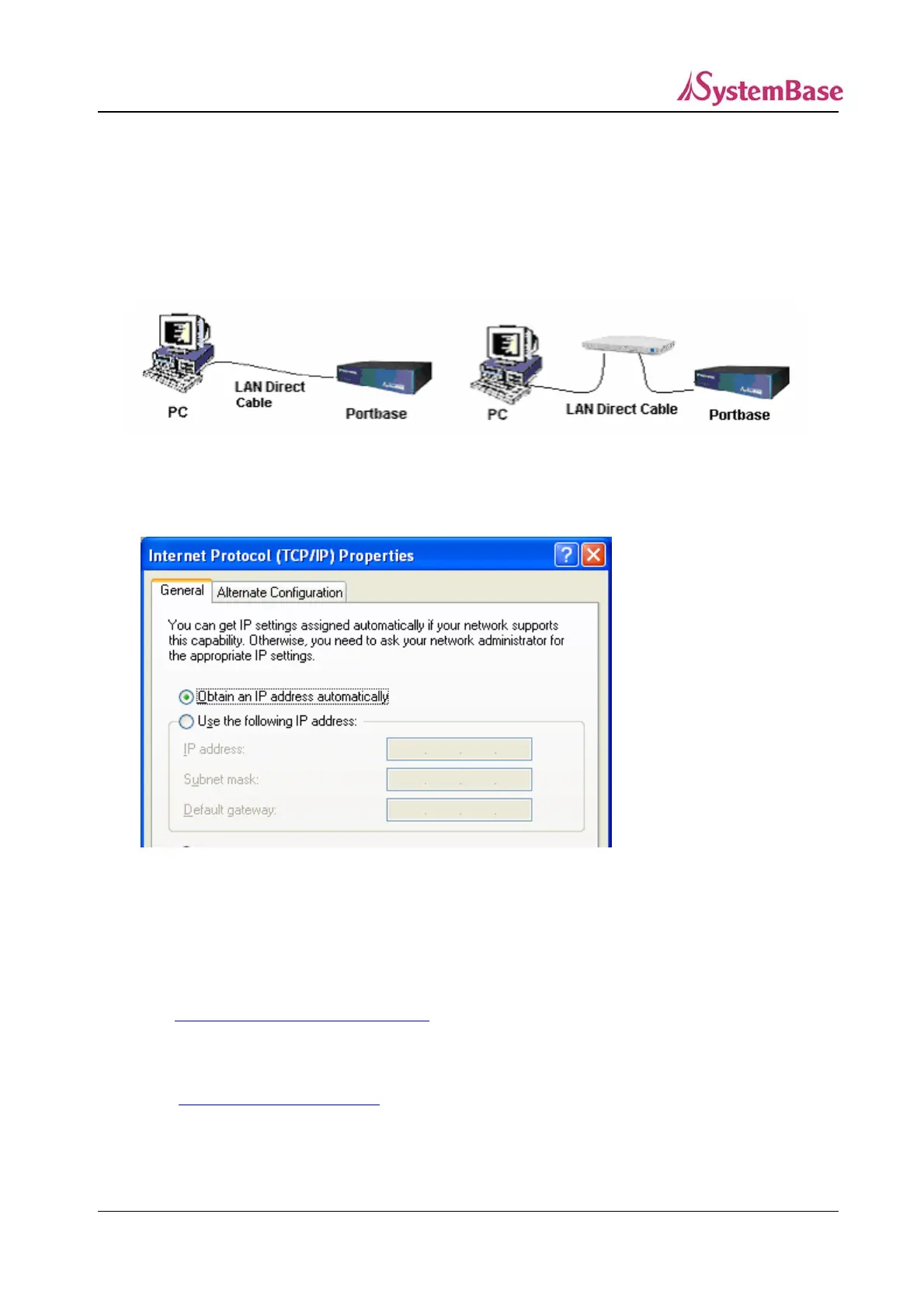
Connect the LAN port of Portbase and PC to the network.
Direct connection Connection via HUB
Adjust network settings of PC as follows:
Within 1 minute, Portbase automatically assigns an IP Address to the PC.
(IP address assigned to PC ranges from 10.10.1.2 to 10.10.1.254)
If you want to modify or view other settings of Portbase using a Web browser,
refer to
2. Configuration Using Web Browser in this chapter.
If you want to modify or view other settings of Portbase using a telnet connection,
refer to
3. Configuration Using Telnet in this chapter.
22



 To Next Page