Portbase User Guide
2) Using Redirector in Windows 2000/XP
1) If Redirector is not installed in your system, install Redirector. (Refer to
2.Installing Redirector in this
chapter for more information)
2) If Redirector is installed in Windows 2000/XP, virtual driver is loaded on the system automatically
when the PC boots.
3) With the configuration program, you can identify that virtual COM ports are created. Alternatively,
you can also check “Ports (COM and LPT)” in Device Manager. (To open the Device Manager,
select Start Setting Control Panel System Hardware Device Manager)
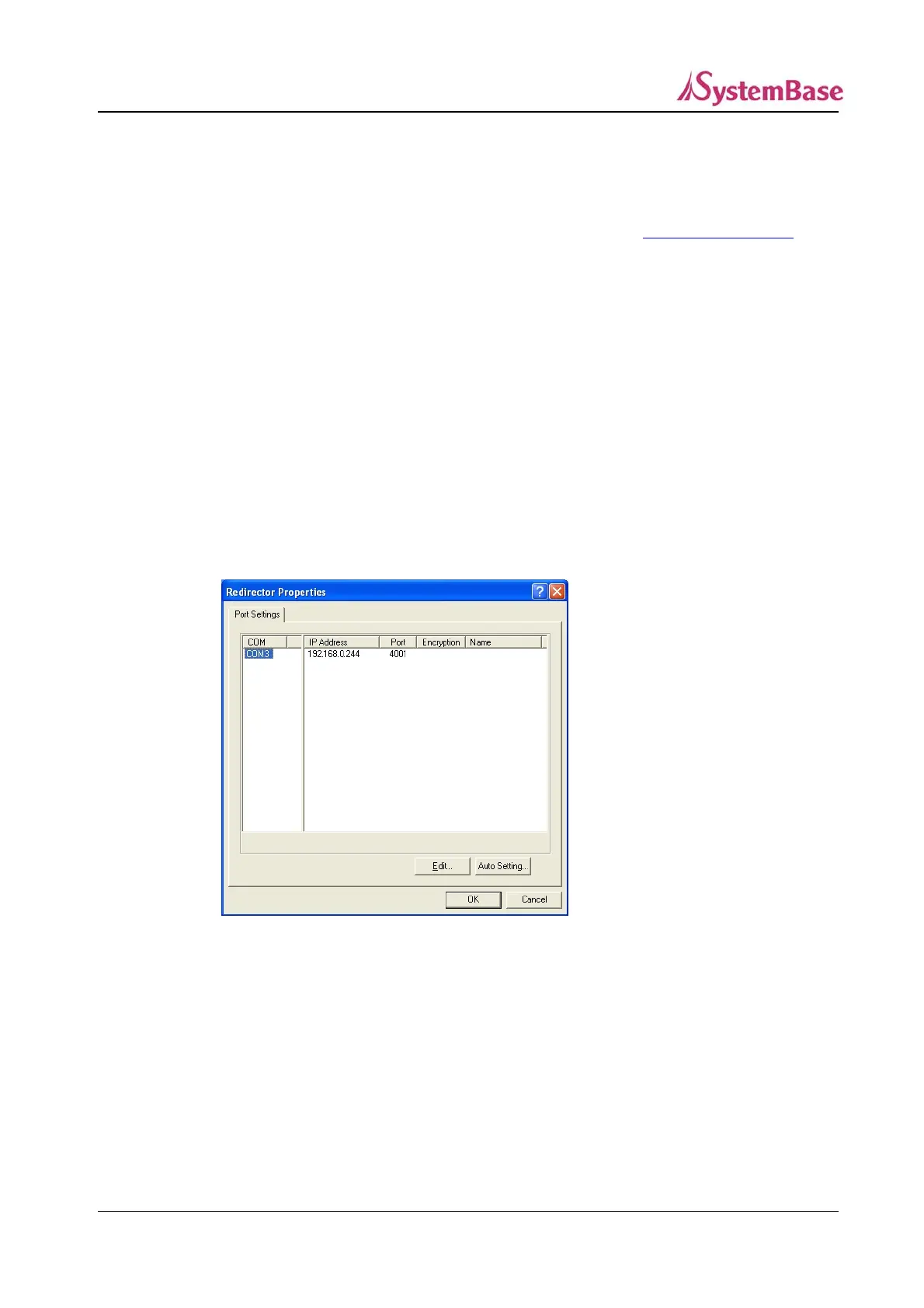
4) Run the configuration program by selecting Start All Programs SystemBase Portbase COM
Port Redirector Configure Installed Ports
5) If you like to change the IP address and the socket number of Portbase assigned to the virtual COM
port, click “Edit”.
6) Enter the IP address, socket number (4001 to 4032) and the port name (32 bytes maximum) that
you like to edit. Click “OK” to apply new settings.
71



 To Next Page