Portbase User Guide
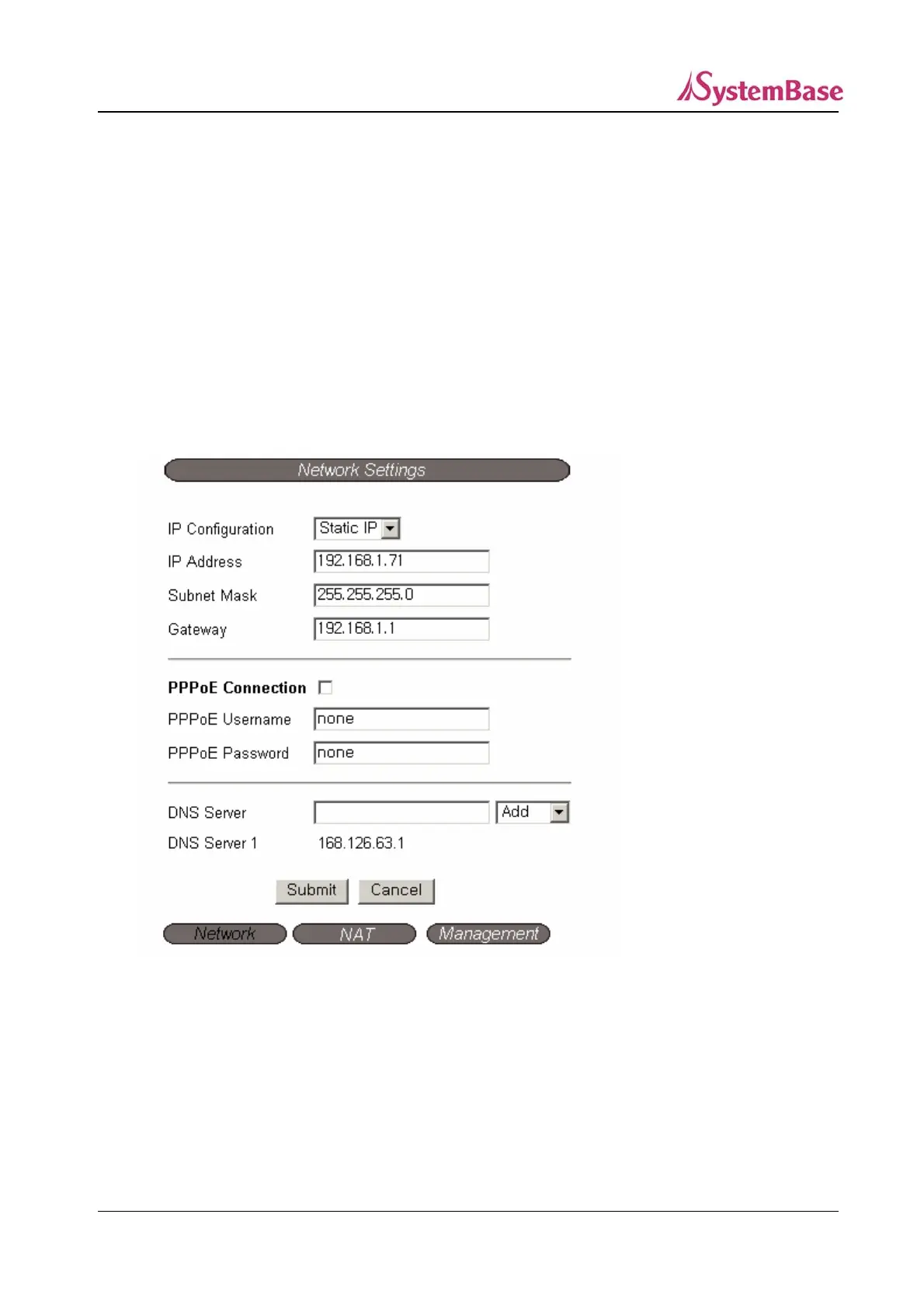
2) Network Settings
Configure the external network environment for Portbase.
There are three sub-sections for the Network Settings page : Network, NAT, and Management.
Network configures the WAN port connection environment.
NAT configures the LAN port operation environment (DHCP Server).
Management configures various parameters used for Portview,
the management program for Portbase.
① Network Settings
.
IP Configuration (Default: Static IP)
To achieve the IP to the WAN port from the external DHCP server, set as DHCP.
If a pre-defined IP is used for the WAN port, set as Static IP.
IP Address (Default: 192.168.1.71)
Set the IP address when the WAN port is to be set as static IP.
(Select Disable for the DHCP Client)
26



 To Next Page