Portbase User Guide
3
Setup and Connections
This chapter is an easy and simple guide for Portbase setup and connections.
As mentioned earlier, Portbase has factory default IP addresses. So before the first use, the user should
customize the IP address and environment parameters.
1. Connecting Portbase to the Network
WAN port connects Portbase to the external network.
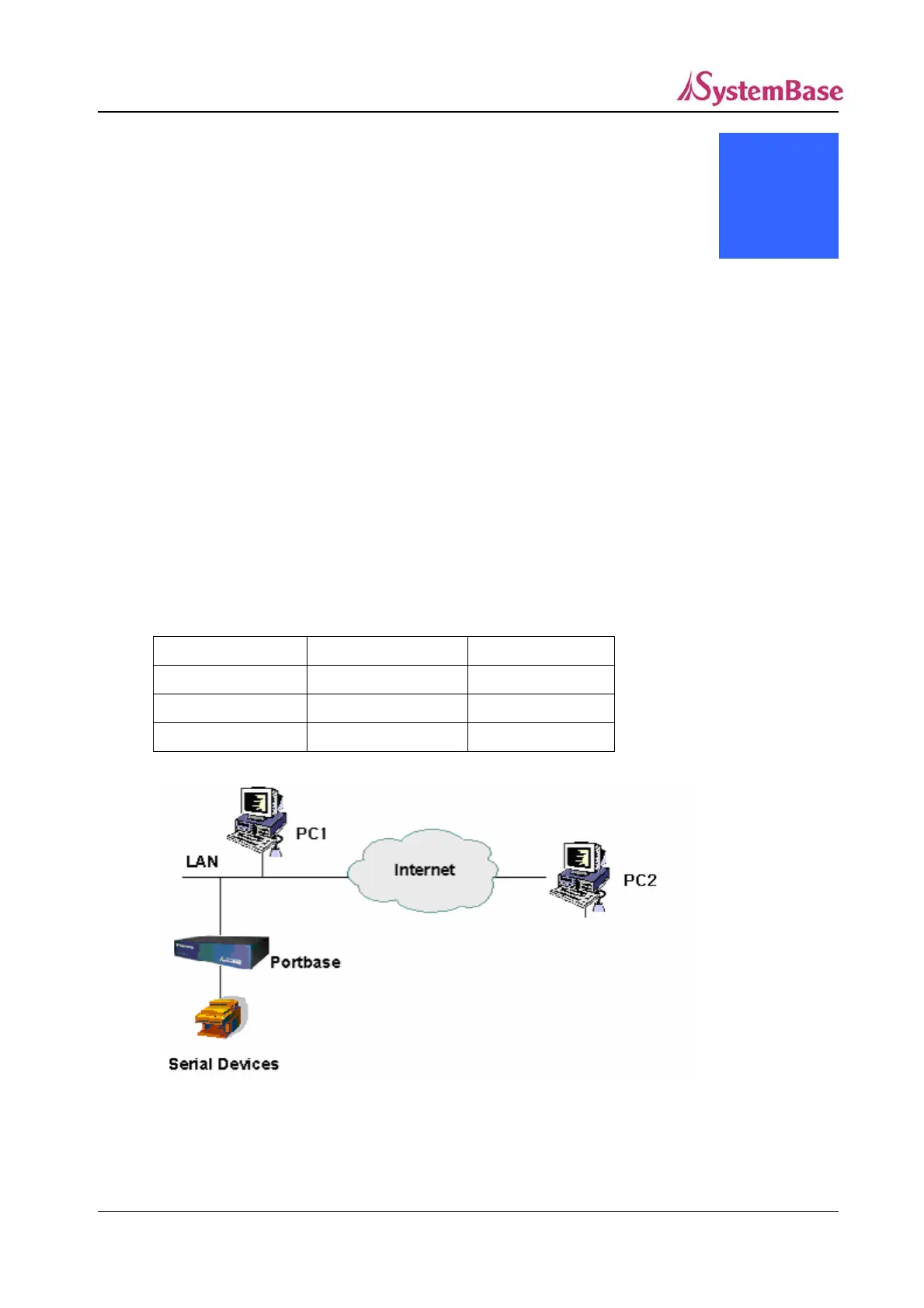
Connect the WAN port of Portbase and PC to the network as shown below.
This example assumes that Portbase uses the default IP address, 192.168.1.71, and that PC1 and PC2
have the given network settings.
PC 1 PC 2
IP Address 192.168.1.10 192.168.2.10
Subnet Mask 255.255.255.0 255.255.255.0
Gateway Address 192.168.1.1 192.168.2.1
52



 To Next Page