Portbase User Guide
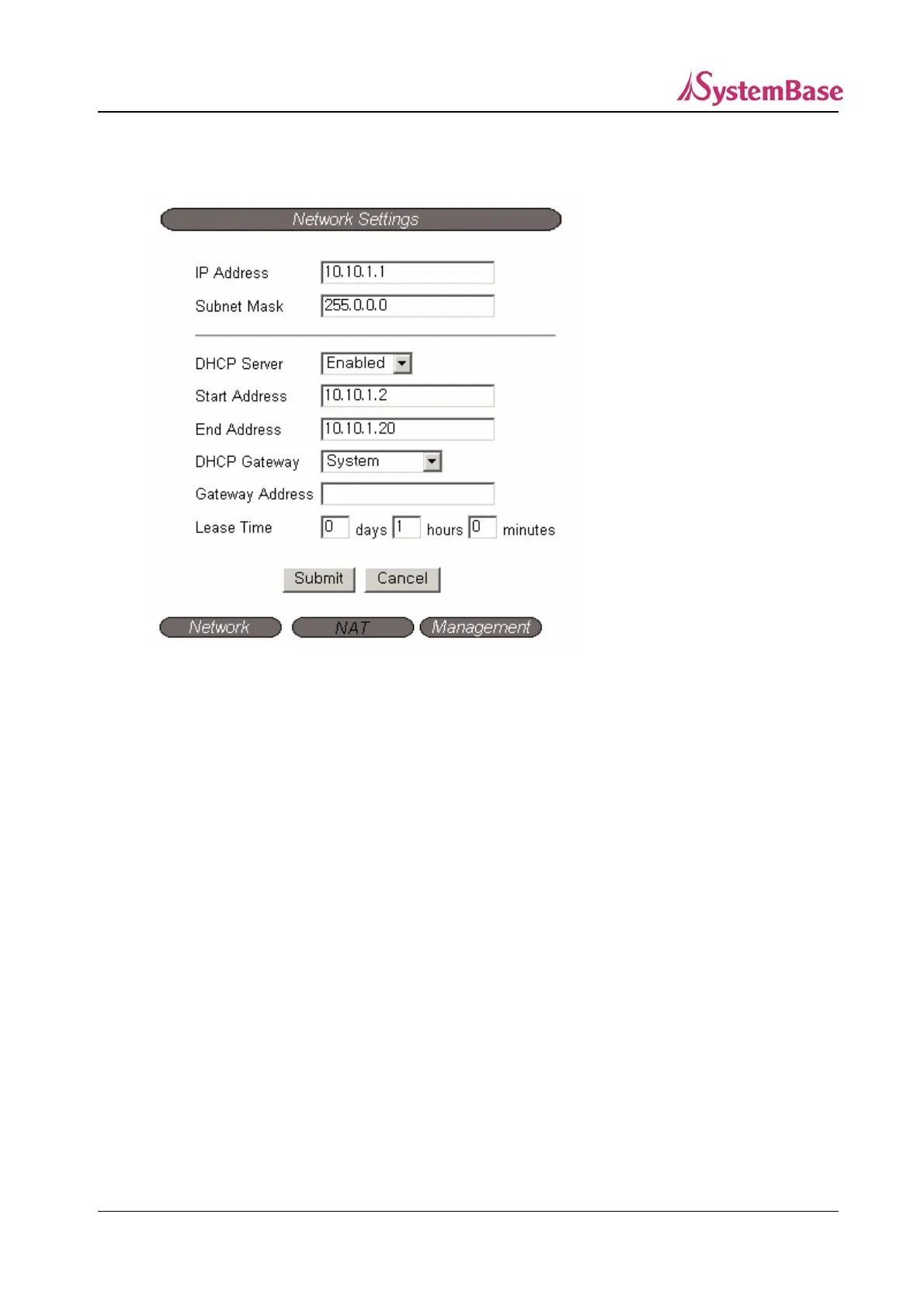
② NAT (except PB-3010M)
IP Address (Default: 10.10.1.1)
Set the IP address of the LAN port.
Subnet Mask (Default; 255.255.255.0)
Set the Subnet Mask for the LAN port.
DHCP Server (Default: Enabled)
Determine if the LAN port would operate as the DHCP server.
Start Address (Default: 10.10.1.2)
When the LAN port operates as the DHCP server, set the starting IP address to assign to the
DHCP clients via the LAN port.
End Address (Default: 10.10.1.20)
When the LAN port operates as the DHCP server, set the last IP address to assign to the
DHCP clients via the LAN port.
28



 To Next Page