Portbase User Guide
Communication Setting
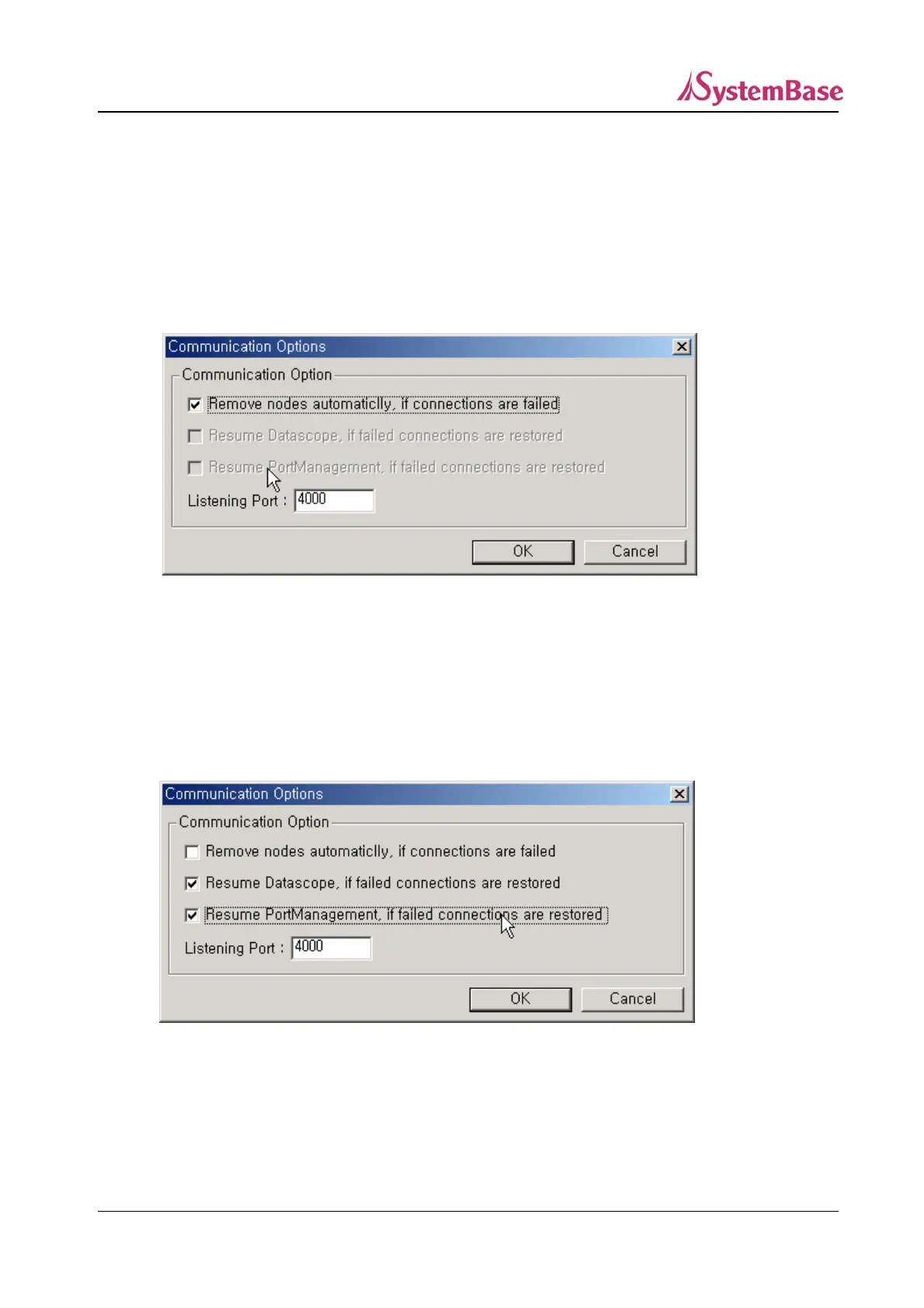
Select whether Portview should keep displaying Portbase after it is disconnected, and set the external
connection port.
① If you select ‘Remove nodes automatically, if connections are failed’, the Portbase information
disappears as the Portbases are disconnected.
② Select ‘Resume Datascope, if failed connections are restored’ from communication options menu
bar if you want to set Datascope to be automatically executed when the failed Portbases are
reconnected. At this time, to automatically display incoming/outgoing data to/from each Portbase
port in real time, select ‘Resume PortManagement, if failed connections are restored’ as well.
(Both options are available at the same time)
81



 To Next Page