Installing Software Drivers 6-5
Dos Mode Setting
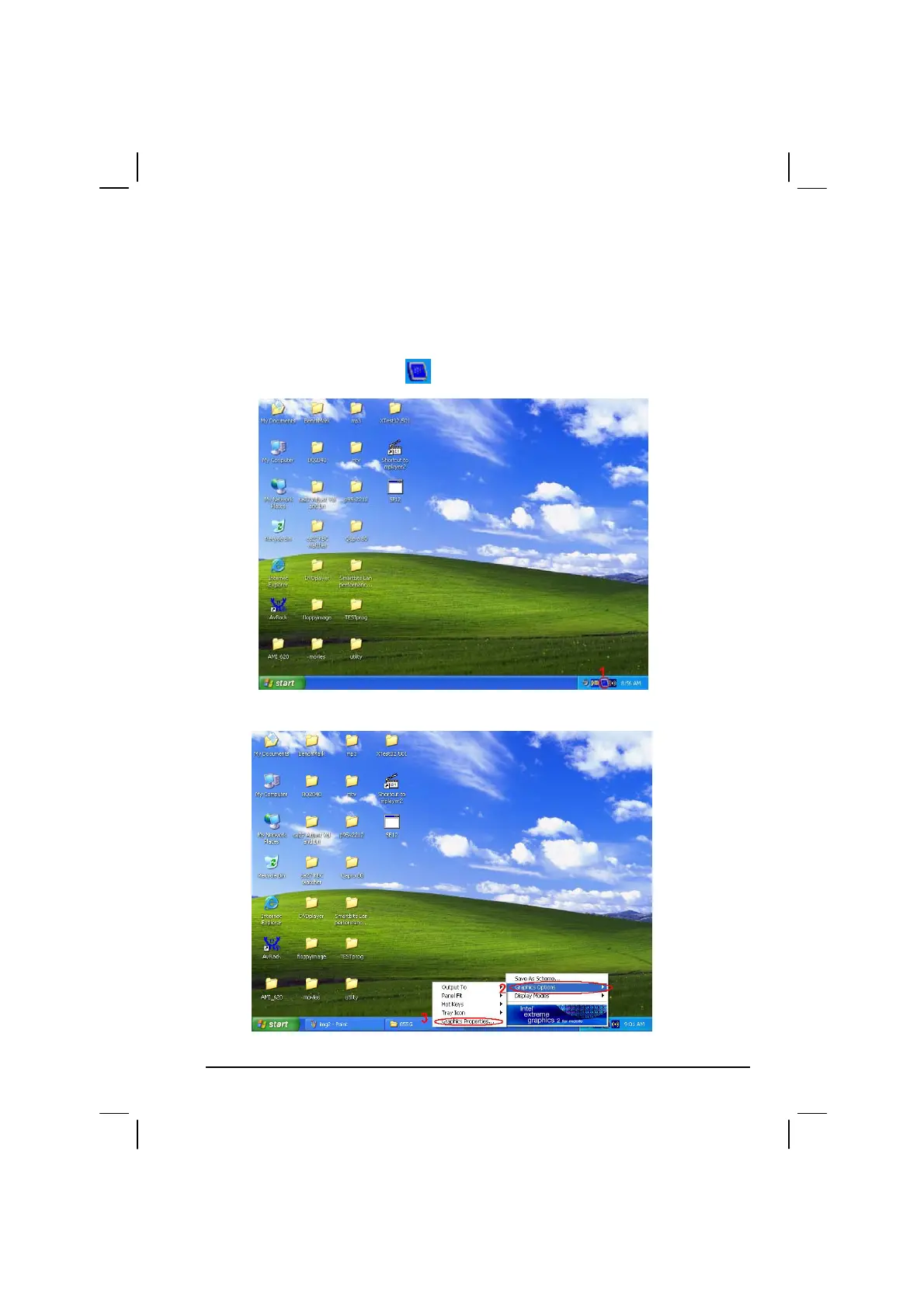
When connect CRT display, the CRT full screen disappear under the DOS
mode, you can follow step as below:
1. Select right side corner (
) icon then will appear next figure.
2. Select “Graphics Options” then click on the “Graphics Properties”.



 To Next Page