Getting Started 1-13
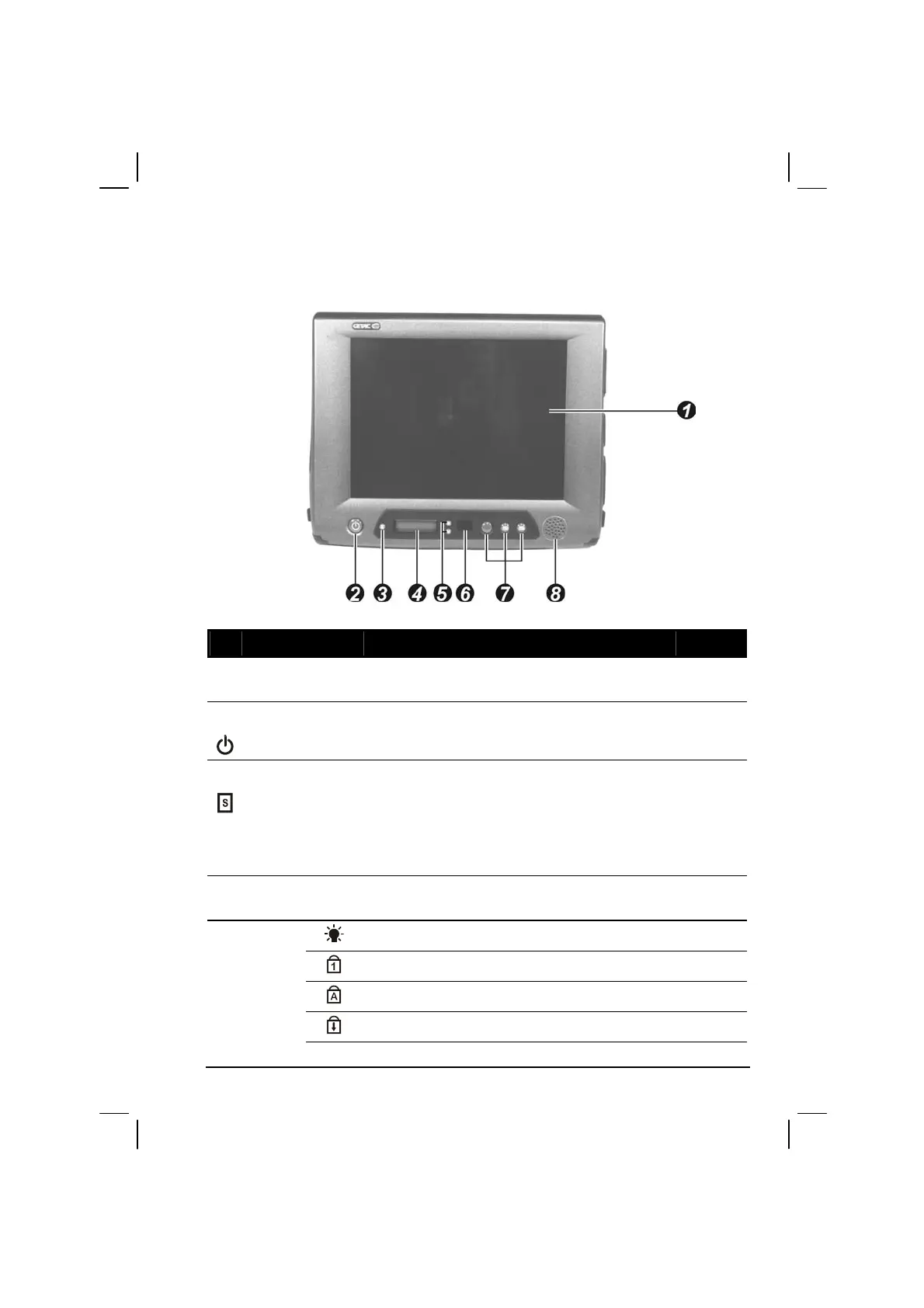
Front Components
Ref Component Description See Also
LCD Panel and
Touchscreen
Displays the output of the computer. Also serves
as your touchscreen.
P. 2-8
Power Button
Turns the computer power ON and OFF. Also
serves as the SUSPEND/RESUME switch.
P. 1-7
Volume
Control/
Brightness
Control/
Battery
Capacity
Allows you to toggle between adjusting the
sound volume of the computer or brightness of
the LCD screen, or battery capacity.
P. 2-21
Device
Indicators
Shows the current status of the computer’s
devices.
Power ON indicator P. 1-7
Num Lock Indicator P. 2-6
Caps Lock Indicator P. 2-5
Scroll Lock Indicator P. 2-5



 To Next Page