2 Setting Up Printer
2.1 Install Ribbon
1. Switch off the printer.
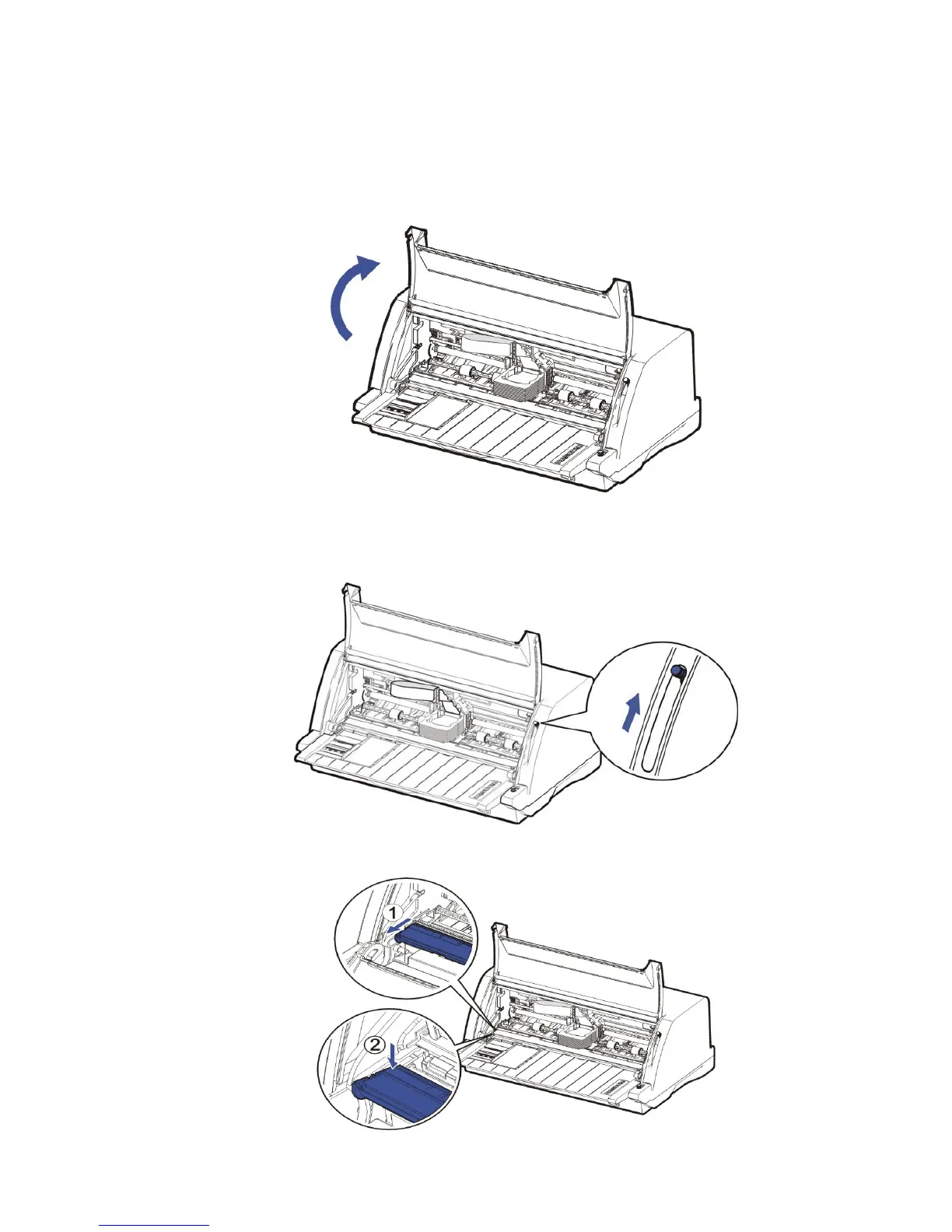
2. Open the Front Flap as shown in below picture.
3. Move the Head Gap Lever forward to the most open position, labeld Ribbon. This is to
make the biggest gap between the print head and the print bar.
4. Pull the Upper Friction Frame and then press down it until it is fixed on the side plates.



 To Next Page