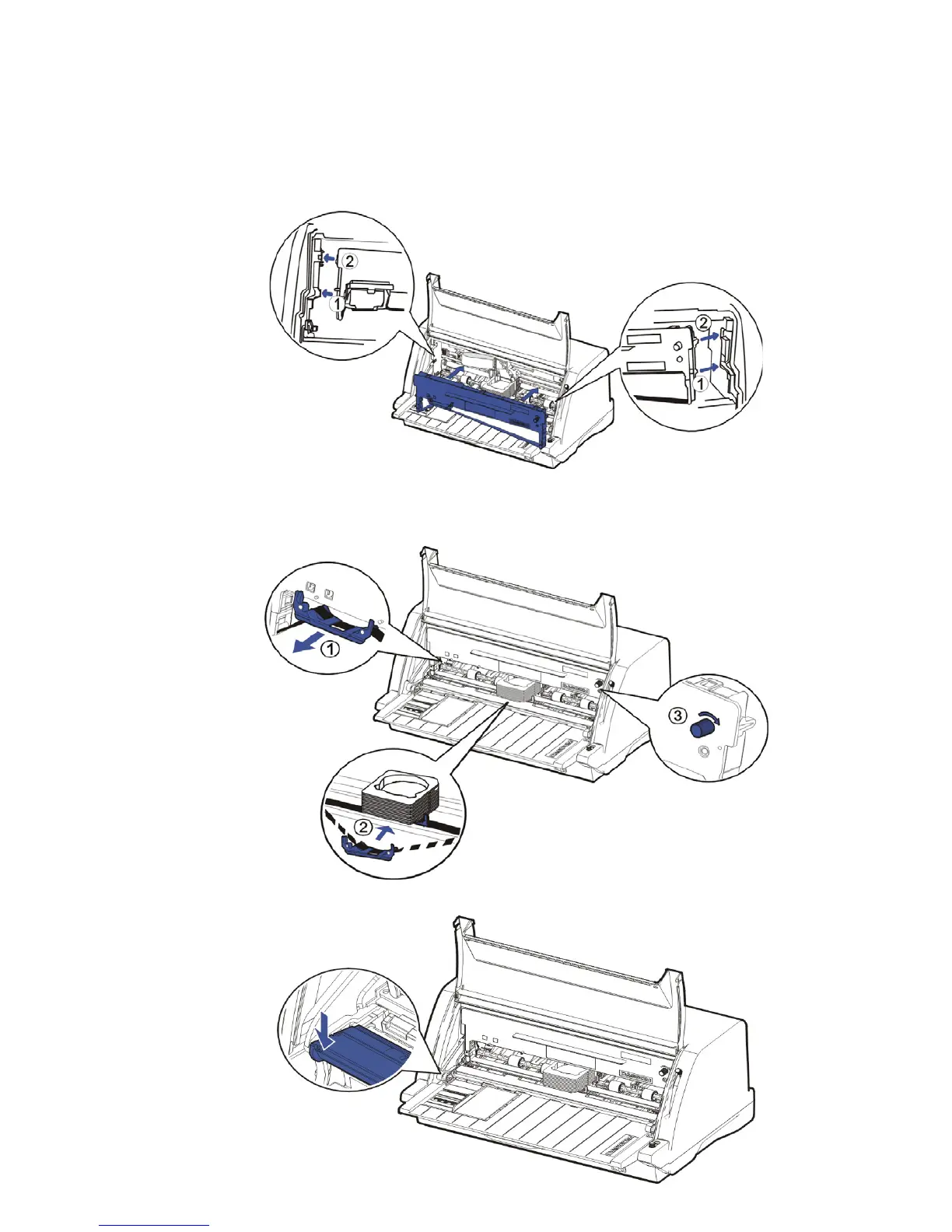
5. Move the Printhead to the center of Carriage Guide Shaft carefully.
6. Slant the Ribbon Cartridge a little and install the position ① and ② on the Ribbon
Cartridge into the side plate of printer. Press the Ribbon Cartridge slightly and make sure it
is fixed correctly.
7. Release the Ribbon Guide from the Ribbon Cartridge. Push the Ribbon Guide onto the
Printhead. And then turn the ribbon knob in clockwise direction until the ribbon fabric is taut.
Move the carriage left and right to make sure the ribbon fabric is taut.
8. Press the front of Upper Friction Frame and make it back to the original position.



 To Next Page