Tally Dascom DL-200 User Guide V1.3
17
(8) In order to make sure the data is printed within the label area, it is necessary to execute
Label Calibration: Hold down Feed Key and switch on printer simultaneously, release Feed
Key after the buzzer beeps twice. Then the label will be positioned automatically.
Label calibration should be executed in the following situations:
Use printer for printing label first time.
Replace different size of labels.
Printer feeds blank labels.
Refill with new roll of labels.
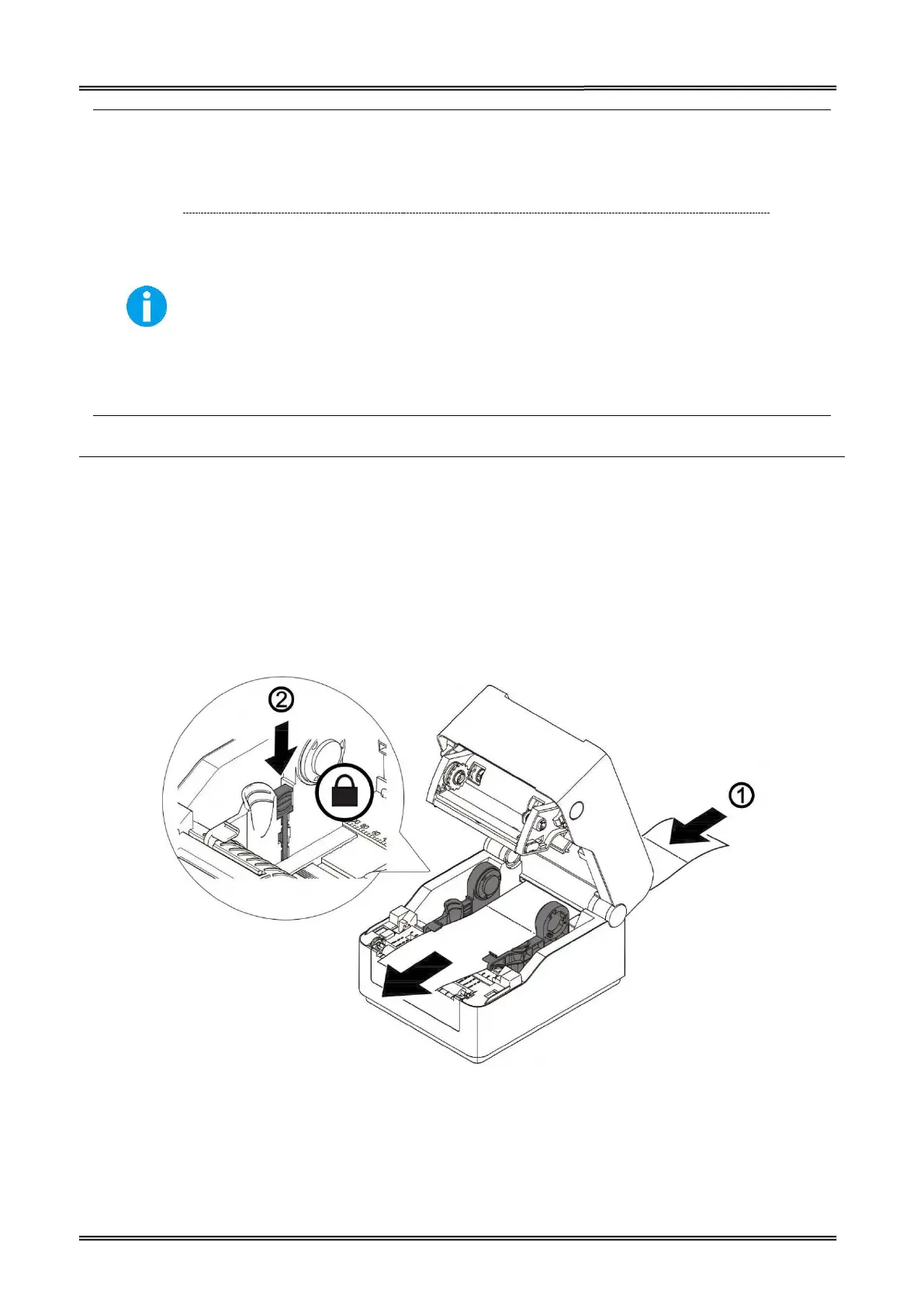
Load Media from the Back
(1) Open the top cover and the media fixers.
(2) Load media from the media cover through the media guides.. Make sure the printing side is
(3) Adjus the media fixers to the width of the media. And then lock the stopper of the meida fixers
so that the fixers could hold the media.


 To Next Page