Tally Dascom DL-200 User Guide V1.3
53
4.2 Hexadecimal Dumping Mode
Hold down Feed Key and switch on printer till Power LED blinks three times, buzzer beeps three
When self-test is OK but on-line printing error occurs, you can check the communication between
PC and program via Hexadecimal Dump mode. In Hexadecimal Dump mode, the printer will print
out hexadecimal data once it receives the signal from host. You can ask technical service for
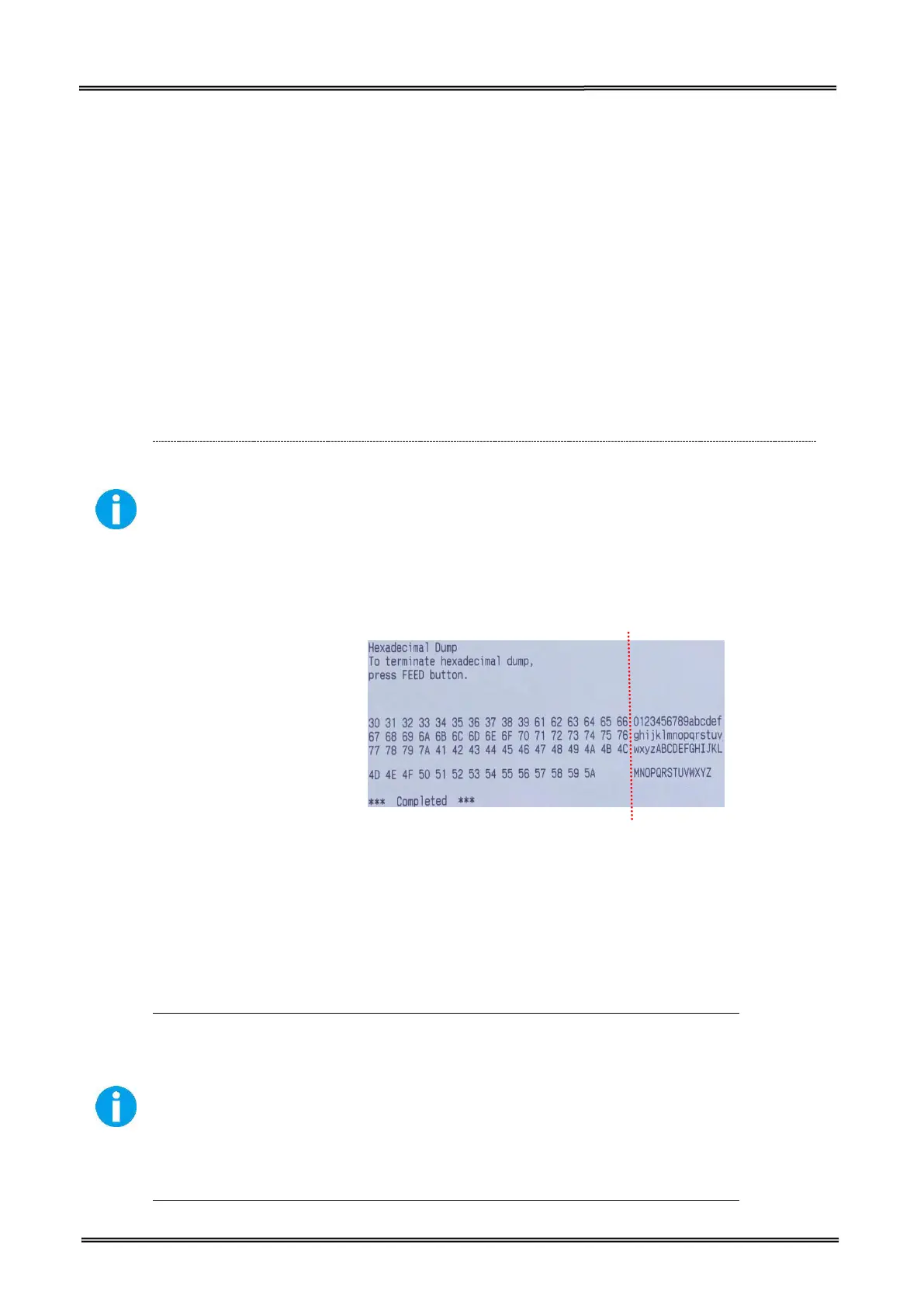
The printer starts printing “HEX DUMP PRINT MODE” followed by the received data printed in
hexadecimal numbers and some characters.
The printer prints “.” if there is no characters corresponding to data.
During hexadecimal dump, functions except some command will be disabled.
If print data does not cover a line, press the FEED switch to print the line.
0123456789abcdefghijklmnopqrstuvwxyzABCDEFGHIJKLMNOPQRSTUVWXYZ
Press the FEED button one time to feed the last line after the printer stops printing so as to return
4.3 Auto Calibrate Label
DL-200 can calibrate label automatically. Hold down Feed Key and switch on printer till Power LED
blinks twice, buzzer beeps twice.
Label calibration should be executed in the following situations:
Use printer for printing label first time.
Replace different size of labels.
Printer feeds blank labels.
Refill with new roll of labels.


 To Next Page