Tally Dascom DL-200 User Guide V1.3
20
(6) Press down the top cover on both sides firmly until you hear a snap.
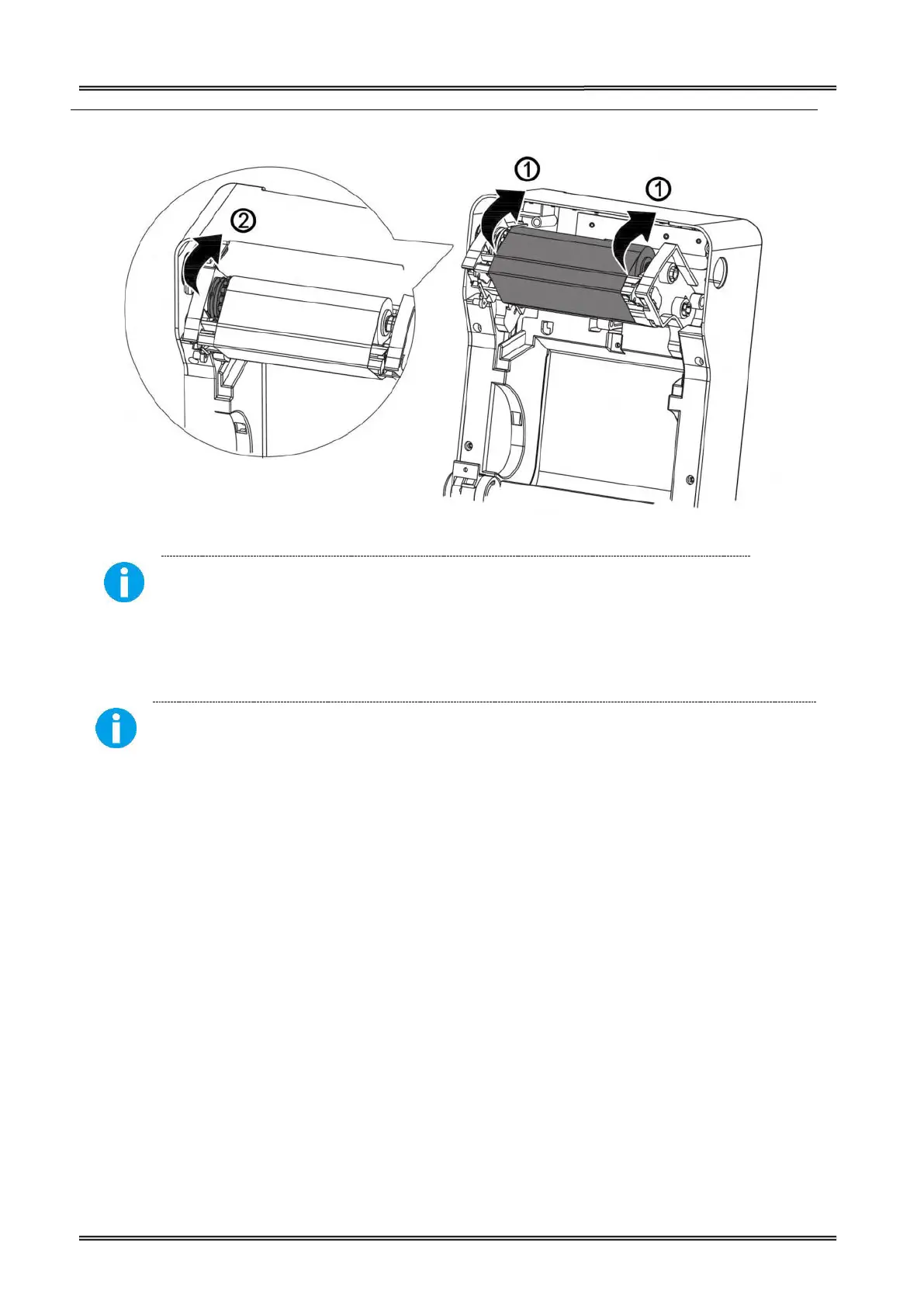
Keep the brighter surface of ribbon inside while winding the print head.
2.7 Connecting to Computer
Be sure to install the driver before connecting the printer to the host computer.
Before installing, disconnect the Power Unit from the printer (as well as turning the power switch
off). Even when the power switch is off, voltage is still present at some points on the circuit board.
Changing components while the power unit is connected can cause damage to the interface board
1. Power off the printer.
2. Insert the interface cable connector firmly into the interface connector on the
3. When using interface cables equipped with a grounding line, attach the ground
line to the screw hole marked “FG” on the printer.
4.
Connect the other end of the interface cable to the host computer.



 To Next Page