Display Message “Hardware Alarm” Testmodes and Troubleshooting
4-24
4.6
Display Message
“Hardware Alarm”
To analyse failures much more easier, an extended failure report has been imple-
mented. The messages described below will only occur in “Hardware Alarm” state.
If this message occures the printer must be repaired before switching on again.
Please take care about the fact that in “Hardware Alarm” state the power voltage is
switched off to avoid further damages. Please read also chapter 4.3 “Monitoring
Functions”.
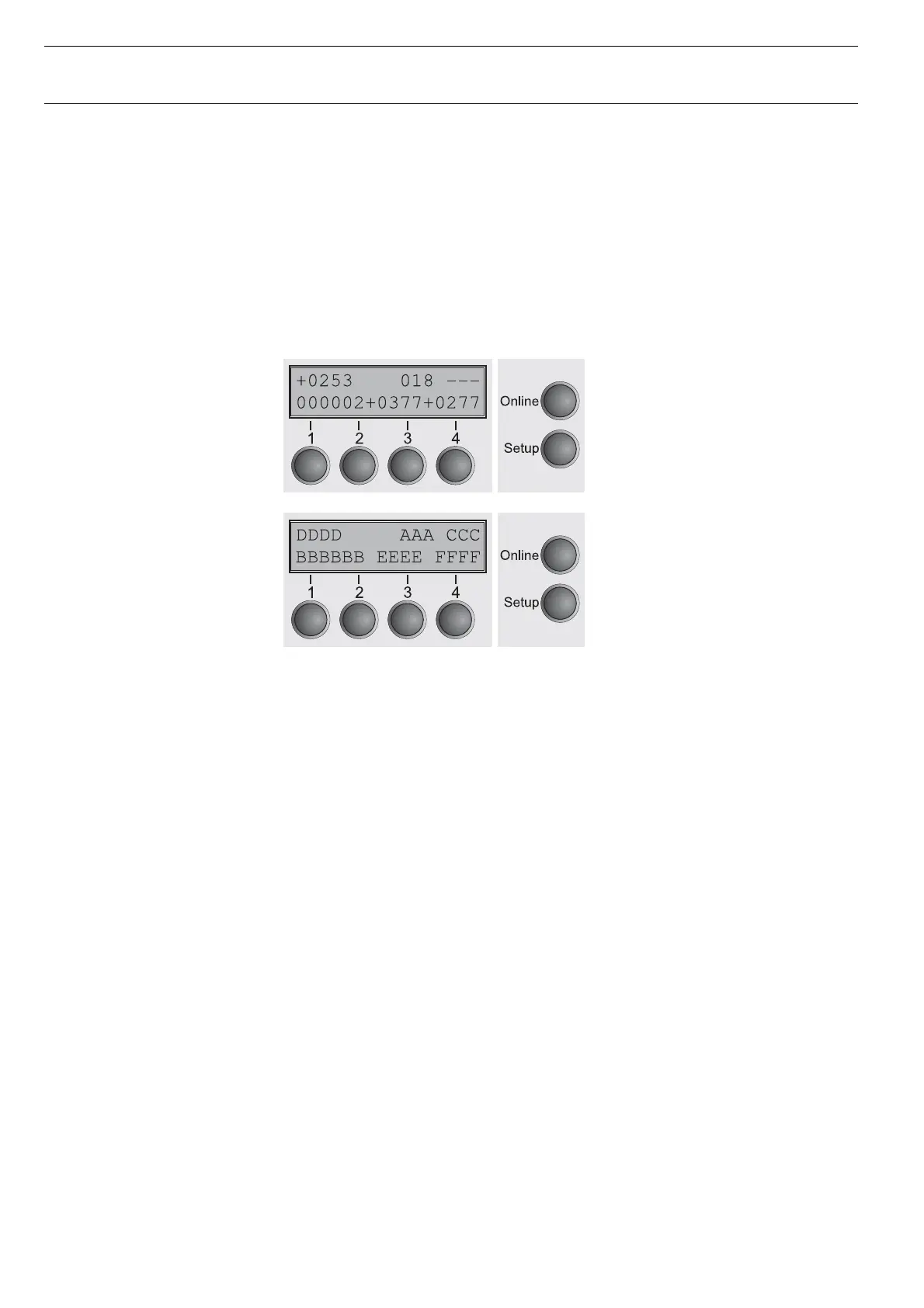
2. Meaning of the Messages
A Head Clearance
B Task Control Code
C Head Temperature
D Actual Head Position
E Horizontal Position of AGA Flag
F Desired Head Position
3. Legend
Actual Position Horizontal position of the printhead while error occurs min.
value = 0; (physical left margin)
max. value should be approx. 1730; (physical right margin)
Desired Position Horizontal Position the printhead tried to achieve
Head Clearance Relative printhead clearance while error occured
Head TemperatureCurrent head temperature
Taskcontrol Error code (see item 6)
4. Interpretation of the example
Actual Position = 0253 (left margin)
Desired Position = 0277
Head Clearance = 018 (relative position)
Head Temperature= - - - (below range of measuring = head “cold”)
Task control = 000002 (horizontal task, motor accelerate)




 To Next Page