Troubleshooting Testmodes and Troubleshooting
4-12
4.2.4
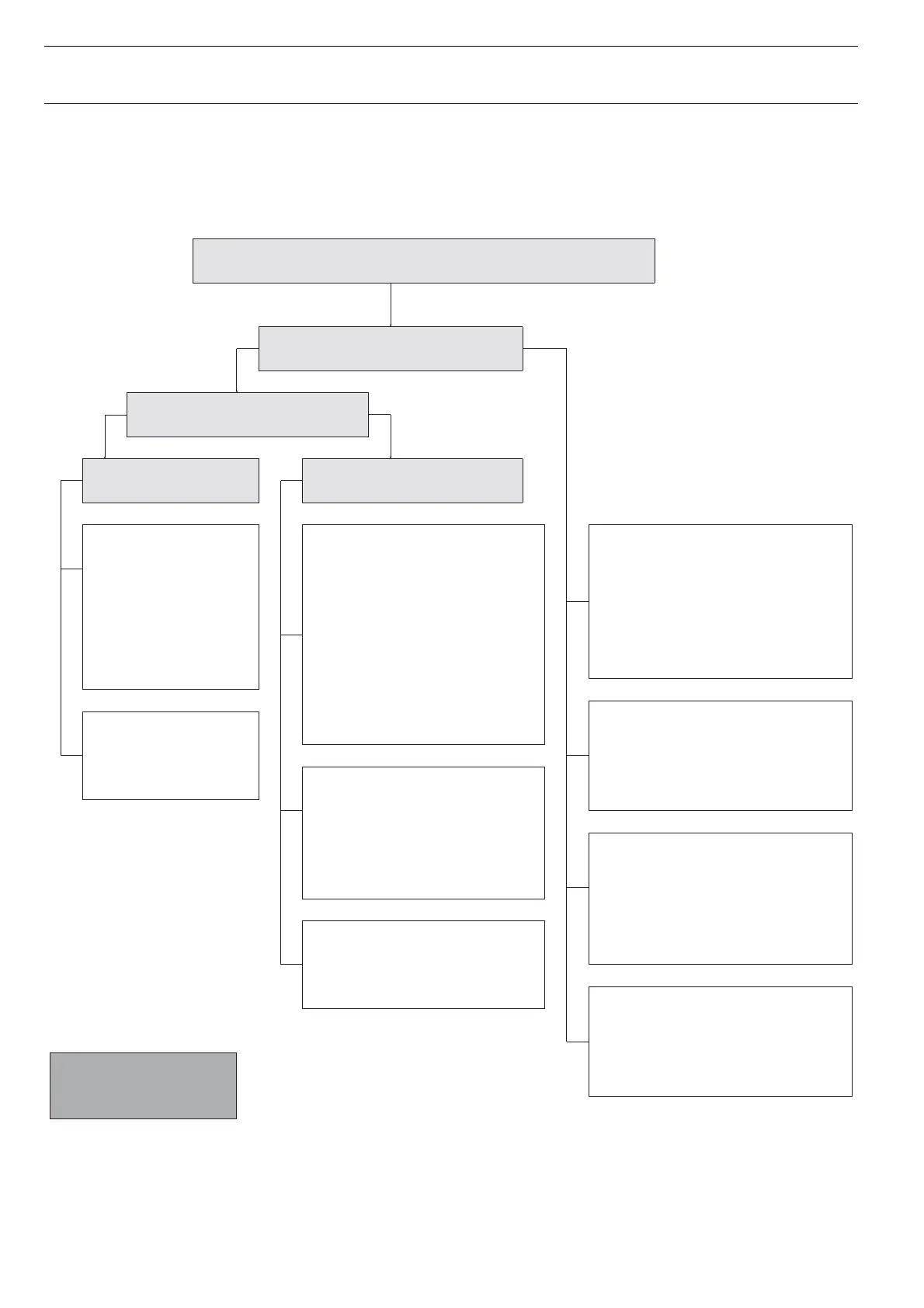
Failure Analysis
Are you sure the printer is the problem?
Selftest (ASCII Test) ok?
Panel function ok ?
– Buttons ok?
– Ability to enter the printer menu ?
– Check panel cable
Horizontal Sstem ok ?
– Check CR Motor
– Check horizontal belt
– whether the carriage is blocked
– firmware new?
Printout problem – Missing or
defective characters ?
– Check printhead
– Check cable
– Check connector
– Check waveform of needle
control
Paper Feed ok ?
– Check paper path
– Check tractors/friction
– Check paper guides (Tractor1)
– Check AGA
– Check function motor
No printout Defective printout
Defective interface
– Check interface
– Check cable
– IEEE 1284 nibble
mode
– Check external box
(speed)
Wrong interface
– Check printer menu
– Check hardware
Wrong or incompatible
driver/Wrong emulation
– Check hex dump
– Analyse printout in
comparison with hex dump
– Compare ,,good“ printout with
,,bad printout if available
– Check PC environment/
used software etc.)
Interface parameters ok ?
– Check serial interface
– Check technical menu/setup
yes
noyes
Printout from host not ok !
Use always the
newest firmware.
Connection PC – printer?
– Check Logic ground and
Frame ground
– Interface cable/Shield has
to be fixed on both ends
– IEEE 1284 cable




 To Next Page