Testmodes and Troubleshooting Printing without TopCover
4-27
4.8
Printing without Top-
Cover
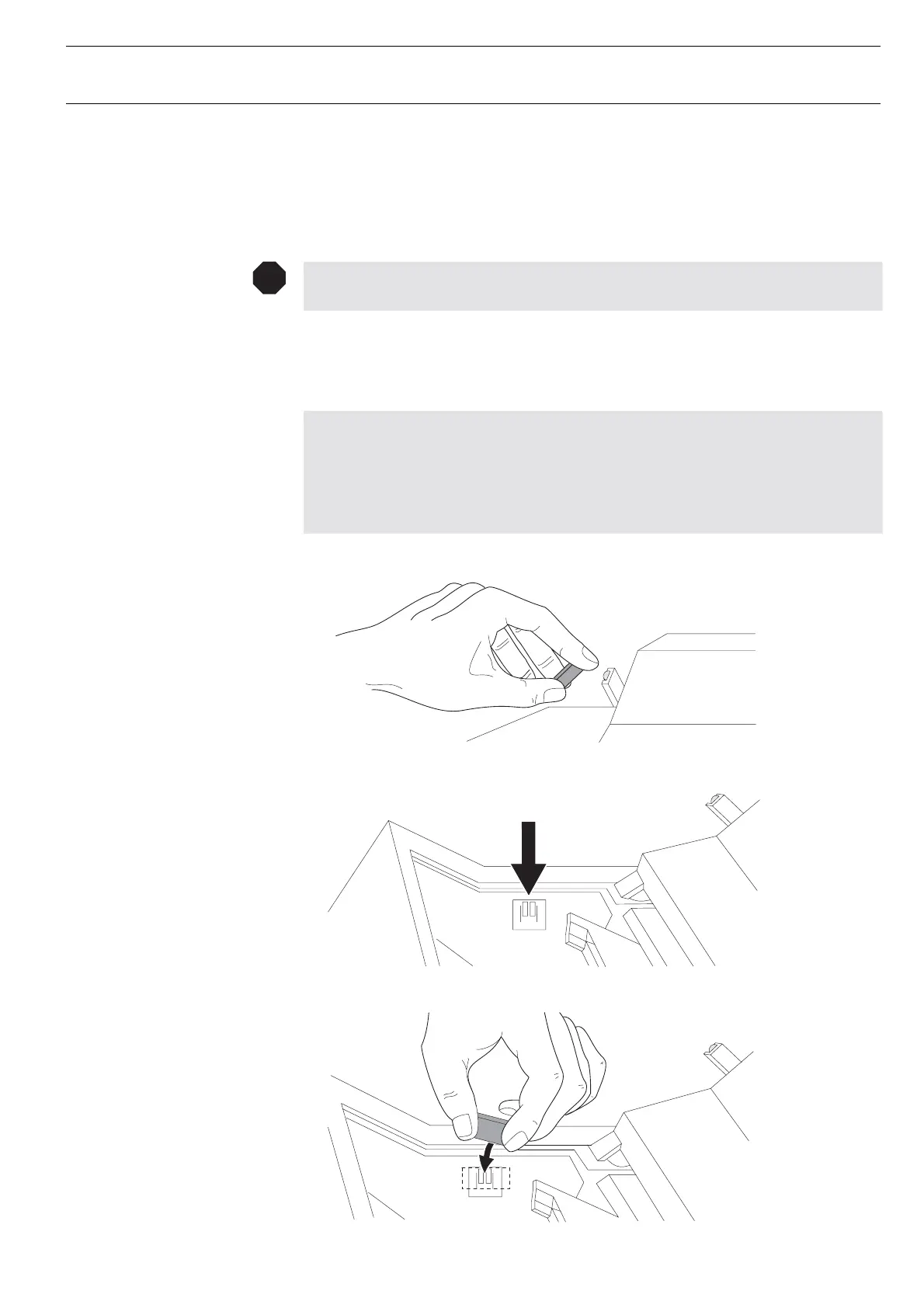
Sometimes it is usefull to look into the printer while the printer is working. (Normal-
lythis is prevented by means of an interlock sensor.)
Caution:
Take care when the printer is operating: danger of injury!
– Open Top Cover
– Install the magnet at the interlock hall sensor on the left side wall by means of an
adhesive tape
Attention:
It is necessary to install the magnet with south pole in direction of the hall sensor.
To obtain this it is suggested to carry out following procedure:
1. Determine the south pole by using the magnet in the Top Cover. The south pole
is repelled by the built in magnet.
2. Stick the magnet (053 528) at the place shown in the drawing.
STOP














 To Next Page